Definition
01info
Throttle Abnormality
03info
Motor Hall Signal Abnormality
04info
Torque sensor Signal Abnormality
05info
Axis speed sensor Abnormality(only applied to torque sensor )
06info
Motor or controller has short circuit Abnormality
Motor operating temperature alarm
Under any interface, when the motor operating temperature exceeds the warning value,
the motor operating temperature display flashes to alarm, meanwhile, the controller will
offer the appropriate protection to motor.
User Setting Project
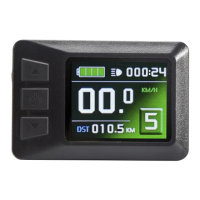
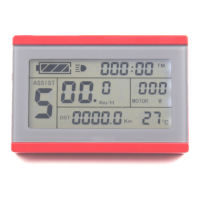
KT-LCD3 meter user setting project
℉
General project setting
℉
P parameter setting
℉
C parameter setting
General Project Setting
○ Maximum Trip Speed
Under power off status, hold button long (SW), the meter is turned on. Within
5 seconds after boot-up, hold button (UP) and button (DOWN)
simultaneously for about 2 seconds, the first is to enter the maximum riding speed setting
interface, then the speed display column flashes. Hold button shortly (UP) or
button (DOWN) in order to set the maximum riding speed value. The default maximum
riding speed value was 25Km/h. When the speed of the electric vehicle exceeds the set
value, the motor will be stopped driving.
Y
Em
U


 To Next Page