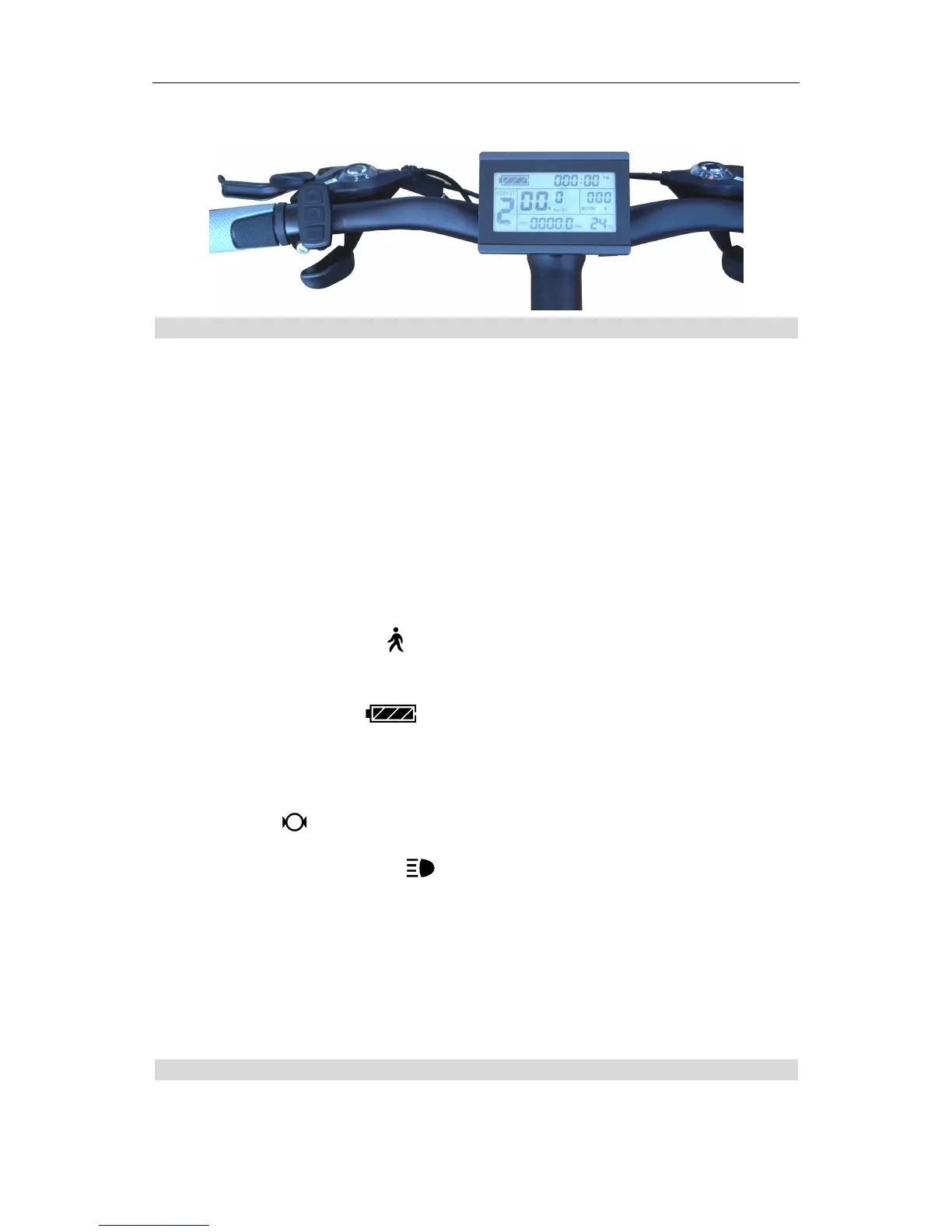
ELECTRIC BICYCLE METER KT—LCD3 Product User Manual
- 6 -
○ Physical installation icon
Function Overview
KT-LCD3 meter provide you with a variety of functions such as vehicle controls and
vehicle status digitized displays to meet the trip demands.
Trip time display (with displays of a single trip time (TM) and total trip time (TTM));
Trip speed display (with displays of real-time speed (Km/H or MPH) and a single
maximum speed (MXS) and a single average speed (AVS));
Trip distance display (with displays of a single trip distance (DST) and total trip
distance (ODO));
Power assistant ratio (or handlebar) gear (ASSIST) switch;
6Km/H power assistant push ( ) function;
Cruise function (CRUISE);
Battery capacity indicator ( );
Real-time battery voltage (VOL) display;
Motor power and temperature (MOTOR) display;
Brake display ( );
Turn on backlighting and lights ( );
Environment temperature ( or ) display;
Data clearing;
Fault code display;
User parameter setting
℉
24V, 36V, 48V supply voltage can automatic identification and be compatible
℉
Display Content
The display content is shown as follow.
ЙЫ`
Й
Ч:
п
дм
Д
І
І
гы
Ц
М
др
“PU
V
7%
find
M
Wm”;
7"
an
,
__'r_
_._’__
U”
‘_
_
_'._
_.€>’
‘
_
0’
_‘
.
.
_
‘
_HU_
M
mm‘
H_
“FL
_“H___H_
‘_
>
0
3
W!‘
‘H
_‘_
‘|‘_h‘
‘L


 To Next Page