ELECTRIC BICYCLE METER KT—LCD3 Product User Manual
- 21 -
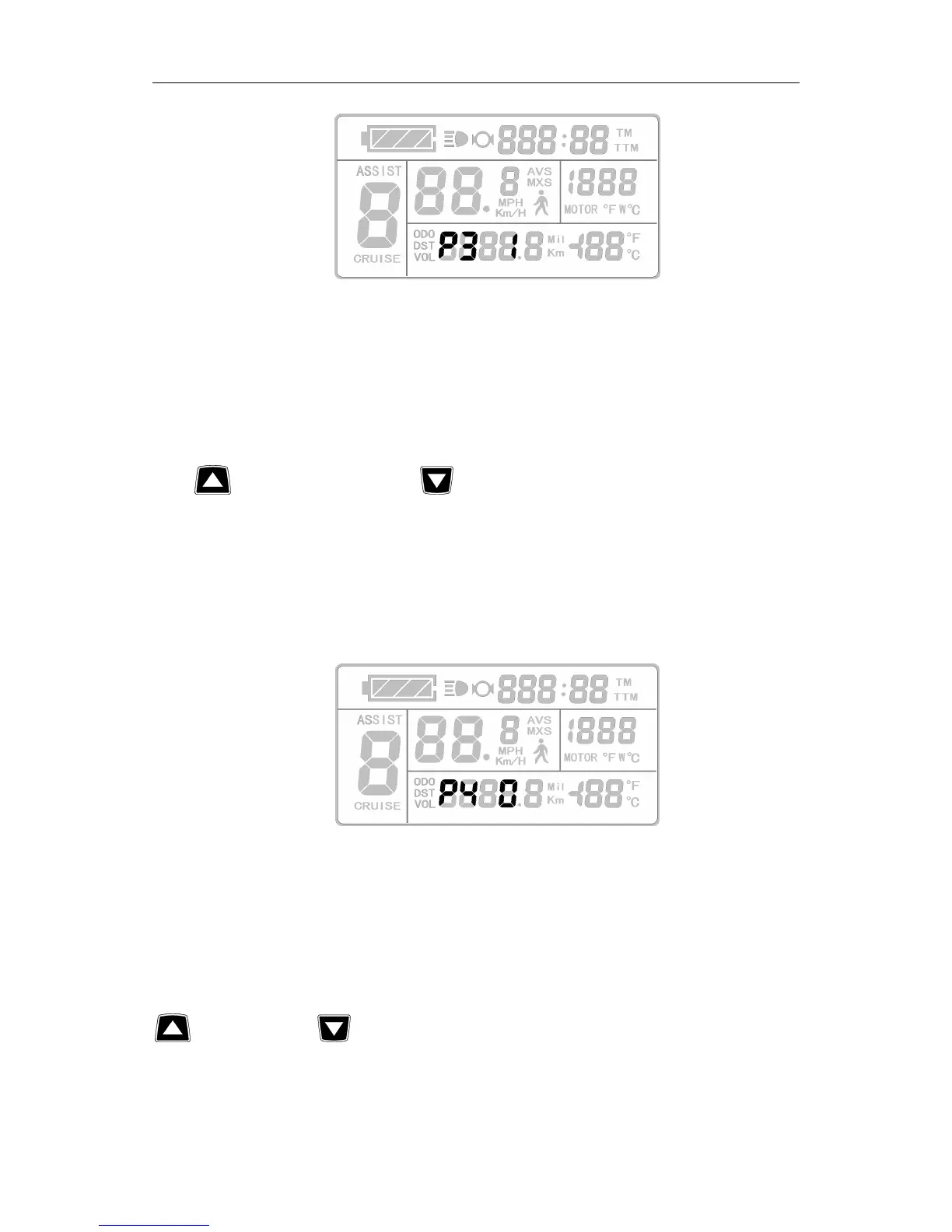
P3 parameter setting interface
P3 is for power assist control mode, when P3 parameter setting is1, power assist
control mode is gear 5 of "imitation torque control" mode, when P3 parameter setting is
0, power assist control mode is gear 5 of "speed control" mode. P3 parameter needs to be
determined according to the distributed function of the controller, its setting range is 0 or 1,
hold button (UP) shortly or button (DOWN) for selection. P3 parameter
setting method is the same to that of P2.
○ P4 Handlebar Startup Mode
Enter P4 parameter setting interface after P3 parameter setting is finished, P4
parameter column flashes.
P4 parameter setting interface
P4 is handlebar startup mode. When P4 setting is 1, indicating the handlebar is under
"non-zero startup" mode, namely, the handlebar can be effective only after startup the
foot power assist. When P4 setting is 0, indicating the handlebar is under "zero startup"
mode, the motor can be startup by the handlebar directly. P4 setting range is 0 or 1, hold
button (UP) or button (DOWN) shortly for selection. P4 parameter setting
method is the same to that of P2.
○ P5 Power Monitoring Mode
‘IL
V,
_
Klllq
__
_
W“?
‘AI
‘M:
E
C
:
F
I
Q
fir
M,
“min
V
h_,__
2
‘__Z_
//_W‘w_‘_
HM
5:
U
§ L?{
__
V,
fl”/pf?
//Q
A‘)
2
L
_
‘Q
HII‘,
\iH
i
/F
L”
3;
7}!
i
\‘|‘|H
3'.
_@_3
HM
NHL
E
Q
//,r|'\,¥‘
__‘_\,;_
F}
¥
ill
H
I
,7
V7
E
yr’
V/L
QXJIHMU
_\\‘,/
Rik/W
E
S
S
i
_
V‘
71
W}
‘
KKK
/
5
ilk?
1
Al}
(I
’\_r'§‘Jy
\_‘\
{J
\
ff
_
I
\/
_
_
S
k
_
___‘|‘|_
‘lllwt
{A1
V(J_H§{‘
K
_/V
X\‘)‘M\/
_
“ll
f
_‘____
,,,_“ny
1/
ll
I.
FWM
/‘H\
__\\\
@
T
L
:
L
F5
K’
U
“A:
Q
‘“_
HQ
E
Q


 To Next Page