Note. The temperatures shown below are for illustration purposes only. The measured temperatures will be shown on the boiler.
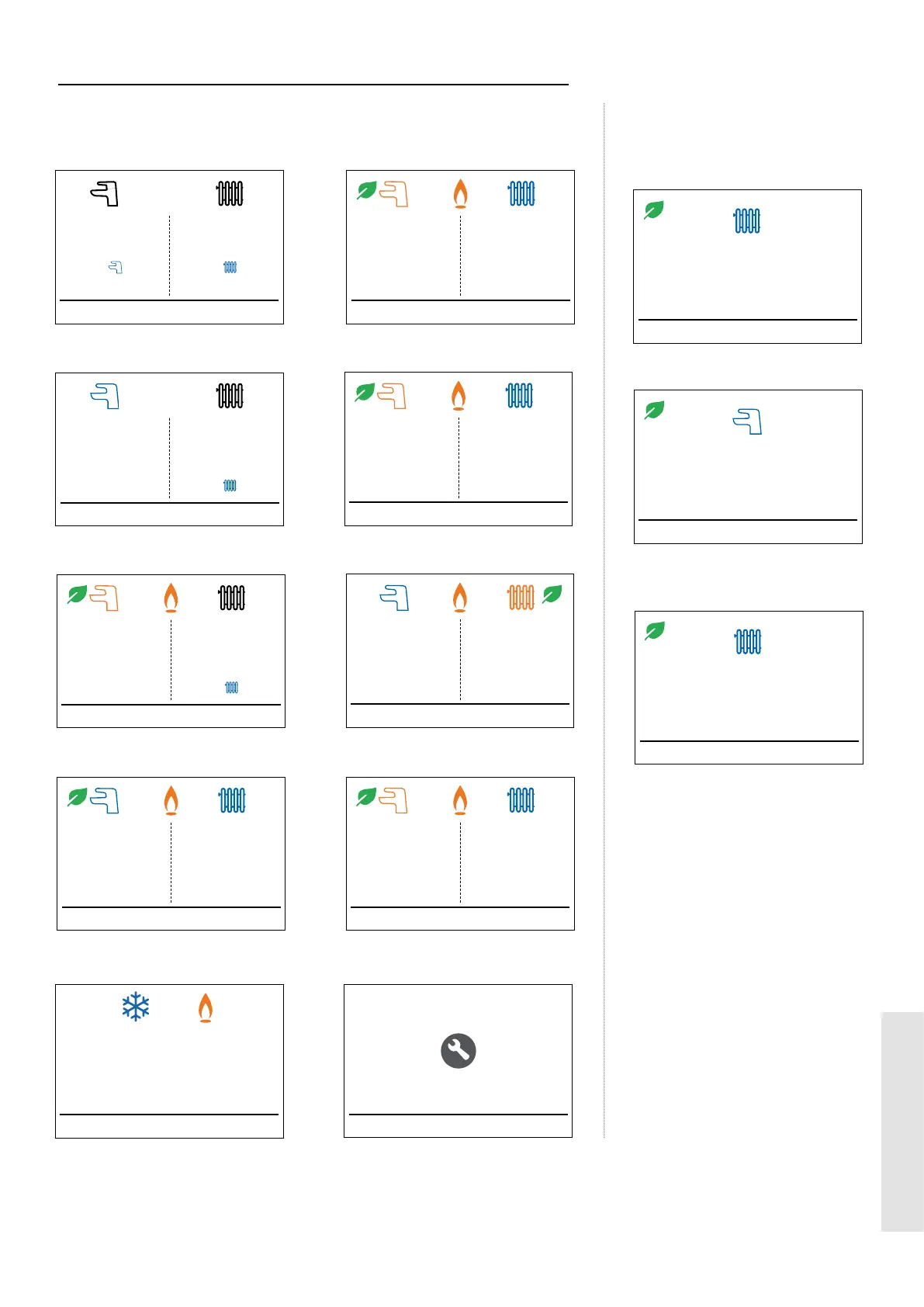
The display scrolls through a maximum of 3 messages under any operational condition, as shown above
1.8 DISPLAY FUNCTIONS - NORMAL OPERATION MODE
Normal Operation Screens
To Switch On
Press Mode Button &
then On
Menu Mode
O
To Switch On
Press Mode Button &
then On
O
O Mode Winter Mode, DHW Demand
Target 60°C
Preheat Menu Mode
Ready
On
Radiator Target 60°C
Room Thermostat or
Timer O
On at 60°C
Winter Mode, DHW & CH Demands
Target 60°C
Preheat Menu Mode
Ready
O
Radiator Target 60°C
Hot Water Priority
On at 60°C
Winter Mode, CH Demand
Target 60°C
Preheat Menu Mode
On at 60°C
On
Radiator Target 60°C
Set by Room Stat
Ready
Winter Mode, Pre-heat Demand
Switch O at 60°C
Preheat Menu Mode
Ready
On
Radiator Target 60°C
Room Thermostat or
Timer O
Preheat Active
Summer Mode, No Heat Demand
Target 60°C
Preheat Menu Mode
O
On
To Switch On
Press Mode Button &
then On
Ready
Summer Mode, DHW Demand
Target 60°C
Preheat Menu Mode
On
On at 60°C
Winter Mode, No Heat Demand
Target 60°C
Preheat Menu Mode
Ready
O
Radiator Target
60°C
Room Thermostat or
Timer O
Ready
O
To Switch On
Press Mode Button &
then On
Service Required
Restart Menu Mode
Service Due
Phone 01482 498660
Boiler Frost Protection
Menu Mode
Boiler Frost Protection Active
Switch O Temperature 19°C
CH Knob Rotated
(without outside sensor connected)
Back Menu
Radiator Target
60°C
DHW Knob Rotated
Back Menu
Back Menu
On
Target
60°C
Room Temperature Target
20°C
CH Knob Rotated
(outside sensor connected)
How to adjust Boiler
Temperatures
User Guide
9
USER





 To Next Page