
 Need help?
Do you have a question about the ifi JOLLY Series and is the answer not in the manual?
Official declaration of product compliance with EU directives.
Overview of the IFI product's history and design philosophy.
Essential safety rules for operating the equipment.
Explanation of warning symbols used in the manual.
Defines roles for installation, use, and maintenance.
Lists supplementary documentation provided with the manual.
Specifies the proper applications for the display case.
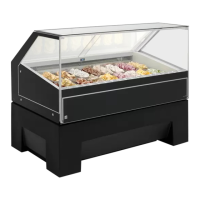
Details the main components and construction of the display case.
Information on the machine's ID plate for identification and support.
Procedure for obtaining technical support from the manufacturer.
Provides key dimensions, performance, and operating data.
Specifies required spacing for operator, customer, and ventilation.
Crucial warnings and advice for safe interaction with the equipment.
Introduction to handling and installation procedures.
Guidelines for safely unboxing the display case.
Instructions for safely moving the unit during transit.
Procedures for safely lifting and maneuvering the display case.
Requirements for optimal placement and environmental conditions.
Steps to remove securing elements used for shipping.
Guidance on relocating the unit using its wheels.
Instructions for safely connecting the equipment to power.
Overview of buttons, functions, and their purposes.
Explanation of status lights on the control panel.
How to configure the desired operating temperature.
Procedure for initiating a manual defrost.
Steps to safely power on and start the display case.
Details on the unit's automated defrost cycles.
Explanation of the secondary ventilation system during defrost.
How to use the dedicated function for ice removal.
Information on an optional switch for mode selection.
How to change between ice cream and patisserie modes.
Instructions for handling internal runners for access.
Steps for cleaning the display case interior with detergent.
Guidelines for disinfecting internal surfaces using specific agents.
Safety and general advice before performing maintenance.
Procedure for cleaning the unit's condenser filter.
Steps to empty and clean the condensation collection pan.
How to clean the cold accumulators, especially for hybrid function.
Guidance on proper disposal at the end of the product life cycle.
 General
| Brand | ifi |
|---|---|
| Model | JOLLY Series |
| Category | Display Case |
| Language | English |

 To Next Page
