5
OPERATING INSTRUCTIONS
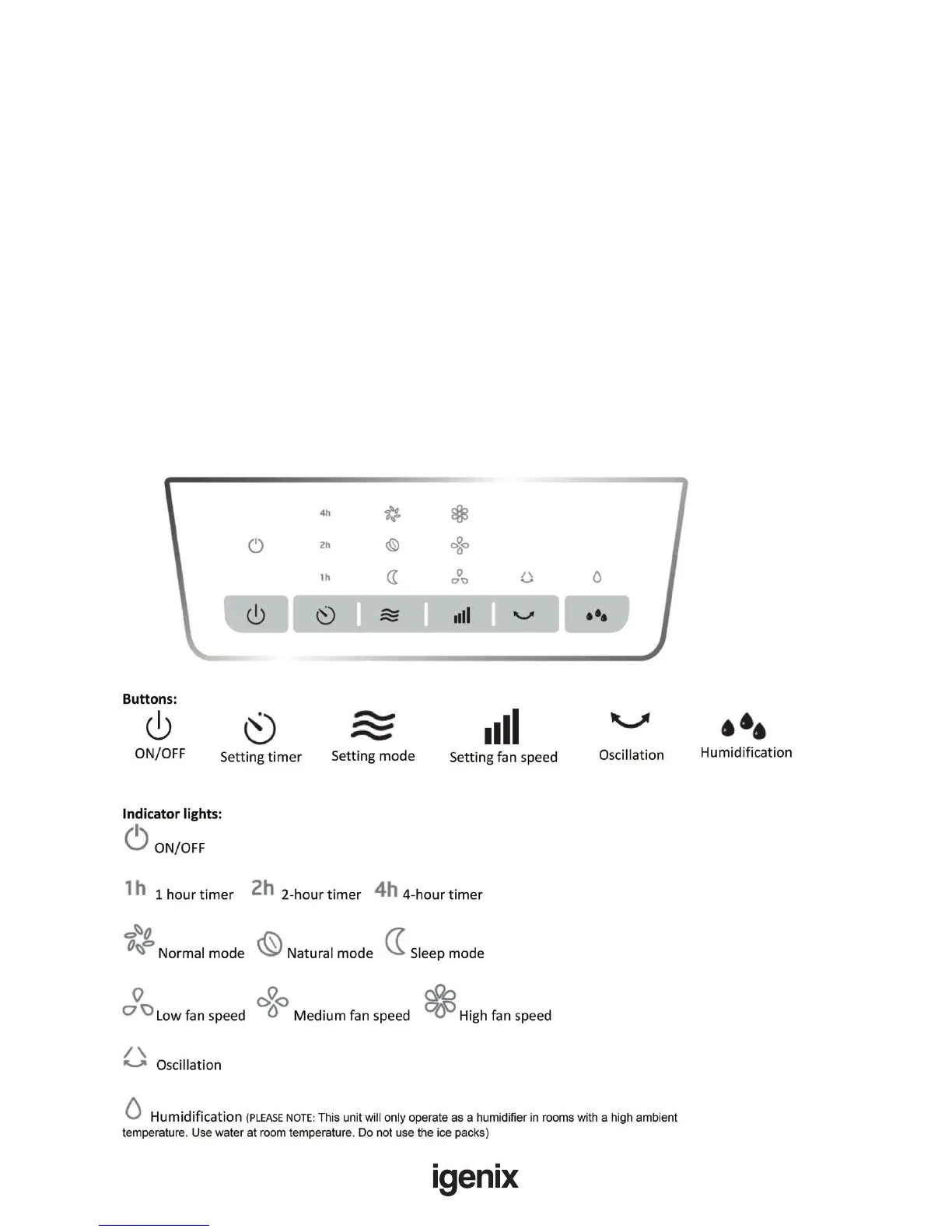
Control Panel
1. Open the packaging and take out the air cooler.
2. Connect the wheels to the base.
3. Pull out the water tank from the body about 1/3 of the way, and pour water into the tank. If you want
to remove the water tank only do so when the power has been switched off for a minimum of
2 minutes.
Attention:
• Pay attention to the water line when lling the tank.
• The water must not be higher than the “MAX” water line. When humidifying, the water must
not be lower than the “MIN” water line.
• If you want to increase the cooling effect, you can put the ice or an ice box into the water
tank
4. Inset the plug into a mains power outlet and then turn on the power button (ON/OFF).
Attention: After turning on the power, make sure to open the air outlet.
Do not connect the power cord with a wet hand



 To Next Page