8
TROUBLE SHOOTING GUIDE
If you experience difculties with the appliance, please check the suggestions below before contacting
customer services:
Problem Solution
The unit will not switch on • Check Trip Switch / Fuse
• Check if the plug is connected to mains socket correctly
• Check batteries in the remote control
Runs for a short while and then
switches off
The unit has been running for a long
period and then switches off
• The overheat protection has been activated to protect the
motor – turn unit off for a least 10 minutes and then switch
back on
• Check if air outlet is blocked, if so remove obstacle
• Check if Timer function has been activated
Runs without cooling in Cool/Hum.
mode and Empty Tank Indicator
blinking
• The water tank is empty and needs to be re-lled
• Check if the air lter is dirty – if so, clean
• Check if air outlets or inlets are blocked
Water is leaking from unit when
moving
• Drain the water tank – refer to Cleaning and Maintenance
on Page 7
• Ensure rubber drainage plug is securely tted in water tank
Ensure unit is located on a at and even surface
The honeycomb lter is blocked
with dust.
• Remove the foreign matter
• Pull down the honeycomb lter and clean it.
The air inlet is blocked with dust
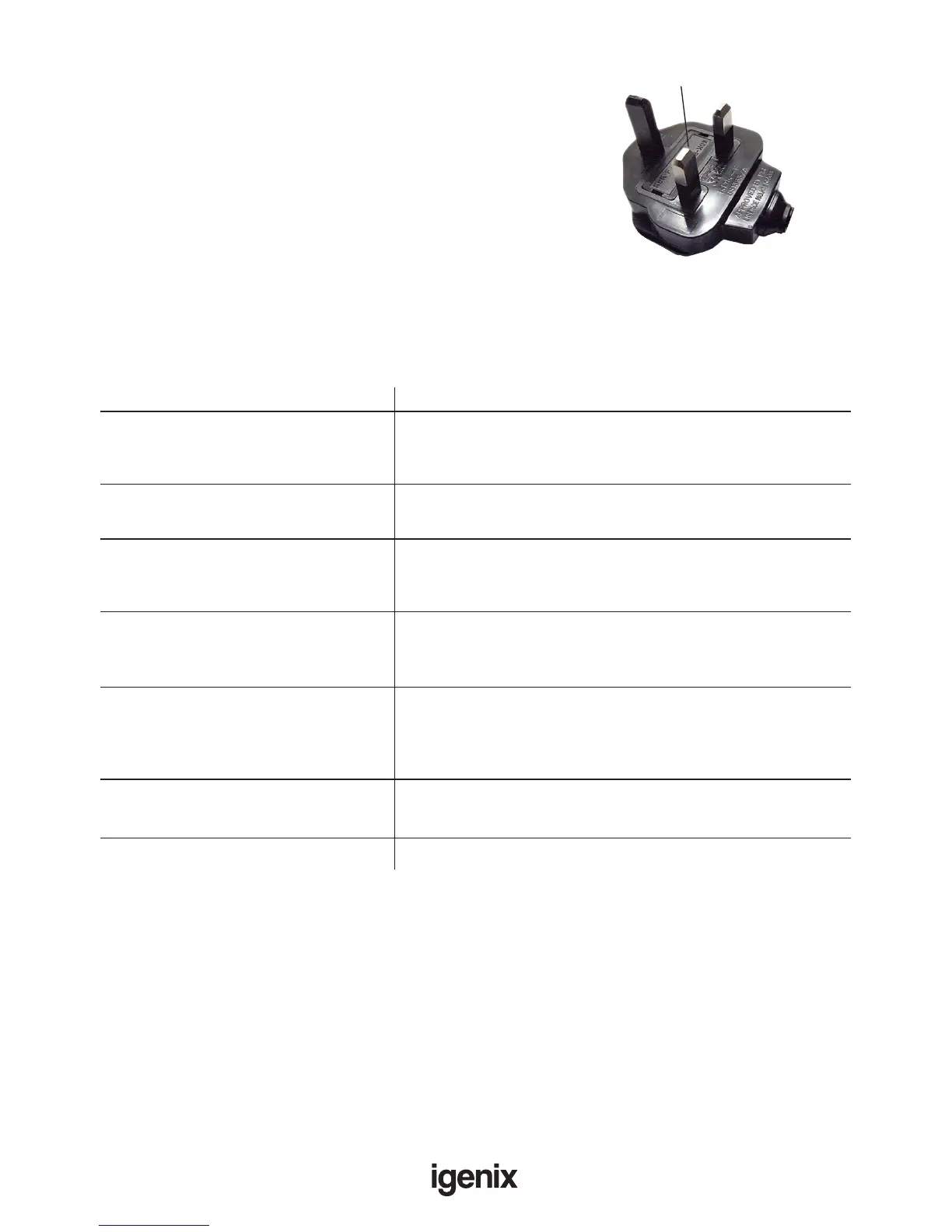
Fuse Replacement (Class II)
Remove the fuse cover with a small at head screw driver.
Take out the fuse and replace with a new fuse of the same
Amp. Replace the fuse cover and push back into place.
Fuse Cover
MAINS PLUG FUSE REPLACEMENT



 To Next Page