EasyManua.ls Logo

iHome DF-H22 - User Manual

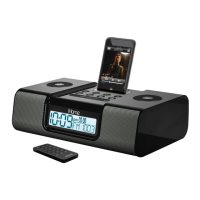
iHome DF-H22
12 pages
Print Icon
To Next Page IconTo Next Page
Loading...
Now Playing
Kei
th LuBrant
1:03
-2:3
0
All I Want
To Be
sno
oze
dimmer
alm. re
s
e
t
sleep
Model:DA-22(Englishversion)
InstructionManual
Date:Aug4,2011
Printcolor:Blacktextonwhitepaper
Size:178Wx178Hmm
QUESTIONS? Visit www.ekids.com
DUAL ALARM CLOCK
SPEAKER SYSTEM
for iPod
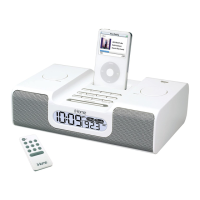
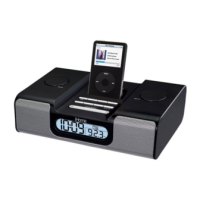
DF-H22, DK-H22, DM-H22
IMPORTANT
Read before proceeding
If you have any questions regarding the operation or use of this product, please visit www.ekids.com to view answers to
frequently asked questions.
To learn more about this and other iHome products, please visit us online at www.ihomeaudio.com

Questions and Answers

  • J
    John HillJul 31, 2025
    Why isn't my iPod charging on my iHome DF-H22?
    • M
      Matthew MitchellAug 1, 2025
      There are several reasons why your iPod might not be charging on the iHome Docking Station: 1. Ensure your iPod is properly seated in the dock. Remove it and check for any obstructions on the connectors, then reseat it. 2. If you are using a 3rd generation iPod, this unit does not support it. 3. If the iPod is locked up or frozen, please refer to your iPod manual. 4. The iPod battery might have a problem.
  • P
    Philip JonesAug 6, 2025
    What to do if my iPod is not responding to my iHome DF-H22 Docking Station?
    • K
      Kenneth LopezAug 6, 2025
      If your iPod isn't responding to the iHome Docking Station, it could be due to a few reasons: 1. The iPod might not be docked correctly. Remove the iPod, inspect the connectors for obstructions, and then reseat it firmly. 2. The iPod's software could be outdated. Try upgrading the software via iTunes. 3. The iPod might be locked up. Consult your iPod manual to ensure it is working correctly before docking.
  • C
    contrerasloganAug 12, 2025
    What to do if the sound is distorted on my iHome Docking Station?
    • M
      Meagan RoseAug 12, 2025
      If the sound from your iHome Docking Station is distorted, try decreasing the volume. The volume level may be set too high.
  • T
    terri59Aug 19, 2025
    What to do if my iHome Docking Station doesn't turn on?
    • S
      Sarah FlemingAug 19, 2025
      If your iHome Docking Station doesn't power on, the wall outlet might not be working. To check, plug another device into the same outlet to confirm if the outlet is functioning correctly.
  • T
    Tracy SmithAug 25, 2025
    How to fix an iPod that doesn't dock properly on an iHome DF-H22 Docking Station?
    • H
      Heidi StephensAug 25, 2025
      If your iPod isn't docking properly with the iHome Docking Station: 1. Ensure that you are using the correct dock insert for your specific iPod model. 2. Check both the dock and your iPod connectors for any obstructions. Remove the iPod, clear any debris, and then try reseating it in the dock.

Summary

Quick Start Guide

Power Connection Setup

Connect the AC adapter cable to the unit and a wall socket for initial power.

iPod Docking and Insert Selection

Select and insert the correct dock for your specific iPod model to ensure proper fit.

Initial Time Zone Setting

Use the unit's buttons to set the correct local time zone for accurate time display.

Controls and Indicators Overview

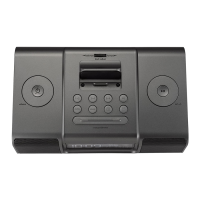
Top Panel Controls and Dock

Identifies buttons like Sleep, Alarm, Play/Pause, and the iPod dock on the unit's top surface.

Rear Panel Connections and Buttons

Details the location of buttons like Clock Adj., Time Zone, DST switch, and the AC Adaptor Jack.

Unit Display and Installation Procedures

Understanding the Unit Display Indicators

Explains various indicators on the clock display such as Battery Low, Sleep, and Alarm status.

Install Clock Backup Batteries

Instructions for installing 3 AAA batteries for continuous alarm and clock settings during power outages.

Install iPod Dock Insert

Steps to correctly insert and remove iPod dock inserts for a secure and proper fit.

Using the Unit - Time and Alarms

Setting Time and Calendar

Guide to adjust current time, year, month, and date settings on the clock display.

Setting and Managing Alarms

Instructions for setting, arming, disarming, and resetting alarm times.

Using the Unit - iPod and Snooze

Snooze and Dimmer Operations

How to use the snooze function to delay alarms and adjust the LCD display brightness.

iPod Charging and Playback

Details on charging your docked iPod and playing music through the unit's speaker system.

Using the Unit - Sleep Mode

Sleep Operation

How to set the sleep timer to automatically shut off the unit after a selected time.

Dimmer Operation

Control the brightness of the LCD display for optimal viewing.

Important Safety Instructions

General Safety Precautions

Key warnings regarding water, ventilation, heat, power sources, and cleaning.

Damage, Non-Use, and Servicing Guidelines

Instructions for handling damage, periods of non-use, and when professional servicing is needed.

Troubleshooting Common Issues

Unit Power and Responsiveness Problems

Solutions for the unit not responding or having no power.

iPod Docking and Charging Issues

Fixes for iPod not docking, not responding to the unit, or not charging.

Sound Distortion Problems

Addresses issues with distorted sound output, typically related to volume levels.

Warranty and Support Information

Limited 90-Day Warranty Details

Details of the product warranty, service fees, and procedures for claims.

Contact, Disclaimer, and Legal Information

Provides contact details, warranty disclaimers, and copyright information.

iHome DF-H22 Specifications

General IconGeneral
BrandiHome
ModelDF-H22
CategoryDocking Station
LanguageEnglish

Related product manuals