4
P5
Set Up
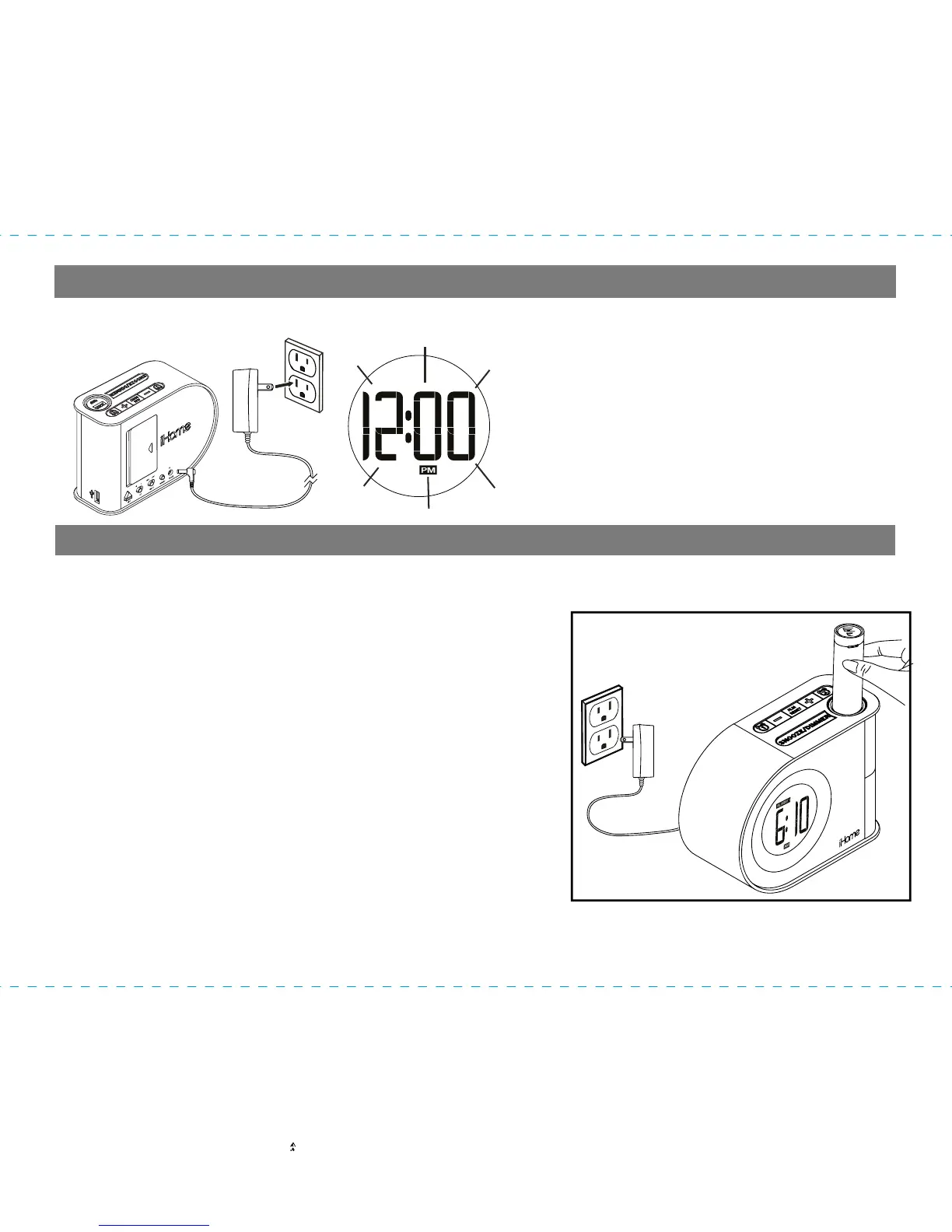
Connecting AC Adaptor to Power Source
Connect the included AC adaptor to
the DC Jack located on the back of
the unit. Connect the AC adaptor
plug into a working wall outlet that is
not controlled by a wall switch. The
unit does not operate on batteries
(the battery back up system maintains
clock settings during power failures).
Charging and Using the Power Bank
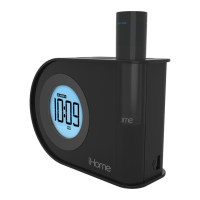
CHARGING THE iPB2 POWER BANK IN THE UNIT
Follow these steps to charge the iPB2 portable power
bank:
1. Ensure that the iH402 is connected to an AC outlet
2. Insert the iPB2 (as shown), making sure that the
iPB2’s iHome name is facing forward.
3. Press down gently on iPB2 until it locks into place.
4. The battery charge LED on the iPB2 flashes blue
when the iPB2 is charging, and it turns solid blue
when it is fully charged.
5. Press the Eject Button located on the back of the
unit to release the iPB2 from the unit.
The iPB2 can be used to charge your phone or other
USB powered devices. It does not power the iH402.
Note: The iPB2 must be charged for at least 3 hours before first use.
Caution: Only charge the iPB2 in the iH402. Do not try to insert an iHome K-Cell or other
power bank
D
C
5
V
,
2
A


 To Next Page