7
P7
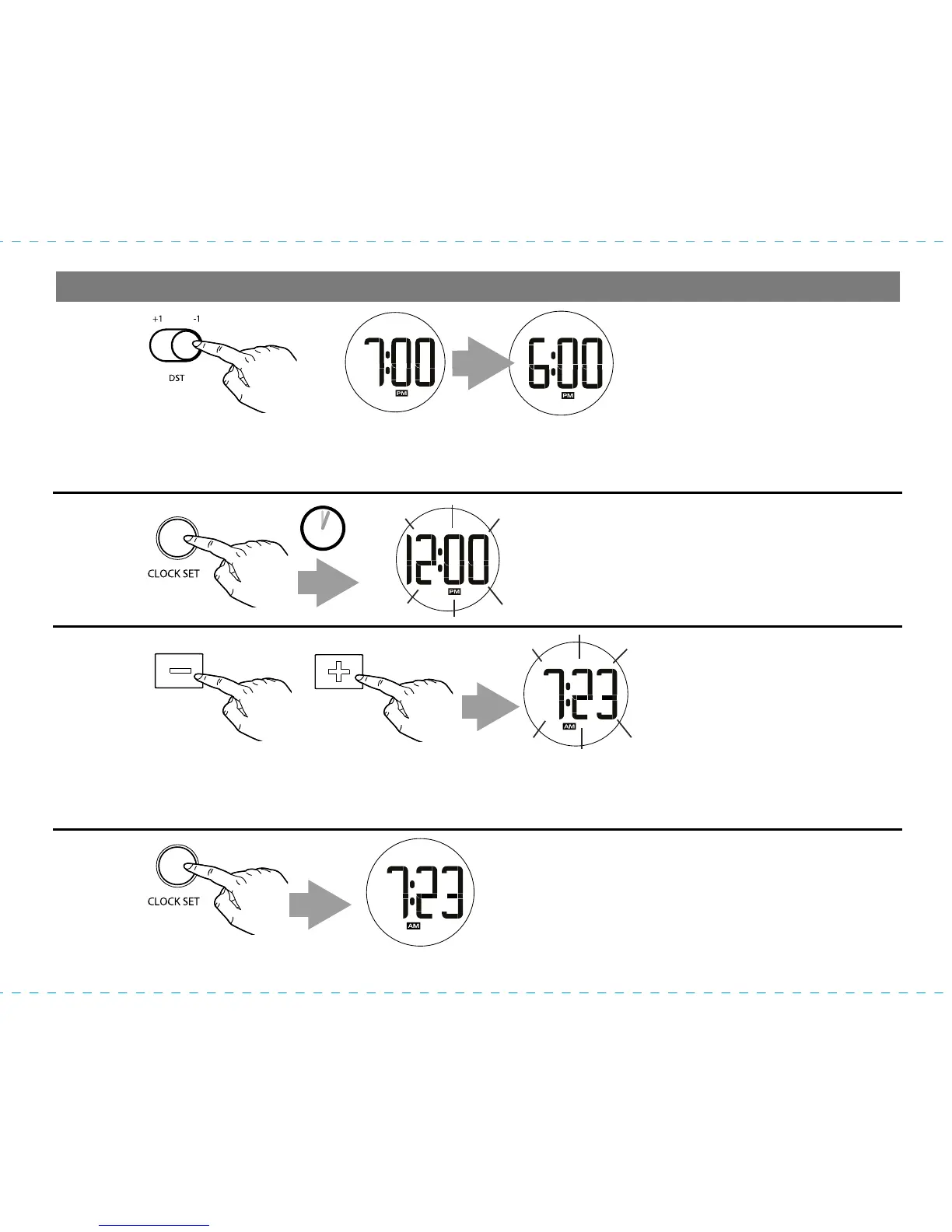
Setting the Time
1
3
2
Press and release the – or + Set Button to adjust the clock to the current time (press and hold for
rapid adjustment). NOTE: Make sure to set the correct AM or PM time. AM/PM indicators appear
just below the time display.
By default, the Daylight Saving Time (DST) Switch is set to -1 for Standard Time. To add an hour
for daylight saving time, slide the DST Switch located on the back of the unit to the +1 position
(left). Slide back when Standard Time resumes.
Press and hold the Clock Set Button
located on the back of the unit until the
time flashes on the display and a beep
sounds.
Press and release the Clock Set Button
to complete clock setting. 2 confirmation
beeps will sound.
4
OR
2 SECS


 To Next Page