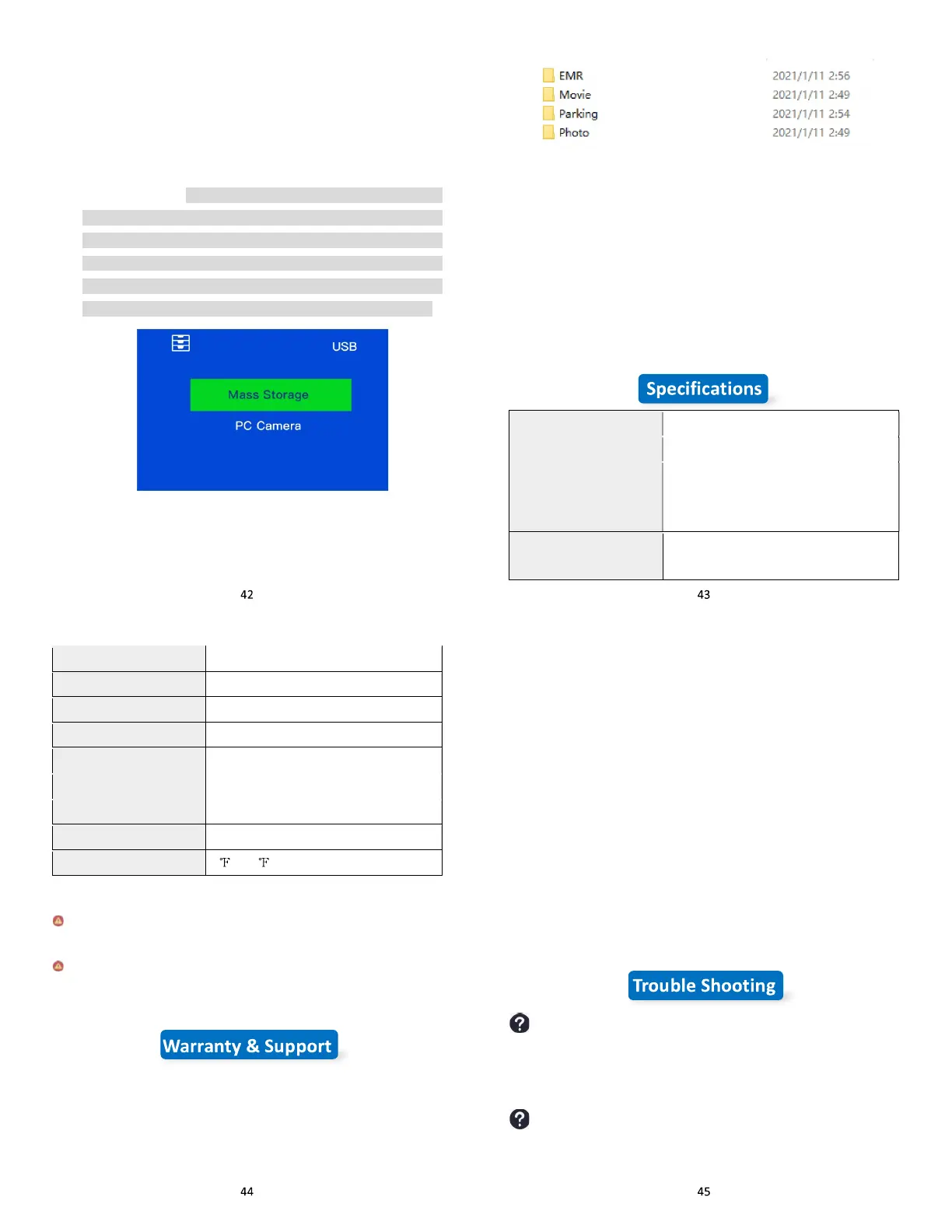
Export the videos & photos to PC
1) Turn off the dash cam first. Connect the supplied USB
Connection Cable to the Mini USB Port on the side of the unit.
2) Connect the full size USB end of the cable to a USB Port on
the Computer.
3) The unit will automatically power on and display ‘PC Camera’
‘Mass Storage’ (NOTE: When connected to your computer
under ‘Mass Storage’ status, standard camera setup and
operations will be disabled; if you select ‘PC camera’, the dash
cam will be recognized by the Camera of your computer instead
of Storage, you can use your computer camera to take photo
through the S2 dash cam when under the ‘PC camera’ mode).
4) Click the ‘Mass Storage’ and wait a few moments, the storage
folder for the unit will appear on the computer screen. Enter the
secondary directory, you will see all the folders:
5) Open the videos by the GPSplayer, you can check the GPS
logs. If you don’t want to use the GPS player and just want to
playback the videos and cannot find a compatible player on
your PC, please search and download this player:VLC Player
NOTE:
GPSplayer (If your PC is Windows) Compatible computer operation
system: Windows XP; Windows Vista; Windows 7; Windows 8 and
Windows 10.
Processor NTK96670
Display Screen 3.0 inch 360 x 640 HD touch screen
Video Resolution
4K
2.5K
1080P
Image Sensor
Front: Sony IMX 335
Rear: GC2053
Sensor Pixel 2M
View Angle Front 170° Rear 150°
Memory Card MicroSD Card 32GB-256GB U3
Car Charger DC 5V 2A
USB port Mini USB 2.0
Lens f/1.8 6G
Storage Video: MP4 Photo: JPEG
Working voltage 5V
Working temperature -4 -149
To avoid damage:
In hot weather, do not expose the camera directly to the sun
when the car is parked.
In extreme winter conditions, i.e. 4°F (-20°C) or lower, detach the
camera from the windshield when not in use, and store in the
glove box.
Warranty
The IIWEY S2 Front and Rear Dash Cam comes with a full 12
months warranty.
Support
If you have any questions regarding your product, please do not
hesitate to contact us at support@iiwey.com, or drop us a
message through the message chat box at Amazon, you can find it
from your order details page. Queries are typically answered within
12-24 hours.
Reminder: There will be slight heat on the back of the dash cam and
touch screen when you use it. This is a normal phenomenon, almost
all electronic products will be hot, just like if you use your smart
phone when charging, it will get heat. The dash cam is also the same.
A high-configuration dash cam generates more heat than a low-
configuration ones because it processes faster and processes more
content. But please don't worry, we use the VO grade fireproof
material (high temperature resistance) and high-performance
processors (NTK 96670) to solve this problem well, 100% guarantee
the experience and safety of the dash cam.
Can’t turn on the dash cam.
Please connect to power and charge the dash cam 5 minutes at least,
and then reset the dash cam to restart it. If it still can’t turn on, please
update your dash cam (check the tips of 15th).
Dash cam screen freeze.
Operation speed is too fast or high-frequency operation will cause
this issue in some case, you need to reset the dash cam with tool



 To Next Page