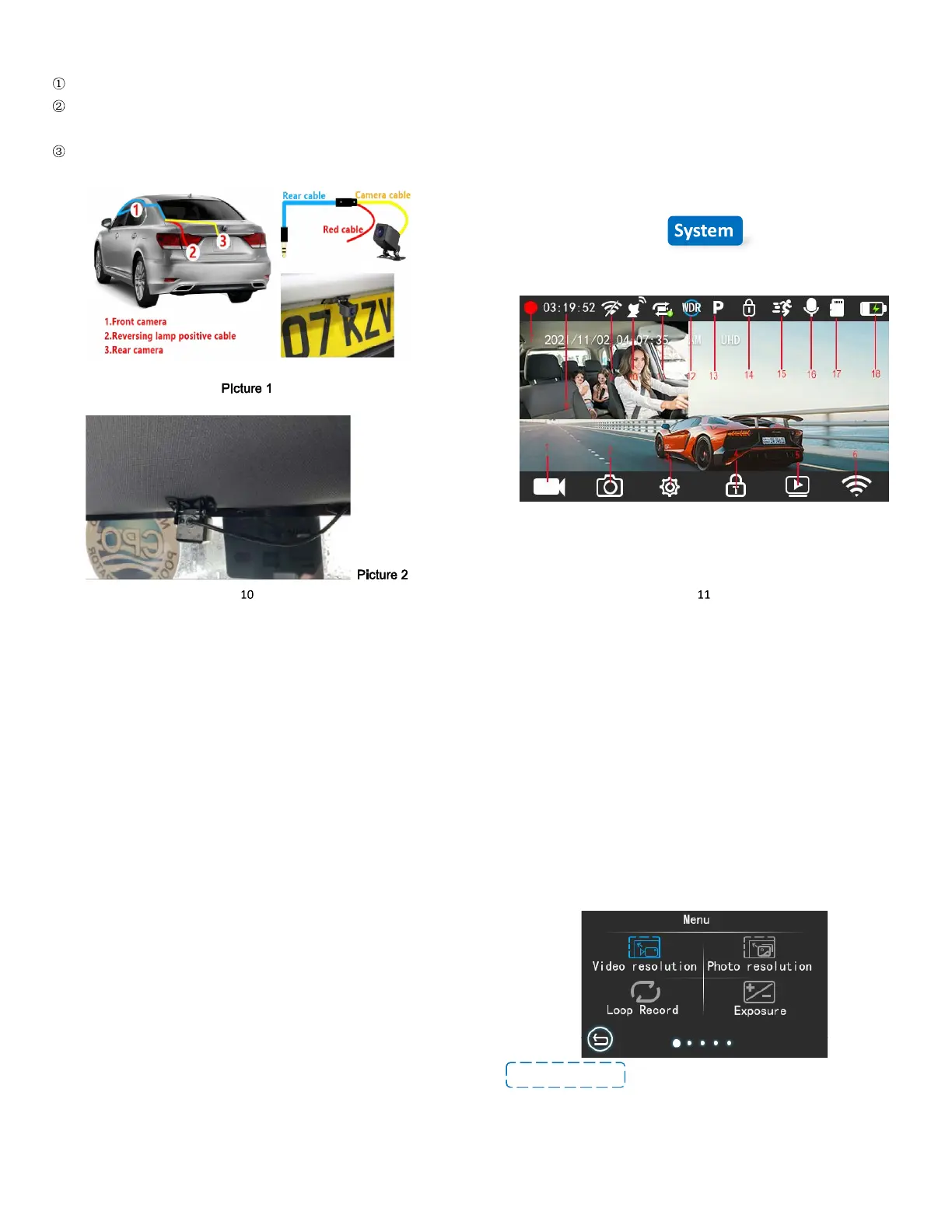
5.3 Rear Camera Installation:
. Remove the protective film on the bracket;
. Install the bracket on the camera and adjust it to a suitable
position;
. Press the bracket firmly on the windshield, and turn the bracket
knob to the specified position
The rear camera is waterproof, so you can install it outside the car
like the Picture 1 shows, or you can install it inside the car like
Picture 2 shows.
REMINDER: The rear camera comes with reversing aid function, if
you need it please connect the red wire of the rear camera to the live
wire of the reversing lamp. If you don’t need this function you don’t
need to connect the red wire.
Screen Overview
1. Start Recording/ Stop recording
2. Take photo
3. MENU setting
12
4. Video Lock Button
5. Folder
6. WIFI
7. Recording Status
8. Remaining Recording Time
9. WIFI OFF
10. GPS Symbol
11. Loop Recording
12. WDR
13. Parking Monitor
14. Current Video is Locked
15. Motion Detection
16. Audio ON
17. MicroSD Card Installed (Package not include SD card)
18. Power Connected
Reminder: You can swipe left and right on the screen to switch the
front and rear lens view.
Basic Operation
REMINDER: Touch and swipe to complete all settings, please
remember some convenient operations:
Switch display mode: swipe to right
Menu function search: swipe to left after entering the MENU setting
to switch to the next setting page.
13
There are two ways to power ON/OFF the camera
A. Manually
Single press the Power Button to power ON the camera unit, long
press the button to power it OFF.
B. Automatically
When connected to the car charger, the camera will auto-power ON
after starting your car and the battery charging will commence. The
camera will power OFF in 5 seconds after you turn off the car engine.
MENU Settings
After powering ON the camera, click the MENU icon to enter the
setup process.
-Video Resolution: By default (SINGLE FRONT mode) the front
camera will record at 4K (3840*2160P @30fps), you can choose
2.5K (2560*1440P@30fps), 1920x1080P@60fps or
1920x1080P@30fps. In DUAL CAMERA RECORDING MODE
(FRONT CAM+REAR CAM), you can choose 4K



 To Next Page