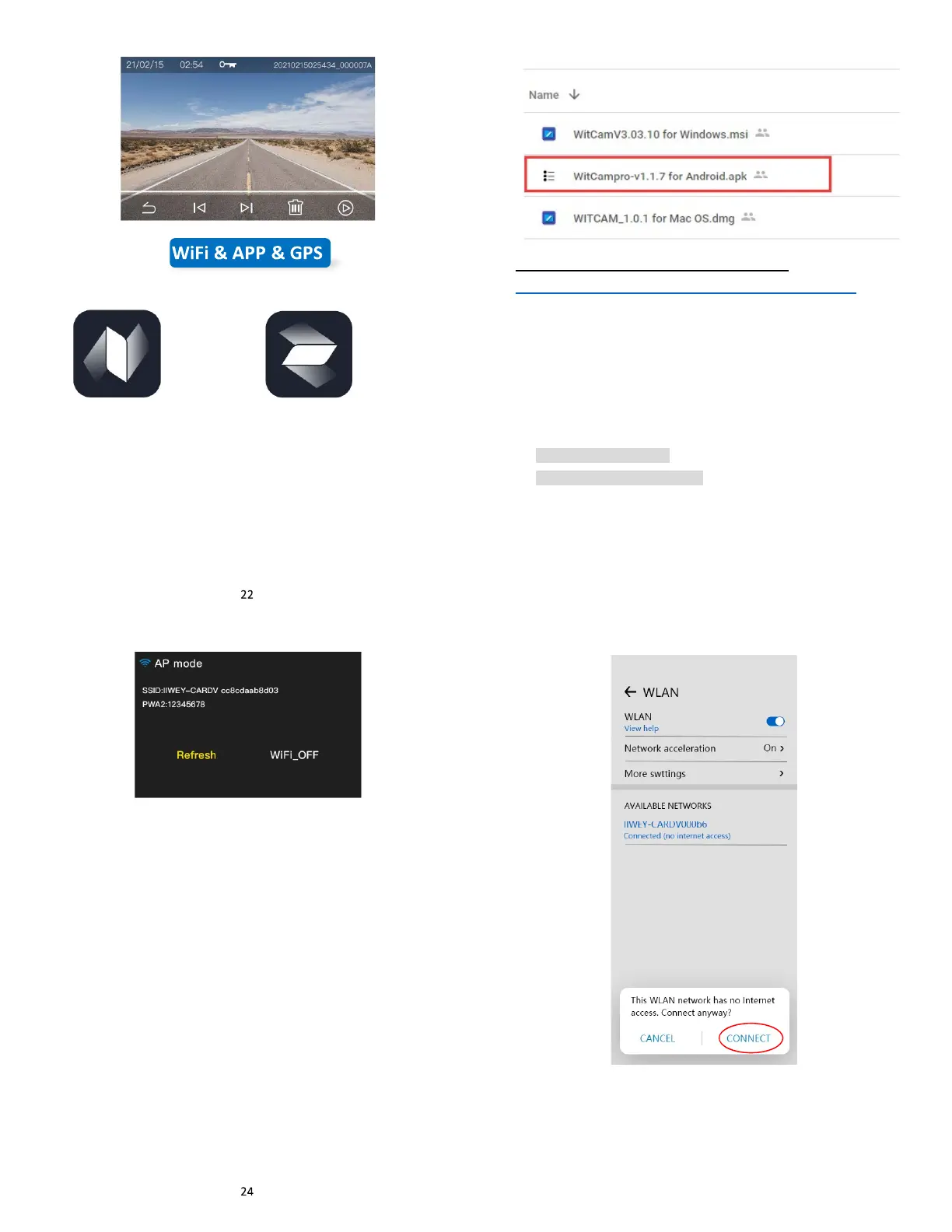
Download APP
Android
--Download APP “WitCam Pro” from Google Play.
--Download APP “WitCam” from App Store
If you cannot find the App in the play store, please download APK file
from Google cloud: https://bit.ly/3zh2aBb
WitCam Pro
(For Android)
WitCam
(For IOS)
23
(How to install apps outside of Google-play)
https://www.nextpit.com/install-apps-outside-of-google-play
(Please use the second way to install App if you can’t find “WitCam
Pro” from Google Play)
IOS
Connect phone to S2
1. Click WI-FI button on the screen to turn on the WI-FI, it will show
SSID name and password, SSID name is like:
IIWEY-CARDV000b6,
Default Password: 12345678
(Each device has a separate WIFI name, but all start with
IIWEY-)
2. Turn on the WIFI function of your smart phone, find SSID name,
input password, and connect WIFI.
-REMINDER: After you connect to the WIFI, android smart phone
will have a prompt ‘the WLAN network has no internet access.
Connect anyway?’, please select ‘CONNECT’ otherwise you
cannot use the App well.
IOS smartphone doesn’t have this prompt.
25
3. Open “WitCam” on the phone, the App will show the dash cam
model you are using. You can press the CONNECT button to
connect the dash cam now.



 To Next Page