14
(2160P@24fps)+1080P or 2.5K+1080P@30fps. REMINDER: when
you set the dash cam recording mode to SINGLE FRONT, the dash
cam will automatically cut off the rear camera signal, the display will
only show the front camera view, when you switch it to DUAL
CAMERAS MODE, it will restore to two cameras view.
-Photo Resolution: Default is set to12M 4032x2034.
Other options: 10M 3648x2736; 8M 3264*2448; 5M 2992X1696;
3M 2048X1536; 2MHD 1920X1080; VGA 640*480; 1.3M 1280X960
-Loop Record: By default the camera will cycle record at 3minutes
per video clip. Click icon to change the duration: 1, 3, 5, or OFF.
When the SD card is full, the dash cam will overwrite the oldest
video for continues recording.
-Exposure: Default is set to 0.0. +2, +5/3, +4/3, +1.0, +2/3, +1/3,
+0.0, -1/3, -2/3, -1.0, -4/3, -5/3, -2.
Adjust the amount of light entering the lens.
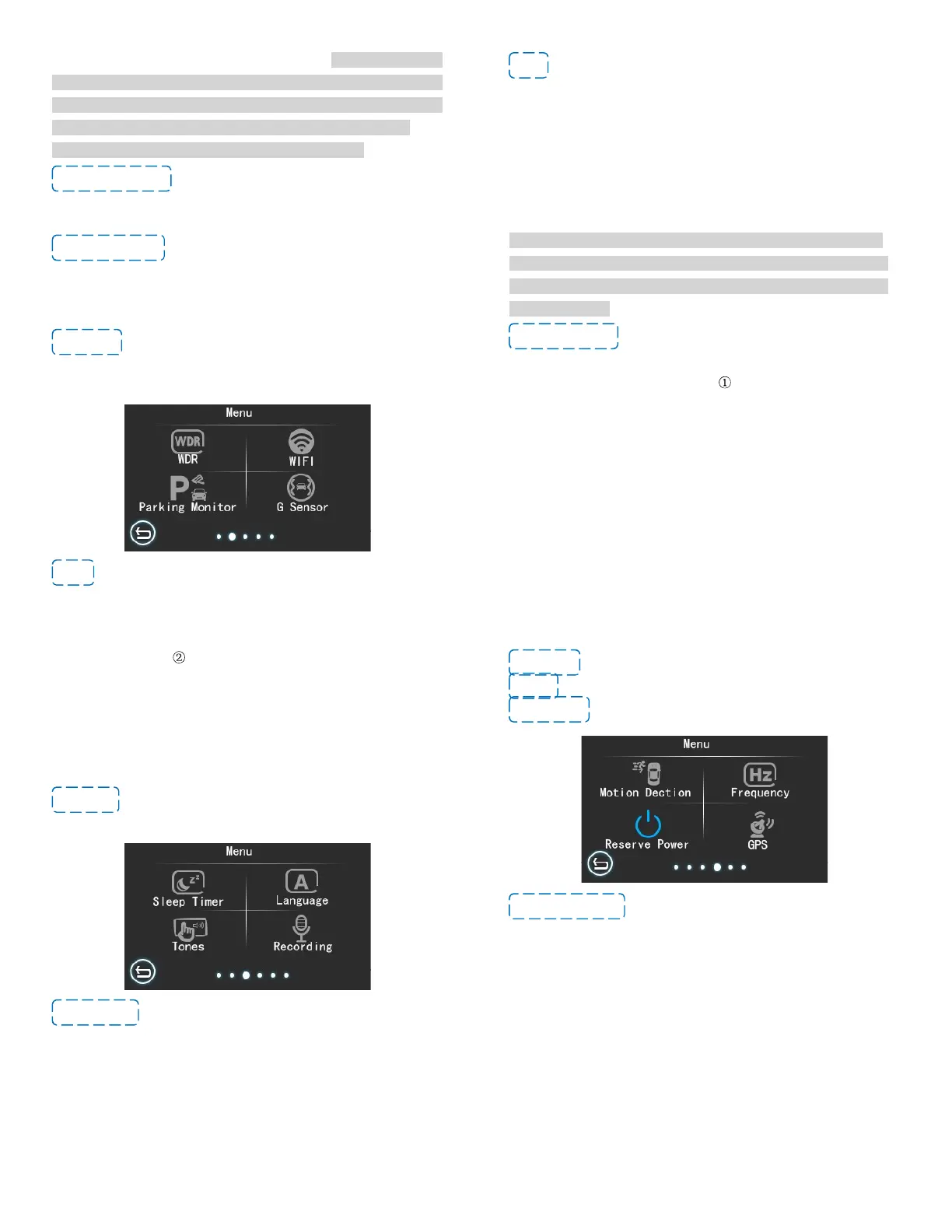
-WDR: Wide Dynamic Range. Default is ON.
15
-WIFI: Default is set to OFF. Please turn off the WIFI if you don’t
use App. Turning on WIFI for a long time when dash cam is
recording will cause unnecessary power consumption and affect
the video recording.
The dash cam WIFI is AP mode, also named Local mode, NOT an
IP/4G Dash Cam - It does NOT allow you to view your recording
remotely. The dash cam WIFI can only work when the dash cam is
ON and you are close to the dash cam within 10-ft.
NOTE: after connect to WIFI, you cannot operate on the screen
except Start or Stop recording, Lock or unlock video, and turn off
WIFI. If you do other operation, the dash cam will prompt ‘please
disconnect WIFI’.
-Parking Monitor: Default is set to OFF.
If you set the parking guard to ON, there are two different situations
after the parking guard is triggered: if the camera remains
connected to the power source even after turn off the engine (such
as you connect it to the power bank with USB cable or you have
hardwired your S2 dash cam), the dash cam is continues recording
under this situation; if you turn off the dash cam manually (long
press the POWER button) after parking, the dash cam will
automatically power on the and start to record a 30s emergency
video when it detect collision and shakes, and the dash cam will be
continues recording after the 30s emergency video (Emergency
16
video will be locked). if the dash cam does not connect to any
external power, it will automatically shut off usually after you turn off
the engine. At that time the dash cam will auto power on and record
a 30s emergency video when it detect collision and shake, then
auto shut off after that. So we recommend to hard wire your dash
cam if you want to use the Parking monitor function well.
-G-sensor: Default is set to Low. You can choose off/ Low/
Medium/ High. We recommend you set it to Low level sensitivity.
-Sleep Timer: Default is set to 3 Minutes. You can choose to off/
1 minutes/ 3 minutes/ 5 minutes/ 10 minutes. If you set it to 1
minute, the screen will auto shut down if there is no operation
within 1 minute.
We recommend you set the Screen save to 1 minutes or 3 minutes
to reduce power consumption and heat, to extend camera and
memory card life.
17
-Language: Default is set to English.
-Tones: Default is set to off.
-Recording: Default is set to ON.
-Motion Detection: Default is set to off. When you turn it on, the
dash cam will automatically start recording when the front camera
detect object move. The front and rear cameras will record at the
same time but please note: the motion sensor is installed in the
main camera, so the dash cam does record only when the front
camera detect motion.
The dash cam will record a 22 seconds videos normally if the
motion detection is triggered. If the front camera does not detect
the object move after the 22 seconds video recording finished, the
dash cam will stop recording, otherwise the dash cam will continue
to record.
REMINDER: We recommend to turn off the motion detection



 To Next Page