ENGLISH
OPERATING THE MONITOR 29
Adjustment Item Problem / Option Button to Press
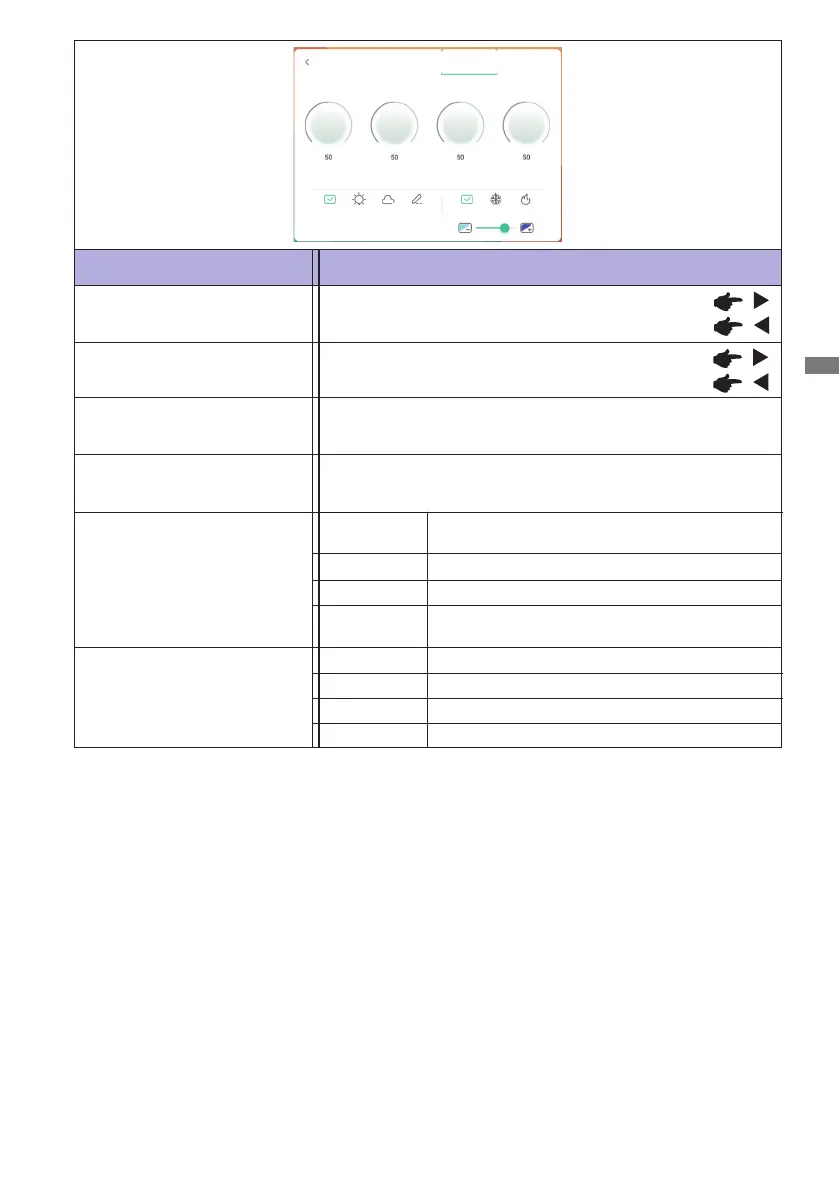
Display setting
Color Temp
Standard
Cold
Warm
Too dark
Too bright
Brightness*
1
Contrast
Too dull
Too intense
Sharpness
*
1
Adjust the Brightness when you are using the monitor in a dark room and feel the screen is too bright.
*
2
Display Mode is disabled when iiWare input.
Hue
Custom
Standard
Displays a picture on a screen set by Image
Settings adjustments.
For general windows environment and monitor
default setting.
Display Mode *
2
Bright
Soft
Enlarge brightness and vivid.
Reduce brightness and soften.
Sharpness
AdjustDisplayScreenAudio
HueBrightness
Contrast
CustomSoftBrightStandard WarmColdStandard
Blue Light
Blue light adjustment.(Custom)
Cool color
Warm color
Normal color
Not available for this model.
Not available for this model.








 To Next Page