ENGLISH
OPERATING THE MONITOR 35
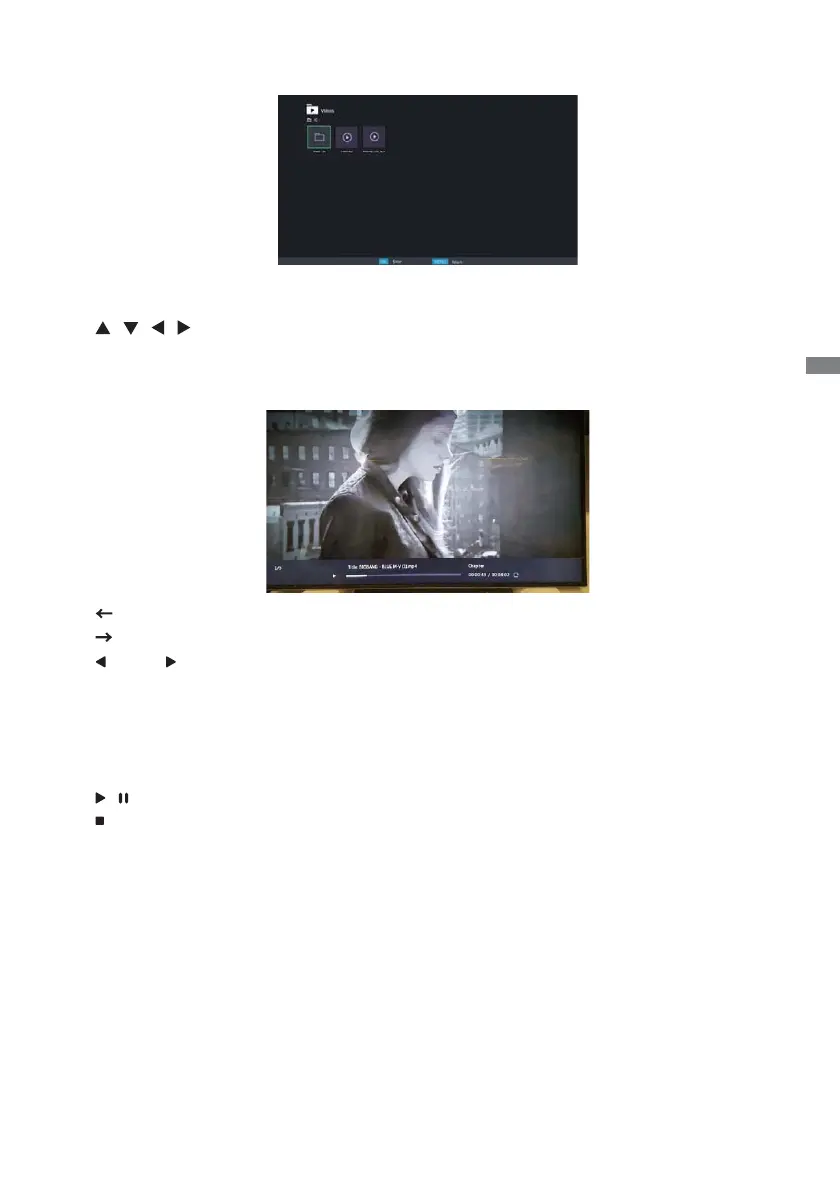
Playing video fi les
<Remote control button functions in thumbnail view>
•
OK / ENTER
: Plays the selected video fi le.
•
MENU / ESC
: Returns to the Media Player menu.
•
/ / /
: Directional arrows for selecting a desired video.
•
EXIT
: Closes the OSD menu or media player.
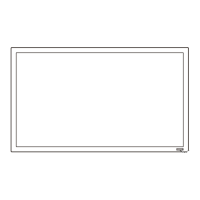
<Remote control button functions during playback>
• : Plays to the previous video fi le.
•
: Plays to the next video fi le.
•
/ VOL-, / VOL+
: Turns down/up the volume.
•
QUICK
: Opens the Quick menu.
•
MENU / ESC
: Goes back to the previous page.
•
FWD
: Fast forwards the video.
Press repeatedly to change the speed at 1X, 2X, 3X or 4X.
•
REV
: Rewinds the video. Press repeatedly to change the speed at 1X, 2X, 3X or 4X.
•
INFO
: Displays the current fi le status information.
•
/
: Plays/pauses the video.
•
: Plays the fi le from the beginning.
•
EXIT
: Closes the OSD menu or media player.
•
0(MUTE)
: Mutes the sound.
<Quick Menu>
• Picture Settings : Opens the Picture Settings menu.
• Picture Size : Sets a preferred picture size. Normal / Wide Zoom / Zoom
• Sound : Opens the Advanced Sound Settings menu.
• Repeat : Sets the fi le repeat mode.
Off : The fi le only plays once.
All : All fi les in the same folder play repeatedly.
1 : The same fi le plays repeatedly.
• Device Information : Displays the current device information.







 To Next Page