18
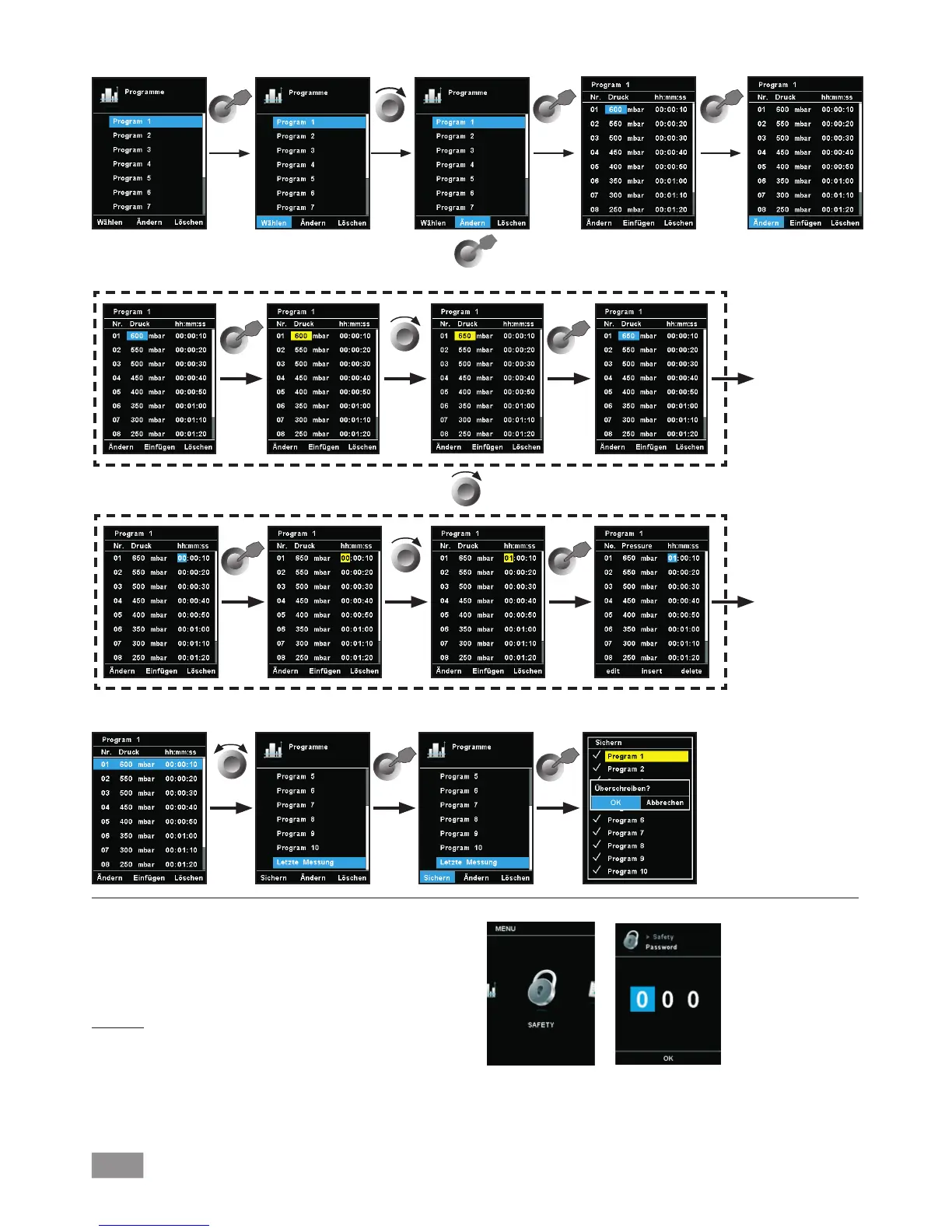
When a program is being edited, following screen appears. Sample for editing the program
Safety
1. Press the "Menu" key (N).
2. Select the menu "Safety" and confirm the input.
In the “Password“ menu, you can protect the WiCo settings using
a password. (factory setting: 000)
Time Out
In the “Time Out“ menu, you can set a time limit. This time limit
applies if there is a communication failure between the IKA Vacstar
and the WiCo or the communication range is exceeded. The IKA
Vacstar will continue to run at the set speed until the set time
has expired. After that the IKA Vacstar will continue to run at the
set safety pressure (manual mode) or safety pump rate( Pump %
mode) (see the "Safety" menu).
Edit pressure
Edit time
Example of saving the last measurement


 To Next Page