19
Service
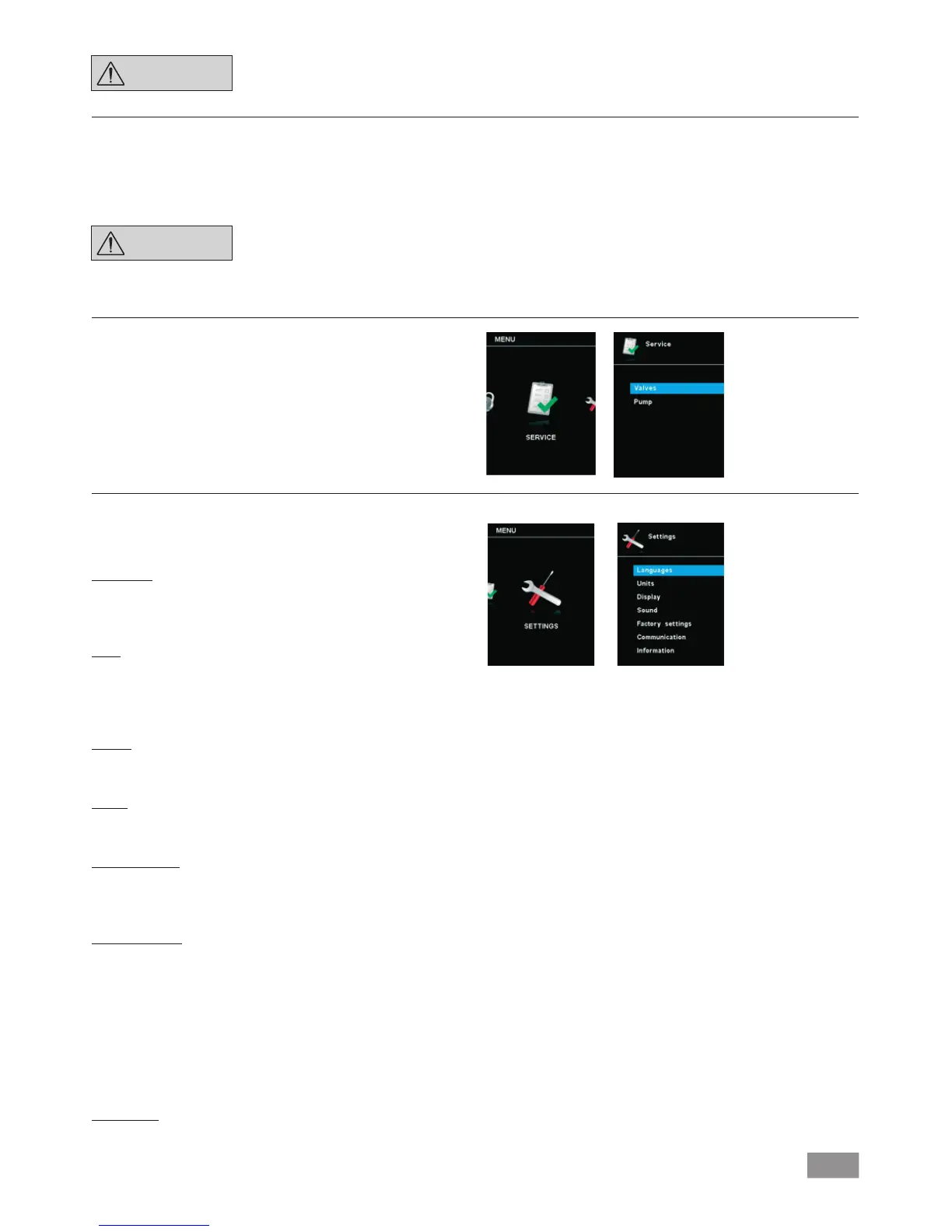
1. Press the "Menu" key (N).
2. Select the menu "Service" and confirm the input.
In the “Service” menu, the valves and the pump can be operated
individually and also checked to ensure that they are operating
correctly.
Settings
1. Press the "Menu" key (N).
2. Select the menu "Settings" and confirm the input.
Languages
The “Languages“ option allows you to select the desired language
by turning and pressing the rotary/pressing knob (B). A tick ()
indicates the language that is set for the system.
Units
The “Units” option allows you to select the desired unit for display-
ing the pressure by turning and pressing the rotary/push knob. For
the pressure, the choice is “mbar”, “hPa”, “mmHg” or “Torr”. A
tick () indicates the unit that is set for the system.
Display
The ”Display“ option allows you to change the background color
and brightness of the working screen.
Sound
The ”Sound” option allows you to activate/deactivate the key-
press sound and to set the volume.
Factory settings
You can choose this function if you want to reset the system pa-
rameters. There are three options to choose: "menu values", "pro-
grams" and "all". Select the option which is going to be reset.
Communication
The “Device name” option allows you to input a device name.
The device name appears on the opening screen when the device
is switched on. This can be useful when using multiple devices
with different set- tings. This also facilitates the identification of
each device when communicating with a PC via USB, RS232 and
Bluetooth
®
, for example.
Note: The coupling "Pairing" can only be performed if the wireless
controller is mounted on the station (see chapter "Device setup"
Fig. 1).
Information
The ”Information” option offers you an overview of the most im-
portant system settings of the IKA Vacstar Control.
NOTE
The initial setting for the time limit
is 30 seconds. You can set a value of
up to 60 minutes for this time limit.
Safe speed
In the "Safety" menu, you can specify a pressure or pump rate that is
appropriate and safe for the suction task. The safety pressure or safe-
ty pump rate applies if there is a communication failure between the
IKA Vacstar and the WiCo or the communication range is exceeded.
NOTE
The initial setting of the safety
pressure is 1100 mbar and or safety
pump rate is 20 %. it is implemen-
ted after expiry of the time limit
(see "Time out").


 To Next Page