5. TROUBLE SHOOTING 5 - 1
BS-79 0212 VOL1 (U) (E) BS-79
5. TROUBLE SHOOTING
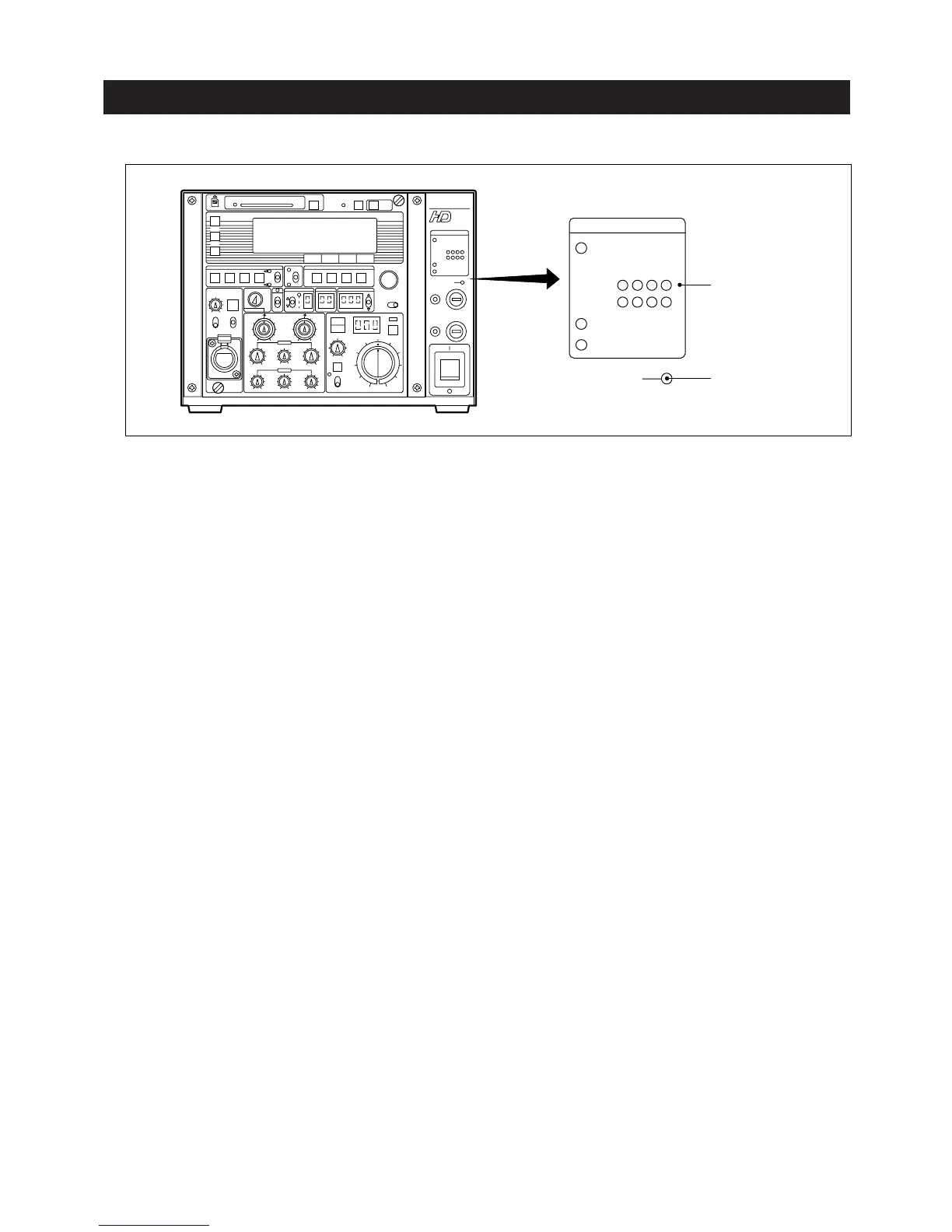
5.1 When the CABLE or TEMP. Indicators Are On
CABLE
indicators
TEMP.
indicator
CABLE
NORMAL
OPEN
BS
HEAD
OPTICAL LEVEL
SHORT
TEMP.
[OPTICAL LEVEL]
Cause : As the optical connectors become dirty, the indicator status changes (see Section 2.1, "Front"). "HEAD" indicates the
camera head side and "BS" indicates the BS side.
Action : Clean the optical connectors. See "■ Cleaning optical connectors" on the following pages.
[OPEN]
Cause : This indicator is on when no camera cable is connected or there is an open in the camera cable.
Action : Check whether a cable is connected properly and check continuity of the cable to see whether there is an open. If
an open is found, replace the cable with a new one.
[SHORT]
Cause : This indicator is on when a short circuit occurs in the camera cable or connector.
Action : Check whether a short circuit occurs in the cable and whether the connector is wet due to rain. If the connector is
wet, dry it. After drying the connector, clean it, referencing "■ Cleaning optical connectors" on the following pages.
[TEMP.]
Cause : This indicator is on when the internal BS temperature is abnormally high.
At this time, self-diagnostic information is displayed on the picture monitor. (See Section 5.2, "When the ALARM
Indicator Is On.")
Action : Check whether the fans are normal.



 To Next Page