40
Equipment installation and configuration / Manual setting
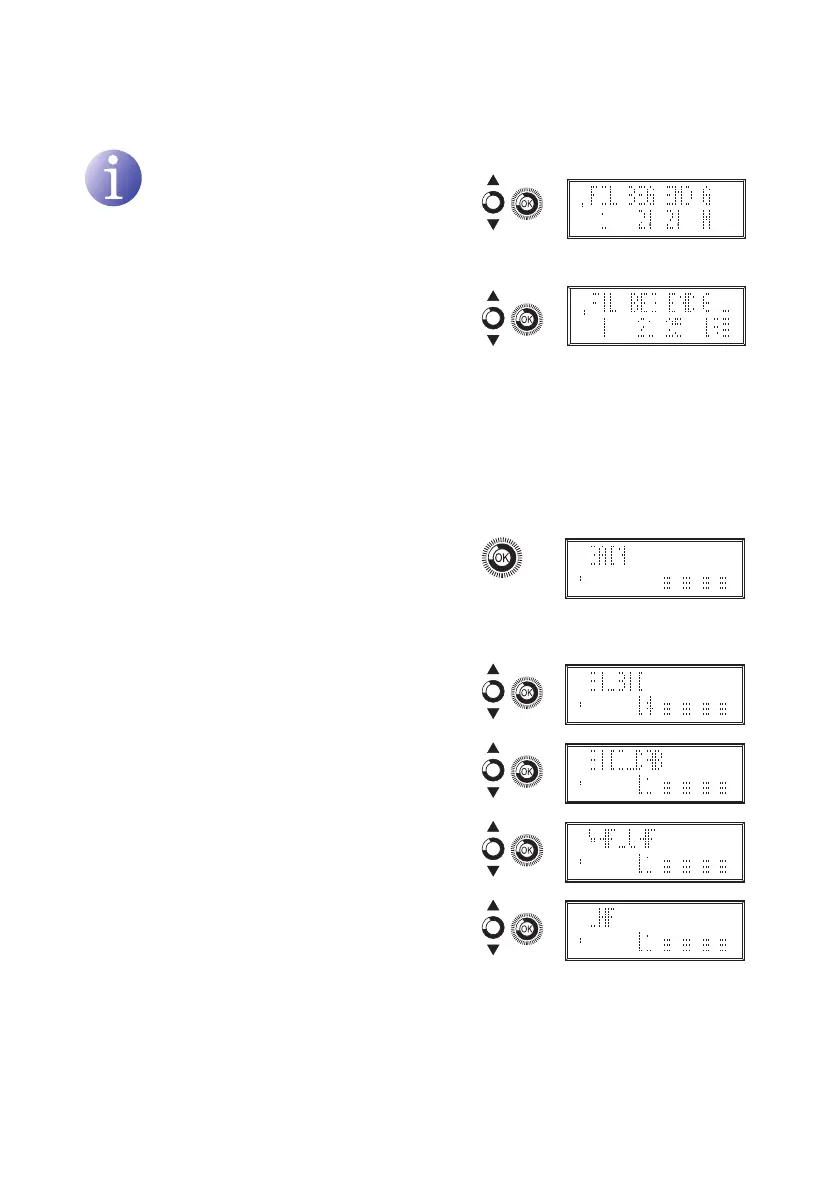
Gain configuration:
NOTE
If AUT is selected (recomended), the AGC
will try and maintain the output at factory
preset level. If M is selected the AGC will
maintain the output at the level you have
set.
1) Locate and select the gain conguration mode
AUT / M.
a) If AUT is selected: self-equalising is
congured.
b) If M is selected: locate and select the gain
level 00 – 30.
General gain adjustment
1) Locate and select the gain submenu:
2) Locate and select the gain level:
a) BI - BII input: BI_BII, 0 - 25
b) BIII - DAB input: BIII_DAB, 0 - 20
c) VHF-UHF/EXT input: VHF_UHF, 0 - 20
d) UHF output: UHF, 0 - 20


 To Next Page