14 | P a g e IM100 User Manual – Android, v1.41 Illuminati Instrument Corp.
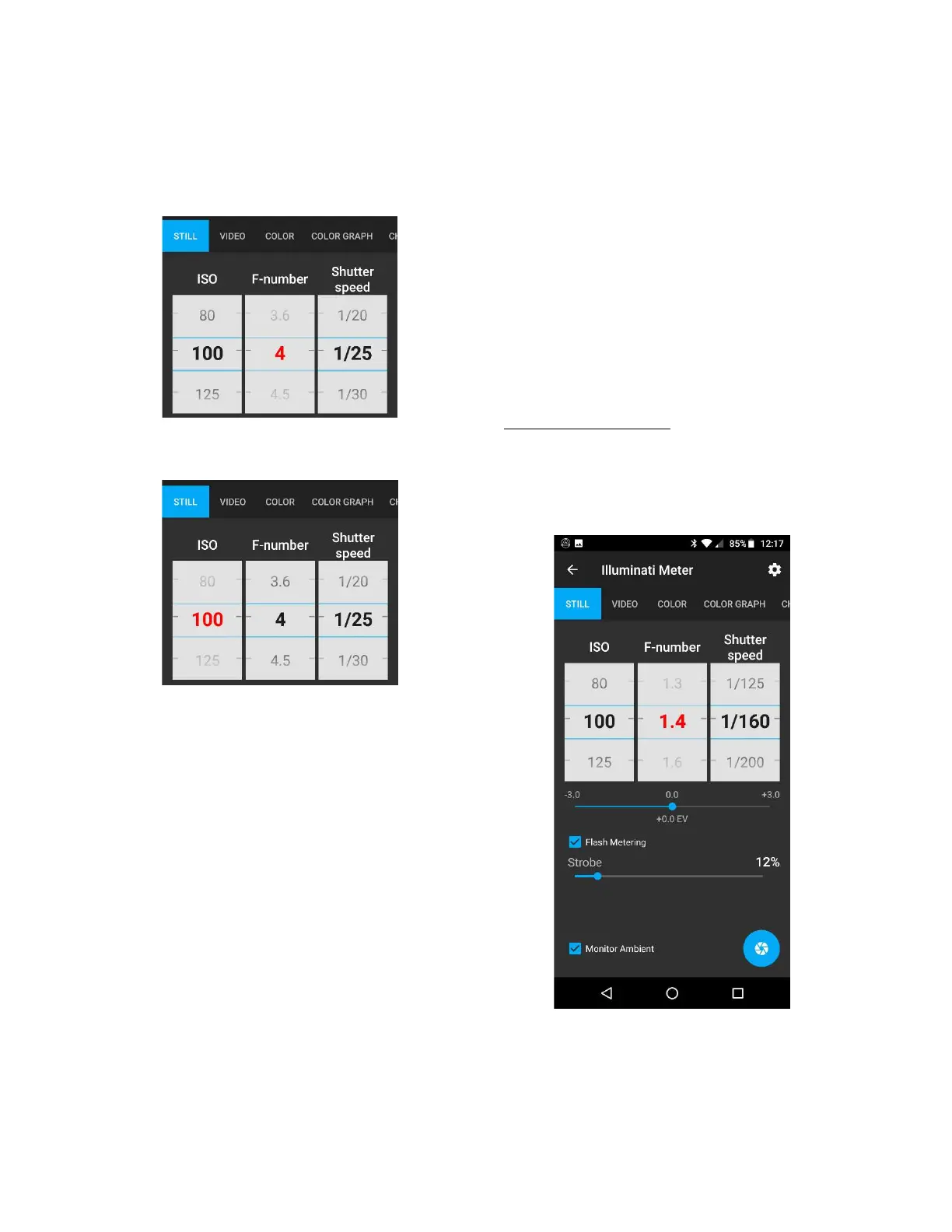
Here is what the displays look like when you set
the aperture and ISO exposure parameters to
range:
Range on Aperture (in red)
Range on ISO (in red)
Flash Exposure
The IM100 and App support flash exposure
metering either in cord or cordless mode. In
cordless mode, a special sensor and circuit in
the meter sense when the flash begins to fire
and tracks the flash power. It also will read the
ambient exposure and color temperature,
directly after the flash.
In corded mode, you will plug a cord into your
meter, and the meter will fire the flash and
meter your scene.
Cordless Flash Metering
To turn flash metering on, navigate to the STILL
TAB and locate the “Flash Metering” control.
Tap the checkbox to enable Flash Metering
Mode.
Flash Metering mode on, waiting for flash.
The aperture will be updated
automatically after flash.


 To Next Page