25
EN
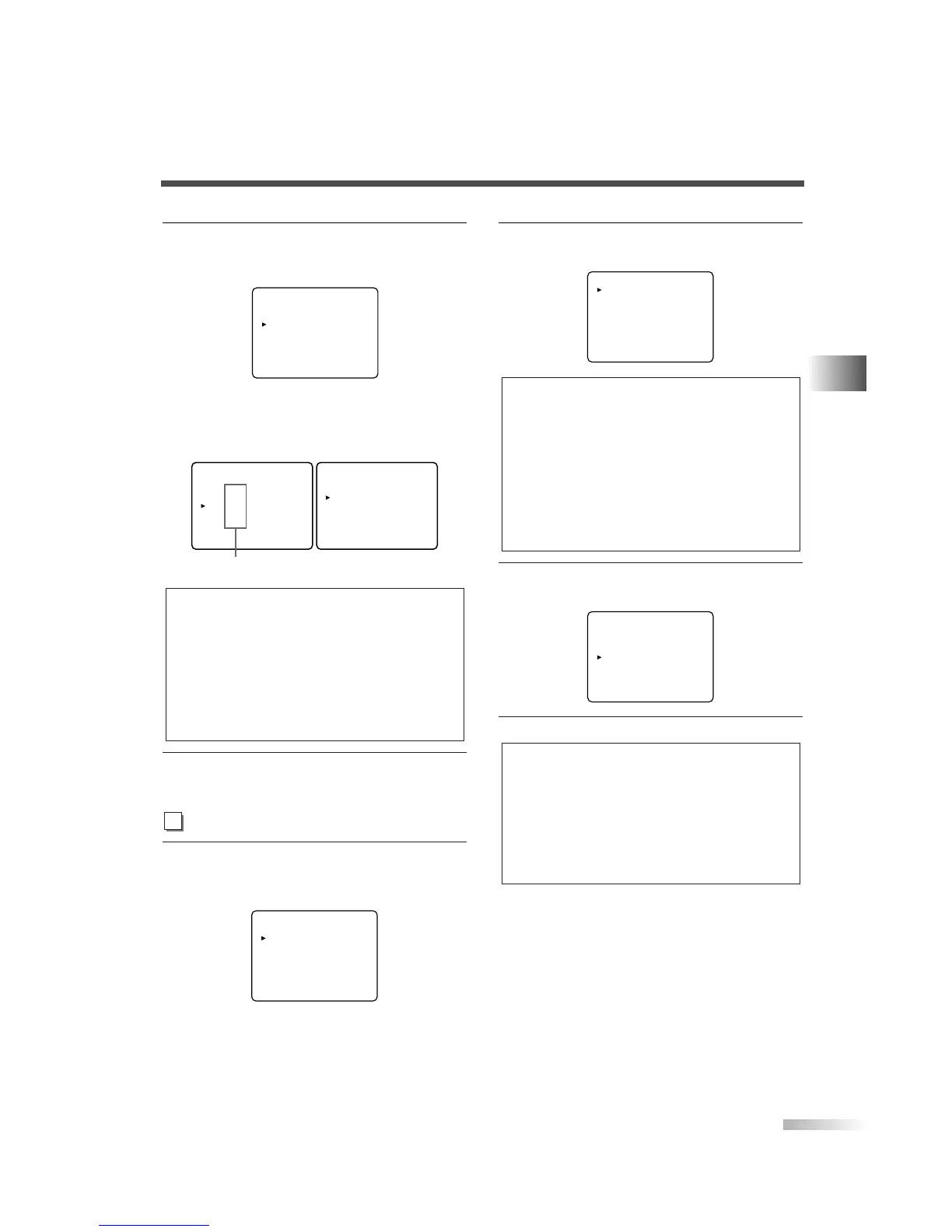
6 Set "BLOCK" or "VIEW".
• Press
[VOL
X
] and set to "BLOCK" or "VIEW"
for the rating without sub categories.
• For the rating with sub categories, they are dis-
played by pressing
[VOL
X
] twice.
Press
[CH
K
/
L
] and select the rating. Then press
[VOL
X
] and set to "BLOCK" or "VIEW".
7 To exit the menu, press [MENU].
4 Display the "MPAA RATING" screen.
• Using
[CH
K
/
L
], select "MPAA RATING".
• Press
[VOL
X
].
TV RATING
MPAA RATING
CHANGE CODE
<Selection>
<Rating Category Explanations>
• TV-Y7
FV : Fantasy Violence
• TV-PG / TV-14 / TV-MA :
D : Suggestive Dialog
(TV-PG, TV-14 only)
L : Coarse Language
S : Sexual Situation
V : Violence
TV-PG [BLOCK]
D [BLOCK]
L [BLOCK]
S [BLOCK]
V [BLOCK]
TV-Y [VIEW]
TV-Y7 ( ) [VIEW]
TV-G [VIEW]
TV-PG ( ) [VIEW]
TV-14 ( ) [VIEW]
TV-MA ( ) [VIEW]
Sub categories
TV-Y [VIEW]
TV-Y7 ( ) [VIEW]
TV-G [BLOCK]
TV-PG (DLSV) [BLOCK]
TV-14 (DLSV) [BLOCK]
TV-MA ( LSV) [BLOCK]
5 Set "MPAA RATING".
• Using the
[CH
K
/
L
], select the rating.
6 Set "BLOCK" or "VIEW".
• Press
[VOL
X
] and set to "BLOCK" or "VIEW".
7 To exit the menu, press [MENU].
NOTES:
for TV RATING and MPAA RATING
• You cannot access the setup menu when the "PROTECTED
PROGRAM by ..." message appears. You need to move to
an unblocked channel to access the setup menu.
• When you select a rating and set it to "BLOCK", the higher
ratings will be blocked automatically. The lower ratings will
be available for viewing.
• When you set the lowest rating to "VIEW", all other ratings
will automatically be available for viewing.
G [VIEW]
PG [VIEW]
PG-13 [VIEW]
R [BLOCK]
NC-17 [BLOCK]
X [BLOCK]
<Selection>
<Rating Category Explanations>
• G : General Audience
• PG : Parental Guidance suggested
• PG-13 : Unsuitable for children under
13
• R : Restricted; under 17 requires
accompanying parent or adult
guardian
• NC-17 : No one under 17 admitted
• X : Mature audience only
G [VIEW]
PG [VIEW]
PG-13 [VIEW]
R [VIEW]
NC-17 [VIEW]
X [VIEW]


 To Next Page