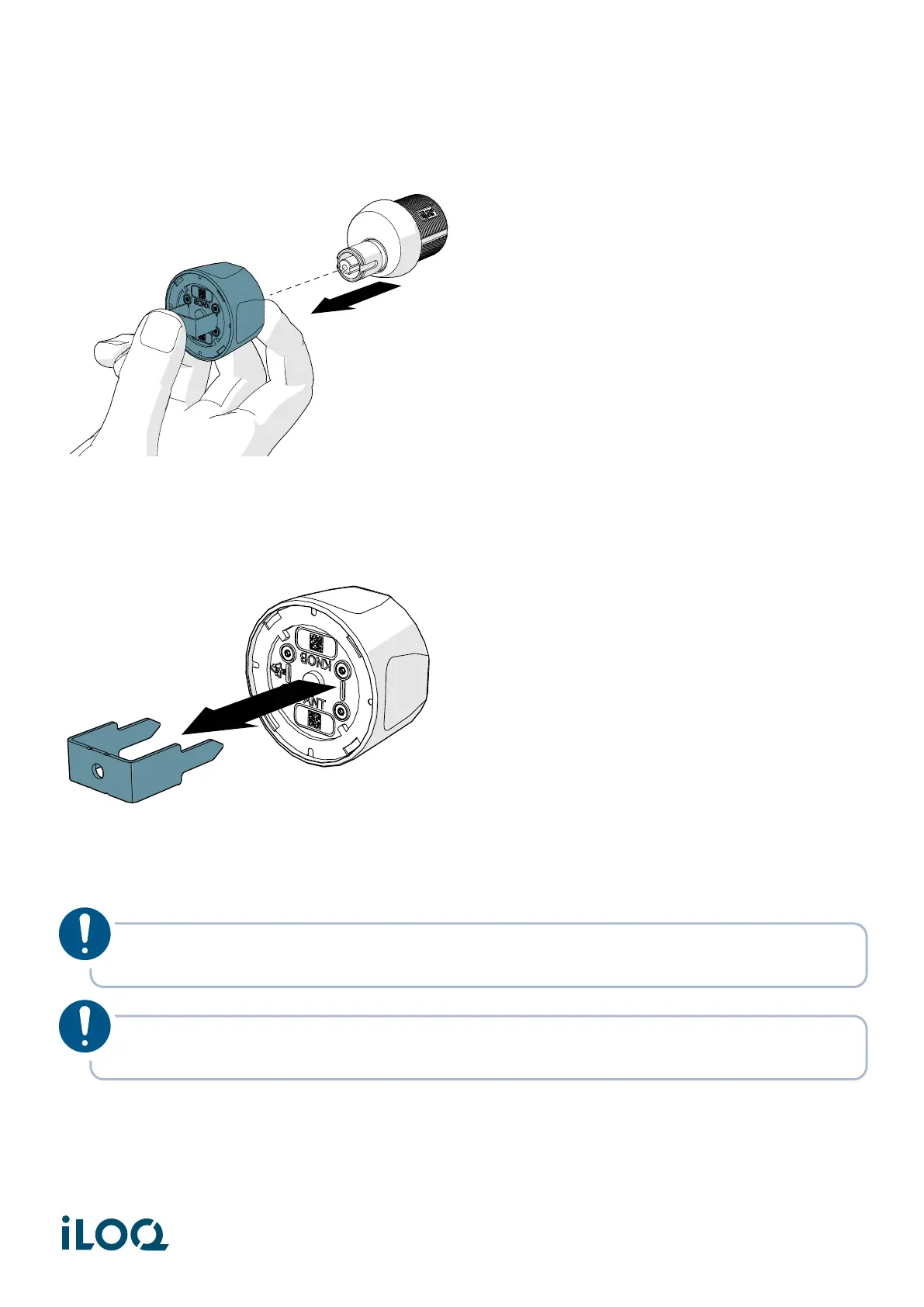
3. Pull the knob from the cylinder.
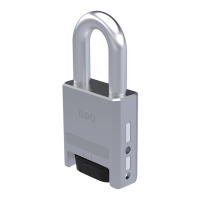
4. Remove the tool from the knob.
5. Bring the ADA Adapter around the knob.
NOTE! The ADA adapter can be installed in four different orientations (0º, 90º, 180º and 270º
angles).
NOTE! The screw side should be facing the door and the upper lip of the adapter should sit
on top of the upper lip of the knob
14
Document ID - 304931
iLOQ S50 (X50S)


 To Next Page