5. Operating instructions
Read and follow the instructions in this manual and any other instructions provided by iLOQ. Failure to do
so may result in injury, malfunction, damage or a safety hazard..
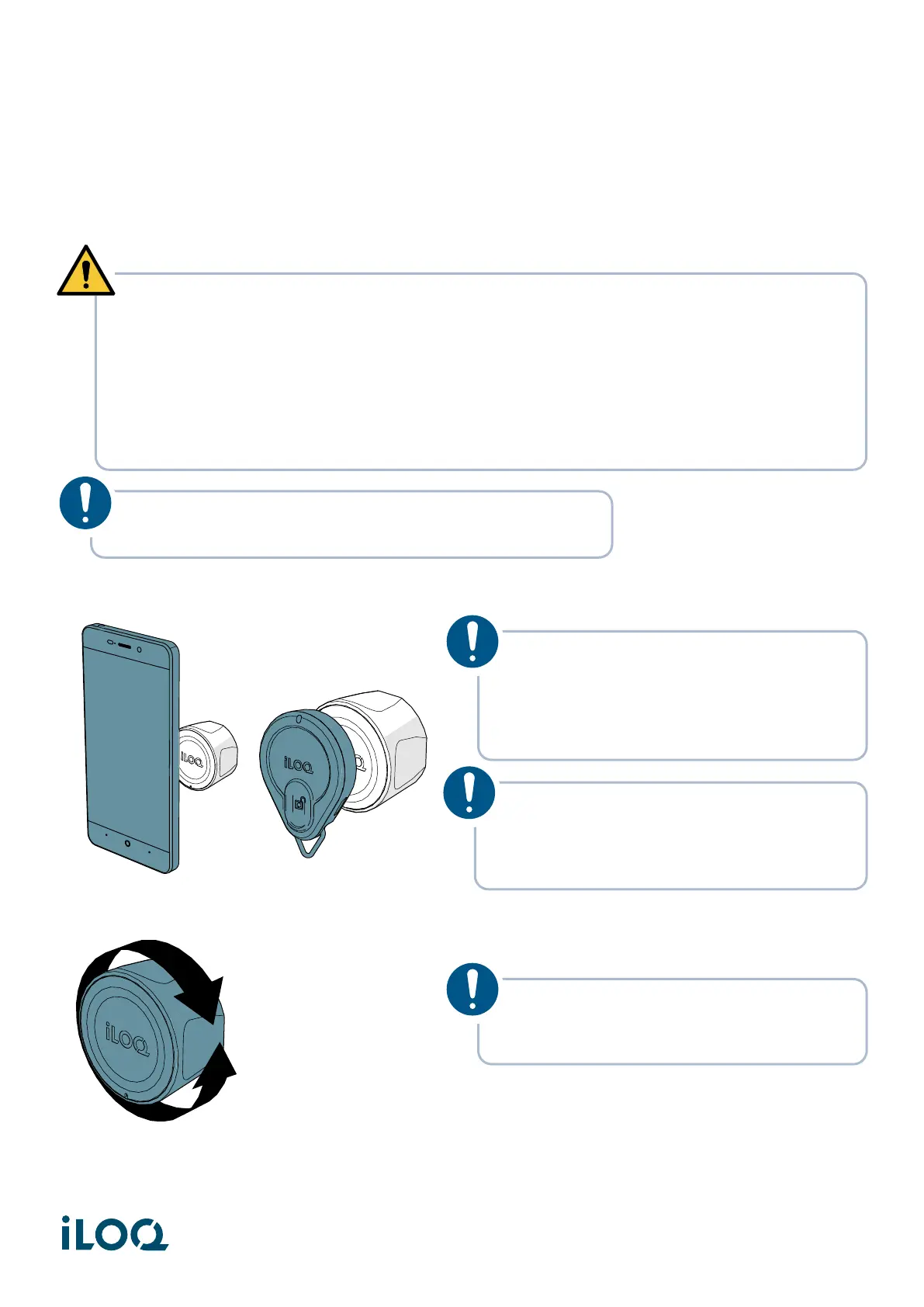
1. Hold a valid key against the knob and wait until the key shows a green light.
2. Turn the knob to unlock or lock the door.
3. Make sure that the knob is in the original locked position and cannot be rotated before leaving the
door.
WARNING! This product contains small magnets:
• Medical devices, such as implanted pacemakers and defibrillators may contain sensors that
respond to magnets and radios when in close contact. To avoid any potential interactions
with these devices, keep the product in a safe distance away from your device (more than
4 inches/10 cm, but consult with your healthcare provider and your device manufacturer for
specific guidelines)
• Do not place your credit card or any other magnetic stripe cards near this product.
NOTE! Do not use excessive force when operating the lock
(Max. 5 Nm of torque).
NOTE! Due to the large variety of phone
models and operating system versions,
iLOQ cannot guarantee that all NFC-
enabled phones will work seamlessly with
our NFC locks.
NOTE! Before using the locks, check
where the NFC antenna is located in your
phone so that you know the best position
to hold the phone against the knob.
NOTE! Depending on the configuration,
the lock will stay in the open status for
5-15 seconds. Do not force the knob.
12
Document ID - 304931
iLOQ S50 (X50S)


 To Next Page