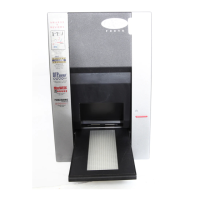
Imacon Flextight Progression UserÕs Guide
Hardware ReferenceÑFlextight Progression
Cleaning the External Surface of the Scanner
30
English
You have two options for removing the effects of a faulty new calibra-
tion:
¥ If your scanner was calibrated at the factory, you can return to the
original CCD calibration by opening the CCD calibration window
again and clicking on the Use factory button.
¥ If your scanner was not delivered with a factory CCD calibration.
You can remove the new calibration by opening CCD calibration
window again and removing the mark form the Use calibration
checkbox.
If you were having striping problems and the CCD calibration simply
didnÕt help, then the source of the problem may lie elsewhere, see your
other Imacon manuals for advice and troubleshooting information.
Cleaning the External Surface of the Scanner
If the external surface of the scanner becomes dirty, then clean it with a
damp cloth. Be careful not to get any moisture inside the scanner or on
any of the connectors. Do not use alcohol or other solvents.
Cleaning the Electrostatic Plate
Use a clean cloth dampened with water (only) to clean the electrostatic
plate.
WARNING: Do not use any detergents or solvents on the electrostatic
plate, as these can destroy the plateÕs ability to hold your originals.



 To Next Page