Imacon Flextight Progression UserÕs Guide
Hardware ReferenceÑFlextight Progression
Preparing the Scanner for Transport
39
English
9. Turn off the scanner and pack it in its original box if possible.
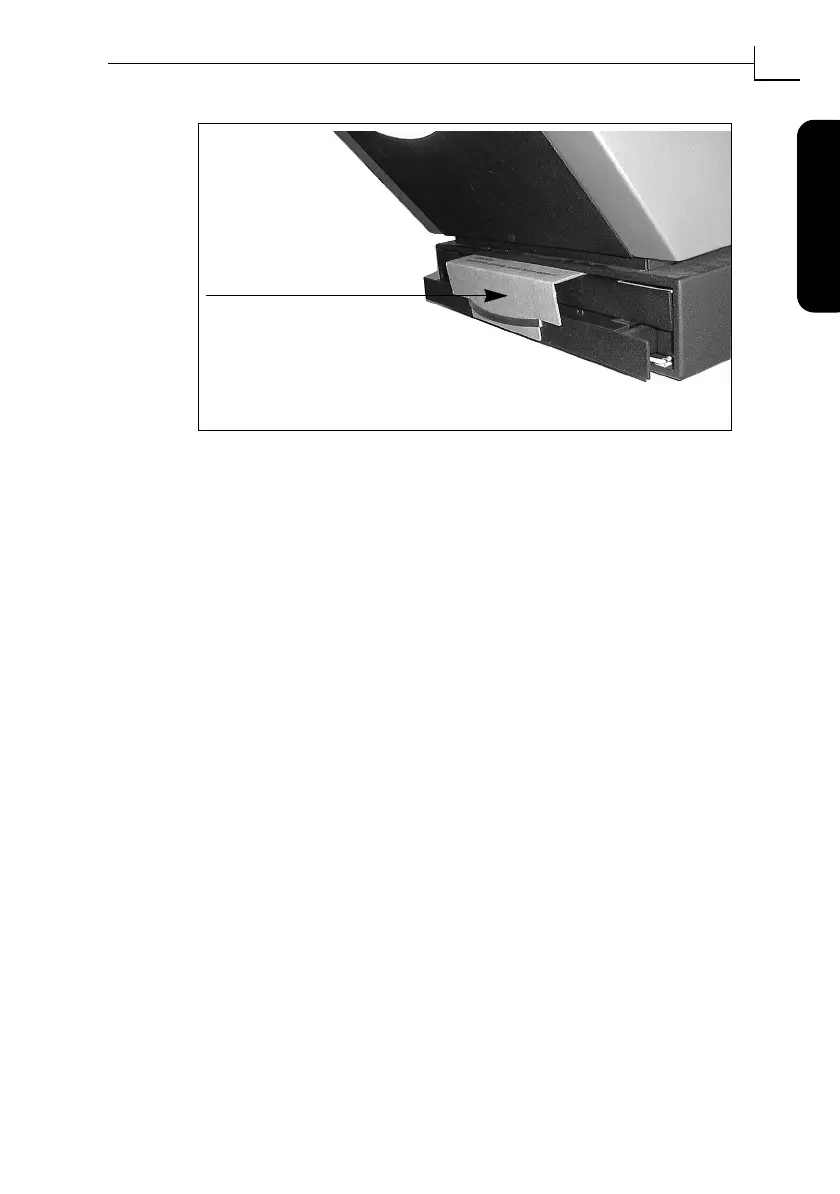
Figure 13: Positioning the cardboard draw-securing plate.
Insert the tab of the card-
board drawer-securing plate into
the handle and press the top part
between the ßatbed and the scanner as
shown here. Then press the draw support
all the way into the scanner



 To Next Page