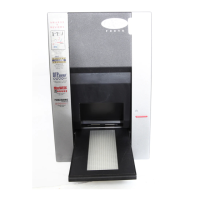
Imacon Flextight Progression UserÕs Guide
Index
43
English
Index
Numerics
35mm scan orientation, 23
B
Back panel, scanner, 10
Busy indicator, 8
C
Calibration
CCD, 28
Focus, 25
White, 27
Cleaning the electrostatic plate,
30
Cleaning the glass plates, 31
Cleaning the scanner, 30
Connectors, 10
D
Disposal, 40
Drum
Force, 40
Loading panel, 8
Using, 16
E
Electrical requirements, 11
Electromagnetic interference, 11
Electrostatic plate
Activation button, 9
Door for, 9
Indicator light, 9
Location, 9
Removing and replacing, 13
Environment
Operating, 40
Requirements, 11
Storage, 40
F
Flatbed
Batch scanning transparen-
cies, 19
Drawer button, 8, 40
Features, 9
Location, 9
Scanning thick reflectives, 19
Scanning thin reflectives, 17
Working light, 9
Flexible holders, 16
Formats, 40
Front panel, scanner, 8
Fuse, 10, 41
G
Glass, cleaning, 31
H
Heat, 11
I
Installing the scanner, 12
L
Light table, 8
Light tubes
Changing, 32
Type, 40
N
Noise, 40
O
Operating instructions, scanner,
16
Optical resolution, 21
Original formats, 40
Original holder clasp, 8



 To Next Page