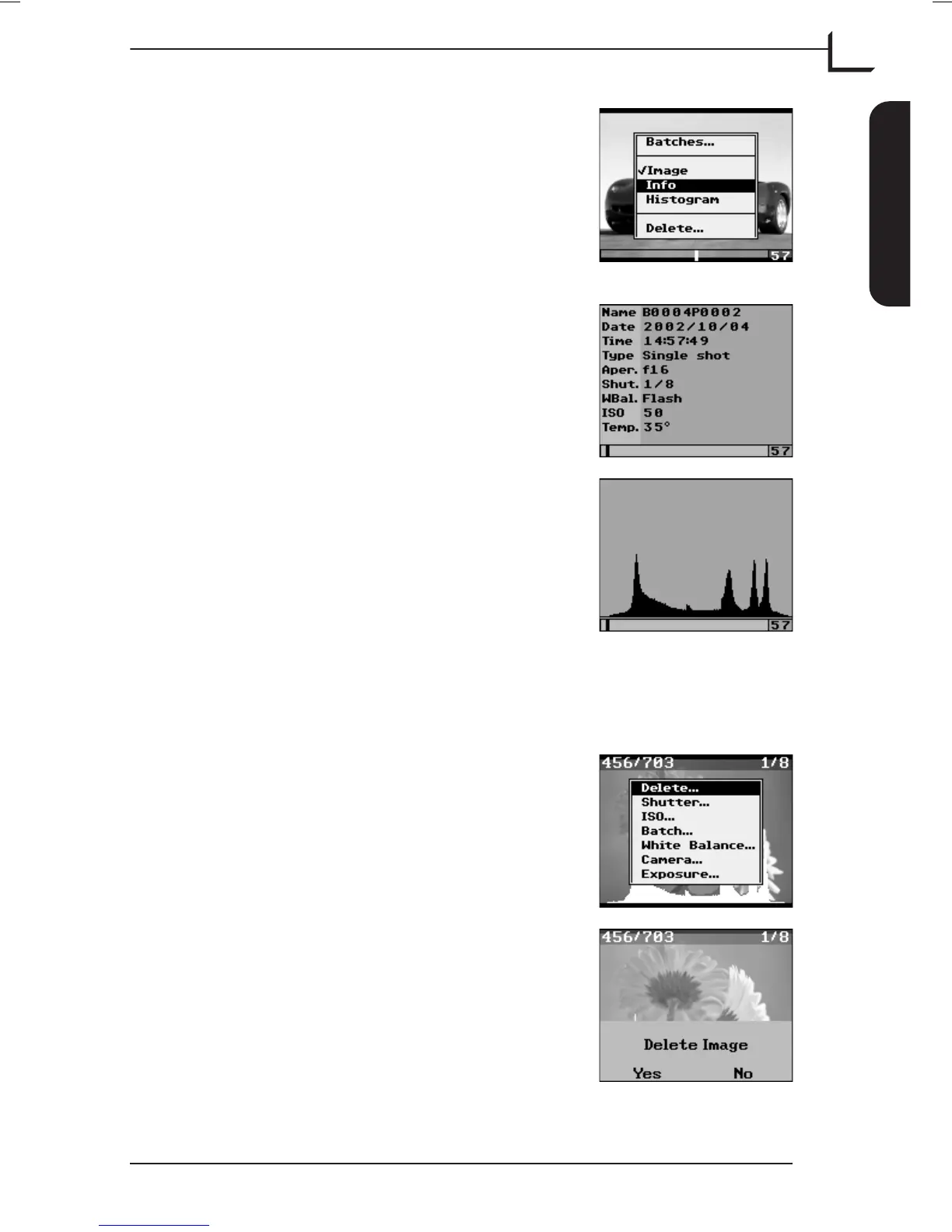
The number to the right in the "Browse" bar
indicates the number of images (57) in the
selected batch.
Press MENU button. From the menu you have
the option of selecting between 3 different ways
of displaying the images: Image (current), Info,
and Histogram. Select Info and press OK button.
The Info window shows the name, capture date
and time, and the various device settings used
for the current image.
… and if you select Histogram the histogram
for the current image is displayed.
Deleting Images or Batches
Deleting images is possible from both the main display and in "Browse"
mode while deleting batches is only possible in "Browse" mode.
From the main display you can delete the
currently previewed image by pressing the
MENU button and in the pop-up menu
highlight Delete... and press OK button.
Press Yes (OK button) to delete image or No
(MENU button) to cancel.
User's Guide - Imacon Ixpress
English
The Ixpress Camera Back
19
Using the Control Panel



 To Next Page