Pre-Installation Check
Pre-Installation Check
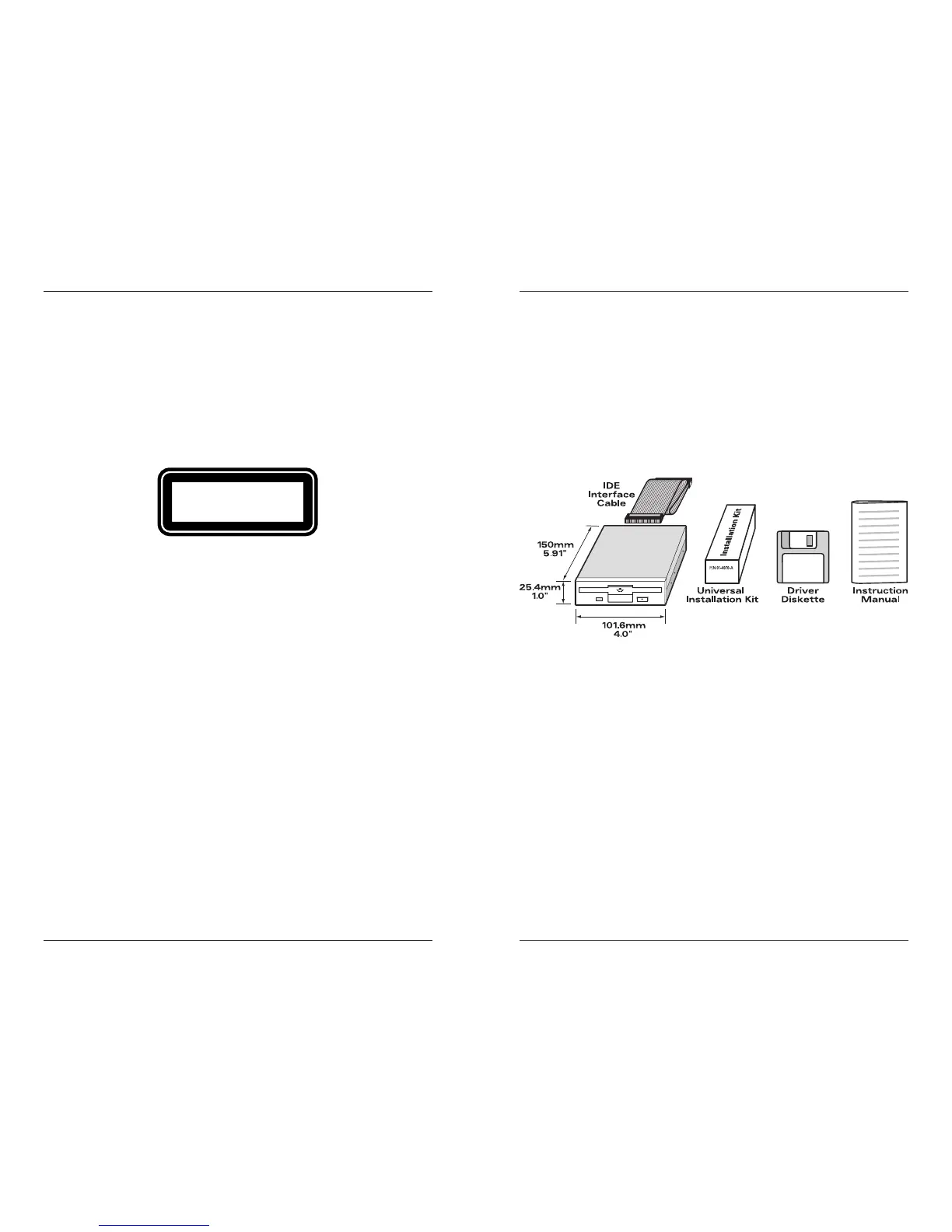
1) Make sure the following items are included in your box:
• Imation Internal IDE SuperDisk Drive
• Driver Software Diskette
• IDE cable
• 3.5" Universal Installation Kit (does not contain rails)
• User’s Guide
2) Make sure you have the following:
• IBM PC and compatible, 80486 or higher (486/66 and
Pentium class computers)
• 8MB of RAM
• DOS 5.0 or higher
• 1.44MB HD diskette drive (if drivers are needed)
• 5MB of free hard drive space
• Available 5.25" or 3.5" drive bay
• Available IDE position
• Consider the following:
• Do you know how to remove the computer cover? Does
removing your computer cover void your warranty? Check
your system owner’s manual.
2
Regulatory Information
25
Regulatory Information
Laser Safety
The Imation SuperDisk drive contains a Class 1 laser that produces
visible laser light at an intensity of up to 7 milliwatts (at 633
nanometers). Special precautions have been taken in the design of
the disk drive to ensure that the operator will not be exposed to the
laser light. Avoid looking directly into the laser beam path or any
reflection of it.
Laser light of this intensity can cause serious eye
damage.
Complies with IEC 825-1 and EN60825-1 as a Class 1 LASER
Product.
Class 1 Laser products are not classified as being hazardous.
However, to ensure safety consistency over the entire product life
cycle, the following precautions should be considered:
1) Use of controls or adjustment of procedures other than those
specified herein may result in hazardous radiation exposure.
2) Do not open the drive cover. There are no user adjustments nor
maintenance parts inside.



 To Next Page