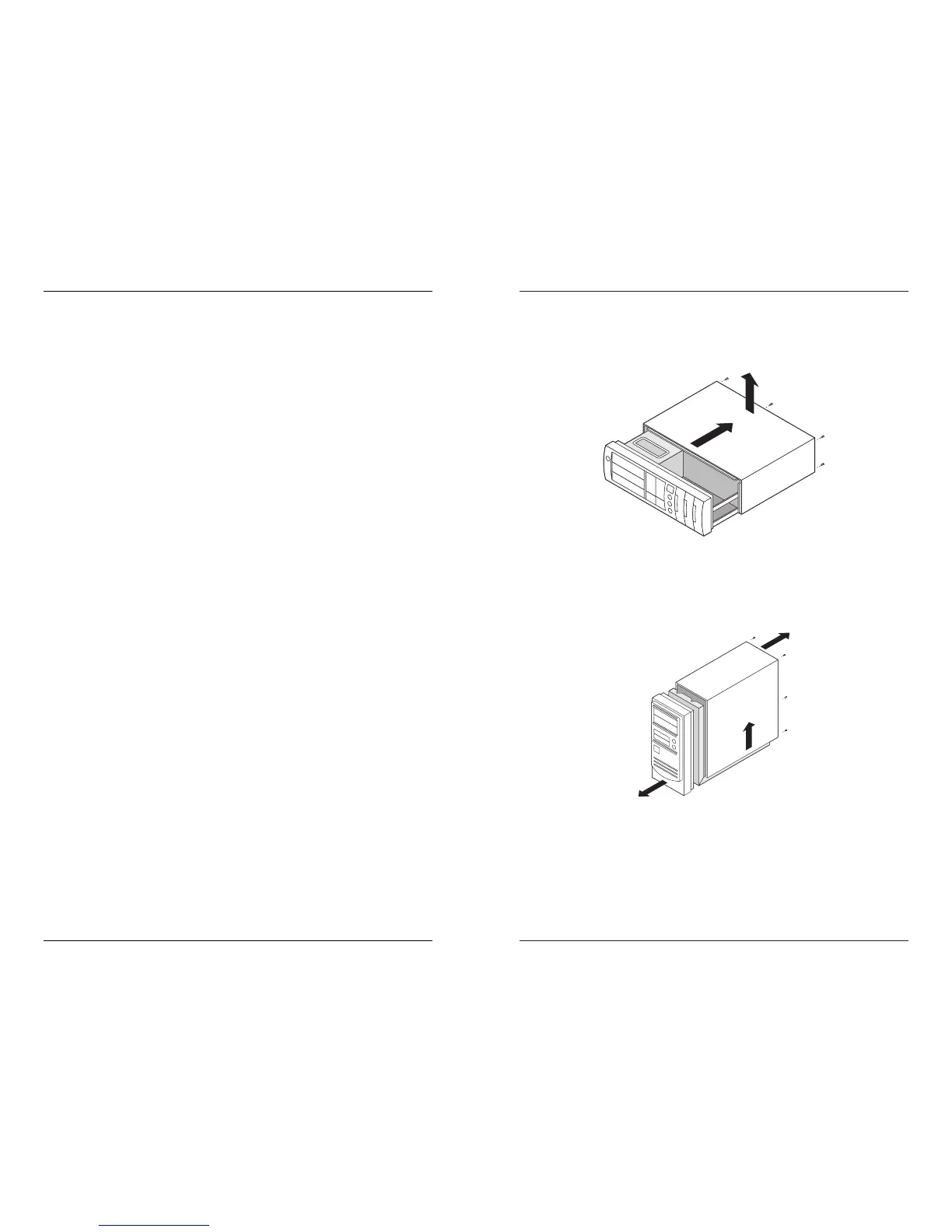
Desktop Case Example
This case has five screws holding the cover to the frame (one not
shown). Remove each of the screws. To remove the cover, hold it on
the sides and pull.
Tower Case Example
This case has six screws holding the cover to the frame. Remove
each of the screws. To remove the cover, hold it at the top or bottom
and pull.
Hardware Installation Procedure
6
You get a disk full error message or a "Can’t create file or folder"
message even though you’re copying less than 120MB of data to
the SuperDisk drive.
Solution:
The root or main directory of your disk may be full. The
number of files that may reside in the root directory is
limited, especially for files with long file names. Create a
subfolder and copy your files to it instead of storing files
in the root directory.
The SuperDisk drive is not detected on the IDE channel.
Solution:
The IDE controller must have LBA support (EIDE) to work
with the drive.
Operation
The SuperDisk drive power indicator never flashed or remains lit.
Solution:
Check your power connections and IDE cable
connections.
The SuperDisk drive has no drive icon.
Solution 1:
The icon may be hidden. Do an auto arrange of the
window where the icon should be displayed.
Solution 2:
Check your IDE cable connections.
Solution 3:
Make sure the IDE port is enabled
.
Solution 4:
If you are using bus-mastering, obtain an update. If you
cannot, use Microsoft’s default bus-mastering. See
READIMDE.EXE at
ftp://ftp.microsoft.com/bussys/winnt/winnnt-
public/fixes/usa/hotfixes-postSP3.
Your drive is slower than the specifications in this manual.
Solution:
Performance varies by computer type and file size. With
a SuperDisk diskette, the SuperDisk drive reads and
writes data over ten time faster than a standard floppy
drive.
Your SuperDisk drive works slowly or intermittently.
Solution:
Follow the drive cleaning instructions in the
Maintenance section of this manual.
Troubleshooting
21



 To Next Page