56
4.6 MODE SETTING.
Automatic mode (AUTO).
In automatic mode (AUTO), the air conditioning unit au-
tomatically selects the cooling (COOL) or heating (HEAT)
mode according to the ambient temperature present.
To activate it:
- press the “MODE” button and select the operation in au-
tomatic mode (AUTO);
- press the
or buttons to select the desired temperature
setting.
Pressing the
or buttons increases or decreases the tem-
perature by 1 °C.
When the fan is set to “AUTO” mode, the air conditioning
unit automatically adjusts the fan speed based on the ambient
temperature and can not be changed by the user.
Cooling mode (COOL).
In cooling mode (COOL), the air conditioning unit only
allows cooling.
To activate it:
-press the “MODE” button and select the operation in coo-
ling mode (COOL);
- press the
or buttons to select the desired temperature
setting.
Pressing the
or buttons increases or decreases the tem-
perature by 1 °C.
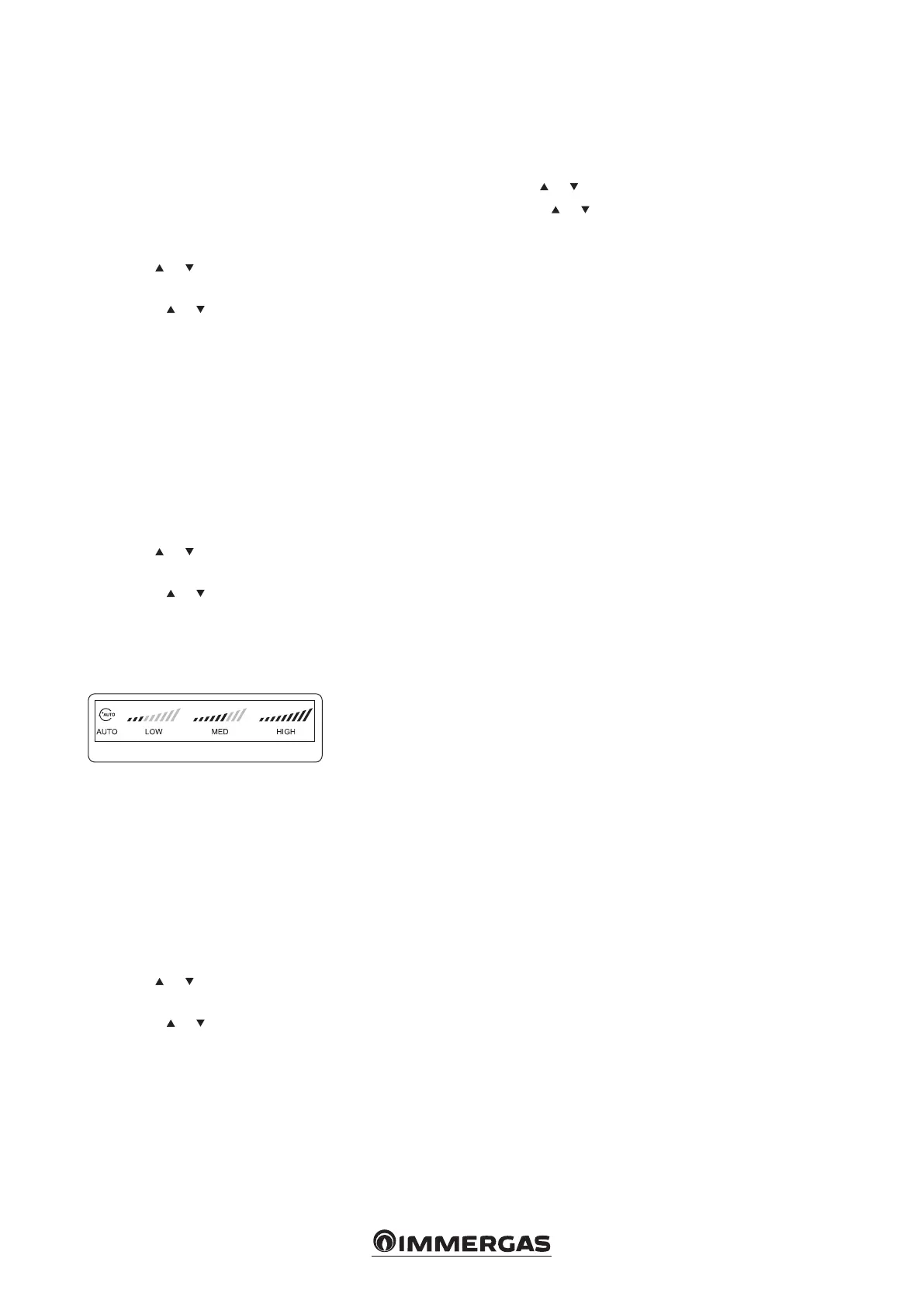
- Press the “FAN” button to select the fan speed.
Each time the “FAN” button is pressed, the fan speed changes
(see Fig. 23).
23
Note: in cooling mode, prolonged use of the appliance in
conditions of high humidity may cause drops of water to
fall from the outlet grid.
Dehumidier mode (DRY).
In dehumidier mode (DRY), the air conditioning unit
operates by removing moisture from the air.
To activate it:
- press the “MODE” button and select the operation in
dehumidication mode (DRY);
- press the
or buttons to select the desired temperature
setting.
Pressing the
or buttons increases or decreases the tem-
perature by 1 °C.
When the fan is congured in “DRY” mode, the air con-
ditioner selects the low fan speed to make the mode more
eective.
In the dehumidication mode, the functions “ECO” (eco-
nomic operation) and “FAN SPEED” (fan speed) are not
operational.
Heating mode (HEAT)
In heating mode, the air conditioner only allows heating.
- Press the “MODE” button and select the heating mode
operation (HEAT);
- press the
or buttons to select the temperature setting.
Pressing the
or buttons increases or decreases the tem-
perature by 1 °C.
- Press the “FAN” button to select the fan speed.
Each time the “FAN” button is pressed, the fan speed changes
(see Fig. 23).
Fan mode (FAN).
In fan mode (FAN) the temperature conguration is disabled.
- Press the “MODE” button and select the operation in fan
mode (FAN);
- press the “FAN” button to select the fan speed.
Each time the “FAN” button is pressed, the fan speed changes
(see Fig. 23).




 To Next Page