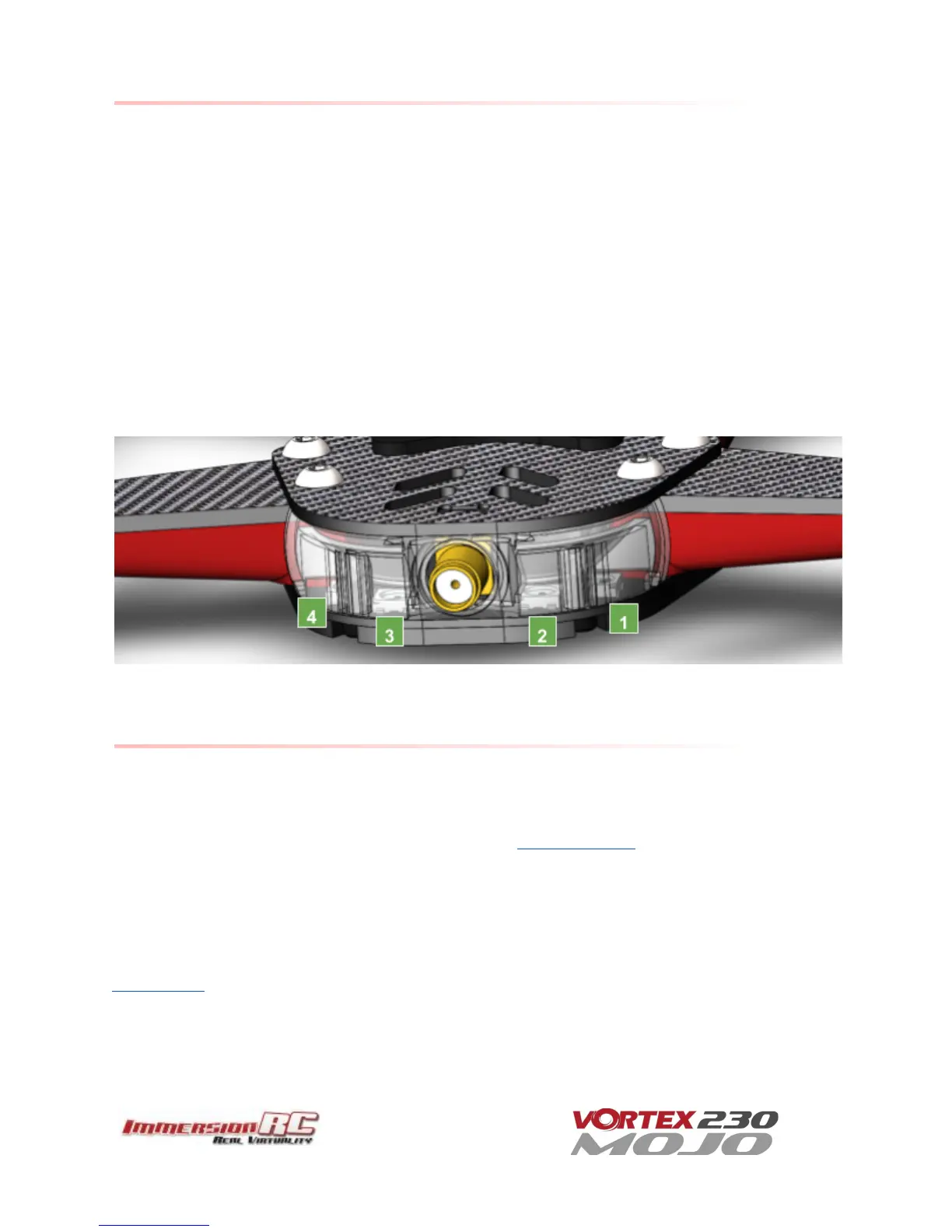
Appendix D: LED Board - Status report
The RGB LEDs on the rear of the Vortex 150/180/230 are used by the OSD during the startup phase to report
flight controller sensor status, FC API compatibility, and video link status information.
From left to right the bottom led board will turn green ( or red if a problem is detected) one after another as
follows:
1. GYRO sensor detected
2. ACCEL sensor detected
3. Flight Controller/OSD APIs Compatible
4. Camera detected
At the end of the initialization sequence, the led board will blink in green if all tests passed, or it will blink in red
if any test failed.
It will also blink in green for 3 seconds when you arm your Vortex.
Looking after your Vortex
Snow and Water
Even though most of the PCBs in the Vortex are coated with a conformal coating, which does offer some
protection from water, it is not recommended to get the Vortex wet, even if that water comes in the form of
snow.
If your Vortex does get wet, immediately remove power, and place it in a sealed container containing uncooked
rice, for 24 hours. The rice will absorb some of the water.
If the Vortex falls into salt water, damage may be more serious, and requires rinsing the quad with a bath of
distilled water before placing it in the sealed rice container. The Tx module may not survive this ordeal, and may
require replacing.



 To Next Page