Operation Manual
E
66
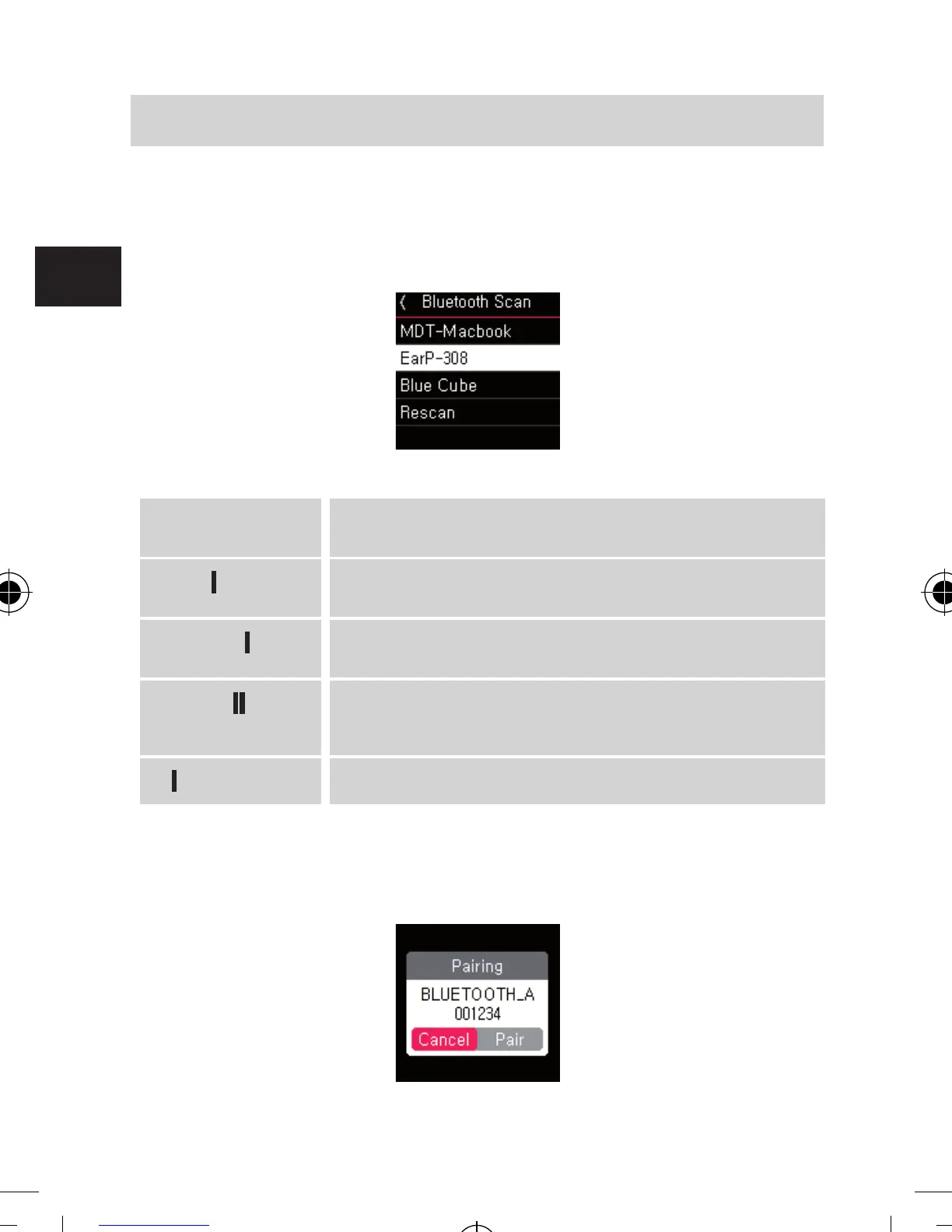
After searched available Bluetooth audio devices,
Select the name of Bluetooth audio device you want to
connect and pair
(Optionally) Entering PIN code
Some Bluetooth audio devices require a PIN code to make a
connection and pairing.
+ - Change PIN code number (0 - 9)
▶▶
Delete last digit
▶▶
Move to next digit
▶
Finish PIN code input and enter
▶▶
3 Sec.
Cancel PIN code input
If the PIN code is not correct, it goes back to PIN code input
screen again.
6. OPERATION
bda_Dabman 2_DIN A 7_D_E_F_10_17.indd 66 15.01.18 08:47







 To Next Page