DABMAN 2
E
67
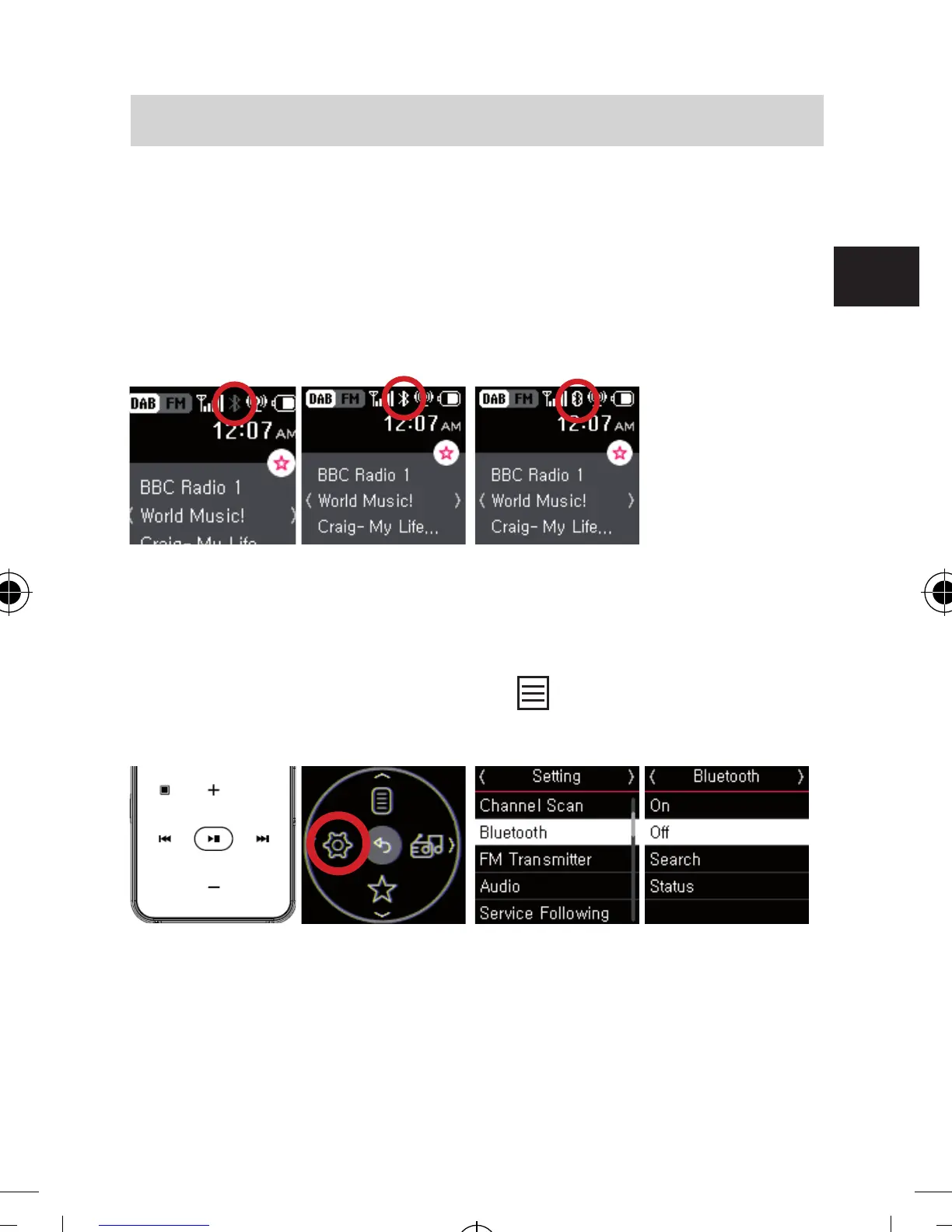
Bluetooth status indicator
After selecting a Bluetooth audio device, DABMAN 2 will
try to connect (or pair) the Bluetooth audio device. Once
DABMAN 2 is successfully connected (paired) with the Blue-
tooth audio device, the Bluetooth status indicator is activated
and will be displayed as below.
Bluetooth o Bluetooth on Bluetooth paired
Switching between earphone and Bluetooth audio device
If you want to switch radio sound output between Bluetooth
audio device and earphone, press
to open menu and
select “Setting” ▹ “Bluetooth” ▹ “O”.
PLEASE NOTE:
When a Bluetooth connection and streaming is active,
there is no sound available on connected earphones.
6. OPERATION
bda_Dabman 2_DIN A 7_D_E_F_10_17.indd 67 15.01.18 08:47







 To Next Page