10
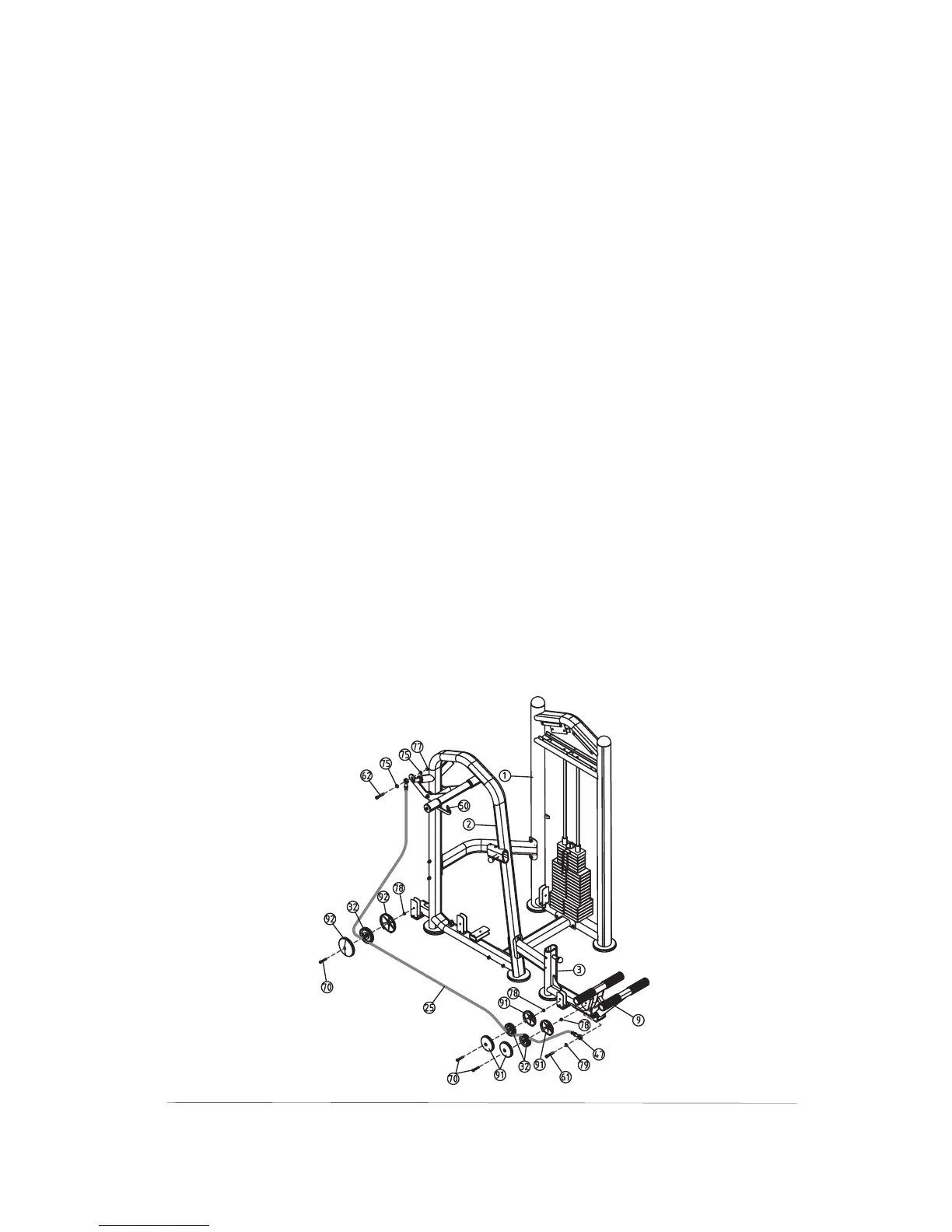
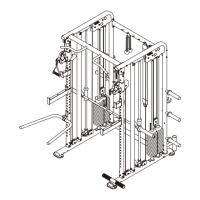
Step5 Route The Assistant Cable
1)Connect the Assistant Cable(#25) to the Gimbal(#47),
then secure the Gimbal(#47) to the Stopper Frame
(#10) using:
2) Route the Assistant Cable(#25) under the Pulley A
(#31),then secure them to the Side Upright(#2) using:
3)Route the Assistant Cable(#25) under the Pulley B
(#32) and over the Pulley C(#32),then secure them to
the Seat Frame(#3) using:
4)Connect the looped end of the Assistant Cable(#25) to
the Gimbal(#47),then secure the Gimbal(#47) to the
Start Up Frame(#9) using:
one Allen Bolts(#62) M12×40
Washers(#75) 13× 24×1 5
one Nylon Locknut(#77) M12
one Shoulder Bolt(#70) M10×50
two 4.5” Pulley Covers(#92)
one Nylon Locknut(#78) M10
two Shoulder Bolts(#70) M10×50
four 3.5” Pulley Covers(#91)
two Nylon Locknuts(#78) M10
one Allen Bolt(#62) M12×40
one Spring Washer(#79) 12
two ΦΦ
Φ
.



 To Next Page