Exago
Manual
12
Exago
Manual
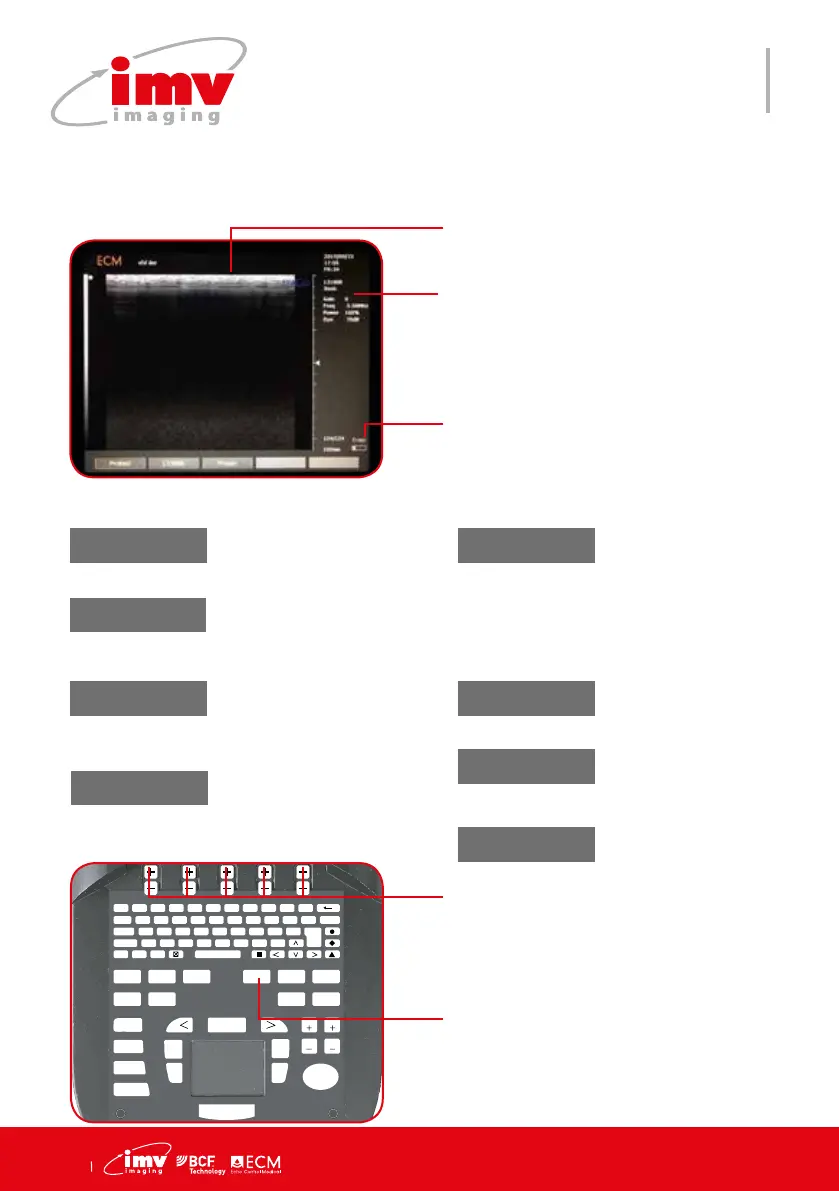
Access Probe selection (if system used
on dual port trolley),Pre-set menu for
factory and user-dened pre-set selec-
tion. This key is only active when it is in
live imaging.
Probe
Battery capacity
F 1
!
2
@
3
?
4
+
5
%
6
-
7
&
8
/
9
(
0
)
T
AB Q W E R T Y U I O P DELETE
CAPS A S D F G H J K L ENTER
SHIFT Z X C V B N M ;
T
EXT PICTO
A
RROW
PATIENT REPORT PROTOCOL PROBE ZOOM TGC
SETTINGS CLEAR
FREQUENCY
FOCUS
M CINELOOP
PWD
MEASURE REVIEW
CFM
B
SELECT
DEPTH
GAIN
DEPTH
GAIN
FREEZE
UPDATE STORE
Keys to change settings of the contex-
tual menu. If no contexual keys used for
15 seconds, the system exits the probe
menu.
Probe 2
Only active if the device is
used on dual port trolley.
Displays the connected
probe
Probe 1
New
Save the current
system settings into a
user Preset le. Enter
the le name in the
“Save as” and press
Enter key.
Preset
The menu displays a fac-
tory and user present lists.
Rename
Enter a le name in
the “Rename as”
and press Enter key.
Preset menu
Load
Load selected Preset
Delete
Delete selected
user preset. Factory
Preset can not be
renamed or deleted.
Exit
Exit the preset menu.
Access Probe menu.
9.Probe menu


 To Next Page