Exago
Manual
Exago
Manual
17
www.imv-imaging.com |
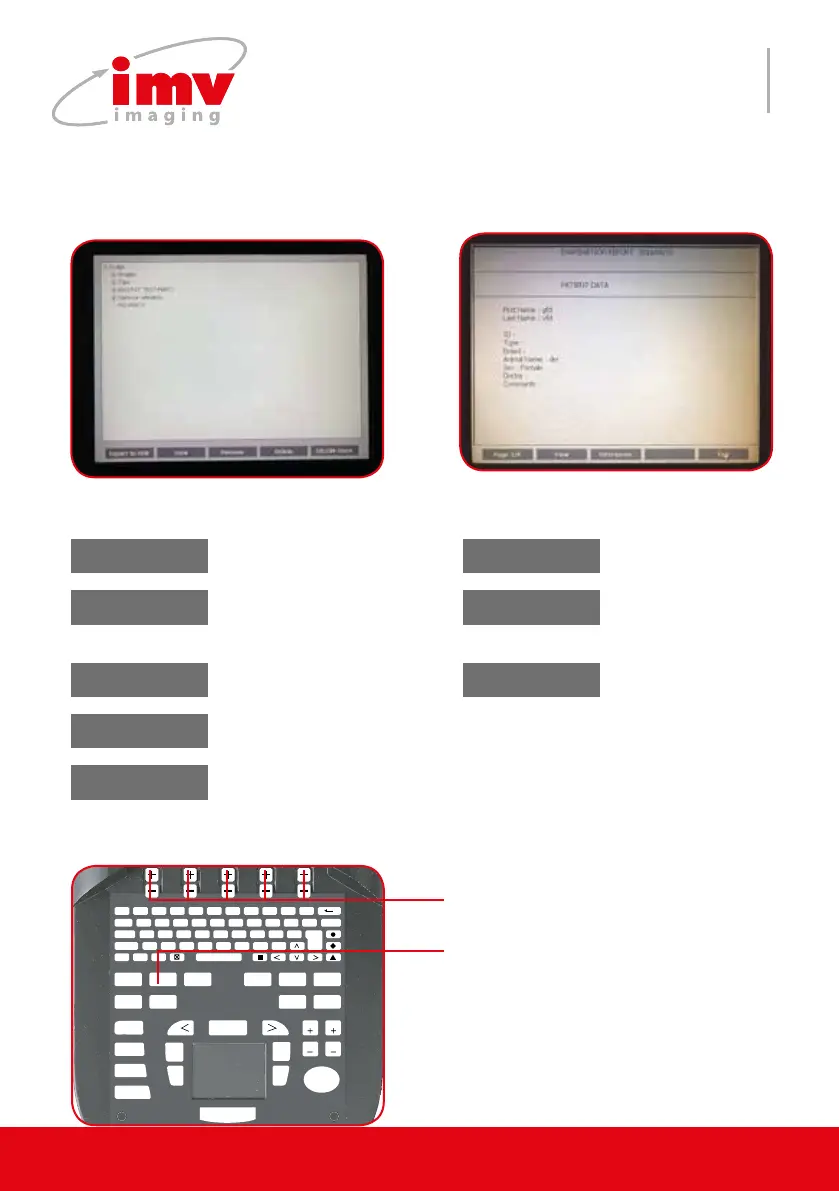
The Report menu allows review of images, clips, reports from USB or internal system me-
mory.
12.Report menu
F 1
!
2
@
3
?
4
+
5
%
6
-
7
&
8
/
9
(
0
)
T
AB Q W E R T Y U I O P DELETE
CAPS A S D F G H J K L ENTER
SHIFT Z X C V B N M ;
T
EXT PICTO
A
RROW
PATIENT REPORT PROTOCOL PROBE ZOOM TGC
SETTINGS CLEAR
FREQUENCY
FOCUS
M CINELOOP
PWD
MEASURE REVIEW
CFM
B
SELECT
DEPTH
GAIN
DEPTH
GAIN
FREEZE
UPDATE STORE
Keys to change settings of the menu.
Exit the menu, return to current exami-
nations or see images and clips.
Page 1/Export USB
Export selected data to
external USB device.
Move to the next
report image.
Display selected items
from the main menu list.
View View
Display stored image
from the current report
Rename selected data.
Rename Directories
Return to Directories
selection menu
Delete
Delete selected data
Dicom store
Transfer of previously stored Dicom les to the
Dicom server. Only possible when the images
are stored in a patient report. Select the report
and press Dicom server store.
When no examination in progress When examination in progress


 To Next Page