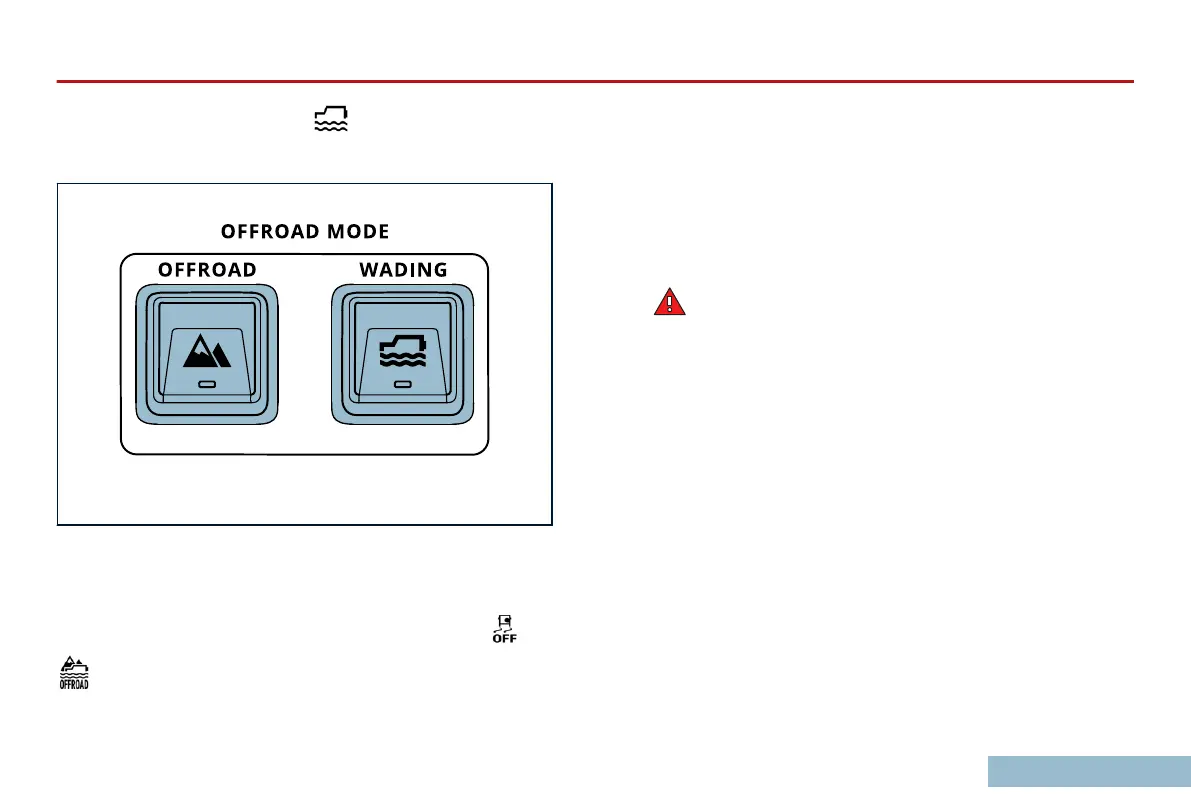
Press the Wading Mode button located on the Overhead
Control Panel for approximately one second.
Release the button, then press it again within 15 seconds to
conrm activation. An
audible conrmation that Wading Mode is
active will be heard, and the LED in the WADING button will turn
on. Wading Mode also activates O-Road Mode, and the
and
indicators will be displayed in the Telltale Cluster. If your
Grenadier does not
send these sound and visual signals, you are
not in Wading Mode. Under no circumstance should you go
wading. You will risk injury and vehicle damage.
While W
ading
Be
attentive
to water depth, water ow, pitch and roll angles, and
tire contact. If you sense danger, remove yourself from that
danger by way of the safest available alternative.
WARNING: Failure to follow these instructions and
precautions may result in serious injury and death.
After Wading
To
deactivate Wading
Mode, press and hold the WADING button
for at least one second and release it. Shifting the transfer case to
a high gear range, unlocking the center dierential, and
deactivating O-Road Mode will also disable Wading Mode.
Let the vehicle idle for a minimum of 20 minutes or drive the
vehicle for 20 minutes immediately afterward.
Wet brakes will be less eective at stopping the vehicle than dry
ones so exercise caution.
DOWNHILL ASSIST
Downhill Assist helps control the speed of your Grenadier when
going downhill at very slow speeds by automatically applying
braking force independently to each wheel to slow your Grenadier
DRIVING OFF ROAD
147



 To Next Page