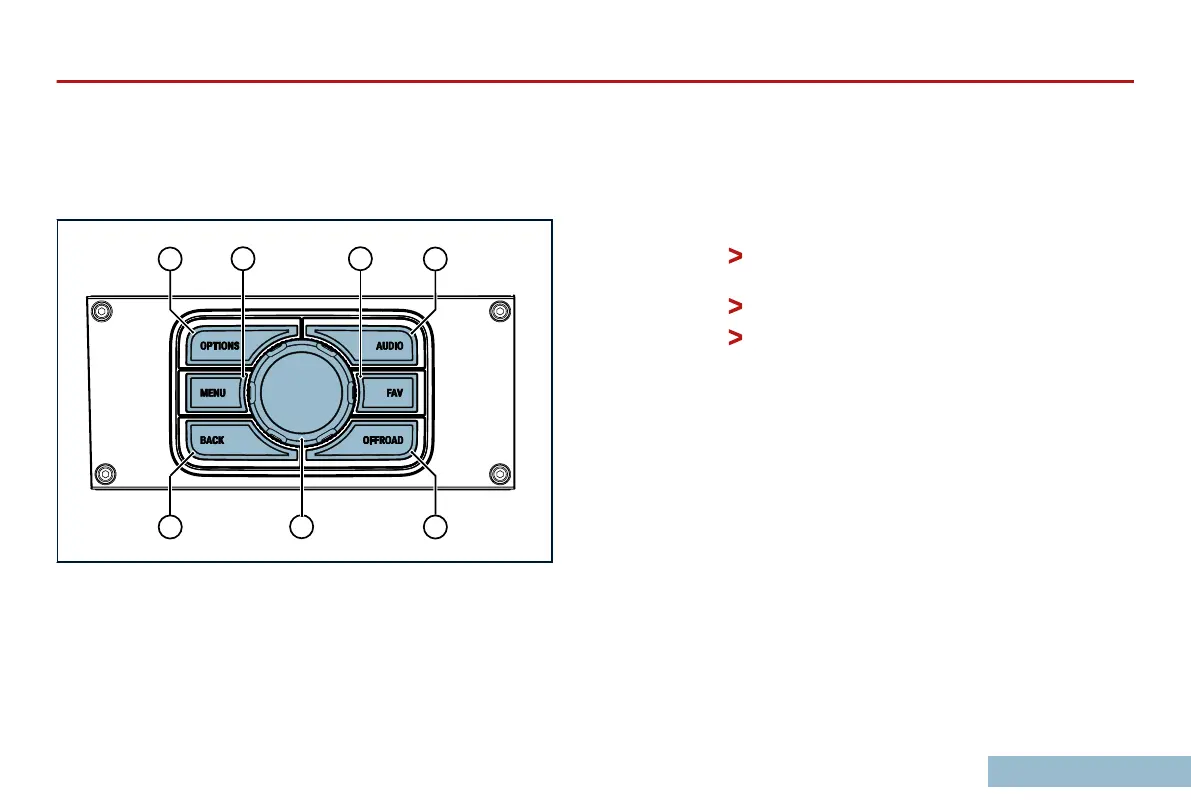
CENTRAL CONTROL INTERFACE (CCI)
On the Center Console just rearward of the shift levers is a rotary
knob with surrounding buttons. This is another means of
controlling the Center Display and Touchscreen.
1.
OPTIONS. Opens/closes the
option menu of the active
tab.
2.
MENU. Opens/closes the menu of the active tab.
3.
AUDIO. Opens the AUDIO tab.
4.
FAVORITE. Switches to
radio by default; can be changed
in the SETTINGS tab.
5.
BACK. Returns to previous option or screen.
6.
OFFROAD. Opens the OFFROAD tab.
7.
Rotary Controller.
Pushing the knob side-to-side or up-and-down
moves an onscreen cursor.
Rotating the knob scrolls through options.
Pressing the rotary knob like a button conrms
a selection.
OVERVIEW
29



 To Next Page