InfiRay Outdoor • EYE III Series • User Manual www.infirayoutdoor.com
All rights reserved and shall not be copied and distributed in any form without written permission. - 12 -
⚫ You can select required files or folders for copying or deleting
operations.
11 Digital Zoom
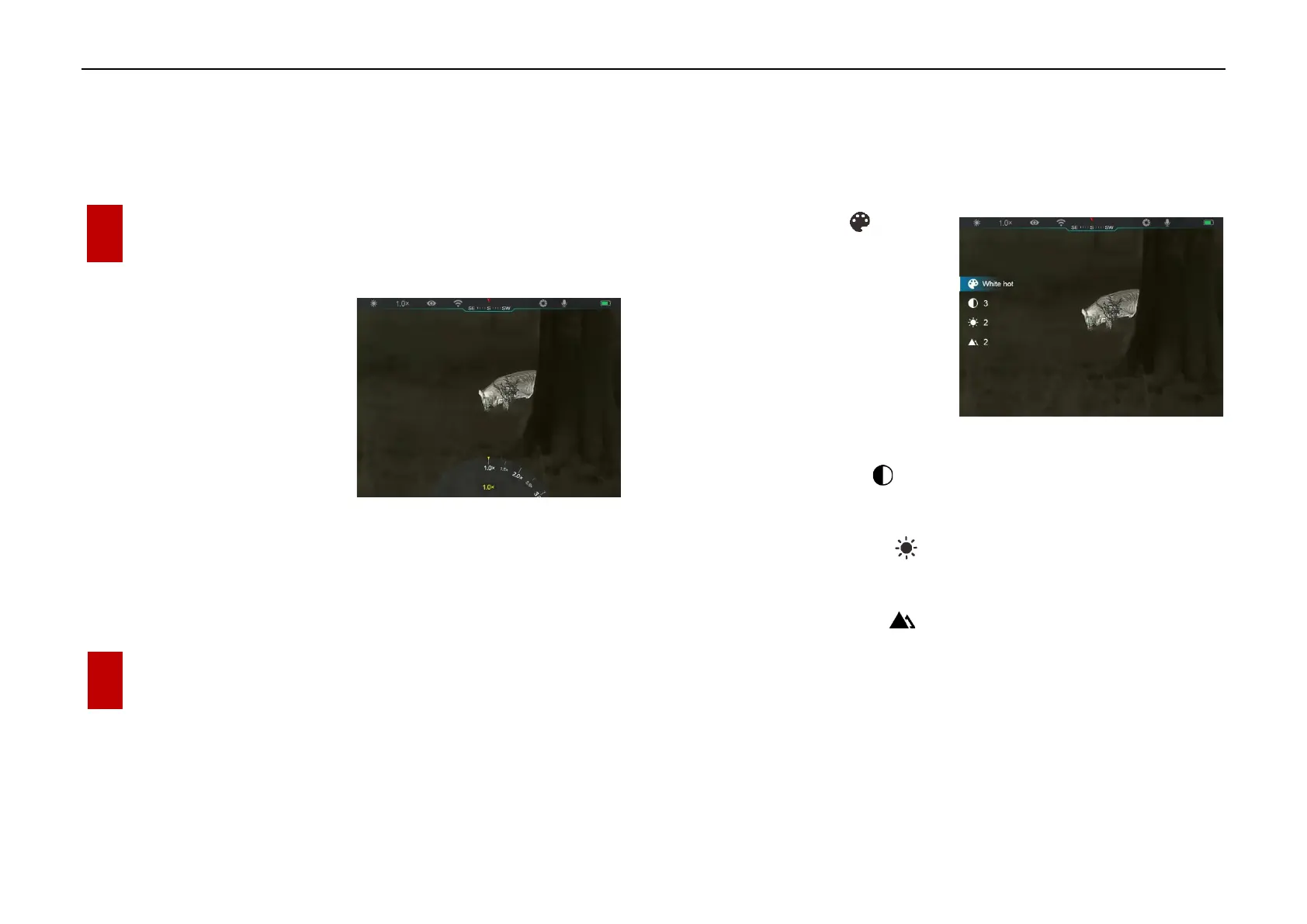
⚫ EYE III series support to quickly
increase the magnification by
1.5× / 2× / 2.5× / 3× / 3.5× / 4×,
as well as to return to the basic
magnification 1×.
⚫ On the home screen, clockwise
rotate the Controller (3) to digital zoom in, and rotate the Controller
(3) anticlockwise to zoom out.
⚫ The corresponding magnification is displayed in the status bar.
12 Shortcut Menu Function
On the shortcut menu, you can quickly adjust basic configurations of
commonly used functions, including the image mode, image contrast,
screen brightness and image sharpness.
➢ In the home screen, press the Controller (3) to enter the shortcut menu.
➢ Rotate the Controller (3) to switch among the options.
- Image mode ( ): Select
the option and press the
Controller (3) to change
the image mode. There are
four modes - White hot,
Black hot, Red hot and
Rainbow.
- Image contrast ( ): Select the option and press the Controller
(3) to switch the image contrast from level 1 to 6.
- Screen brightness ( ): Select the option and press the
Controller (3) to switch the screen brightness from level 1 to 6.
- Image sharpness ( ): Select the option and press the
Controller (3) to switch the image sharpness from level 1 to 4.
➢ Press and hold the Controller (3) to save the changes and return to the
home screen.
➢ It will automatically save the changes and return to the home screen if
there is no operation within 5s.



 To Next Page