33 / 108
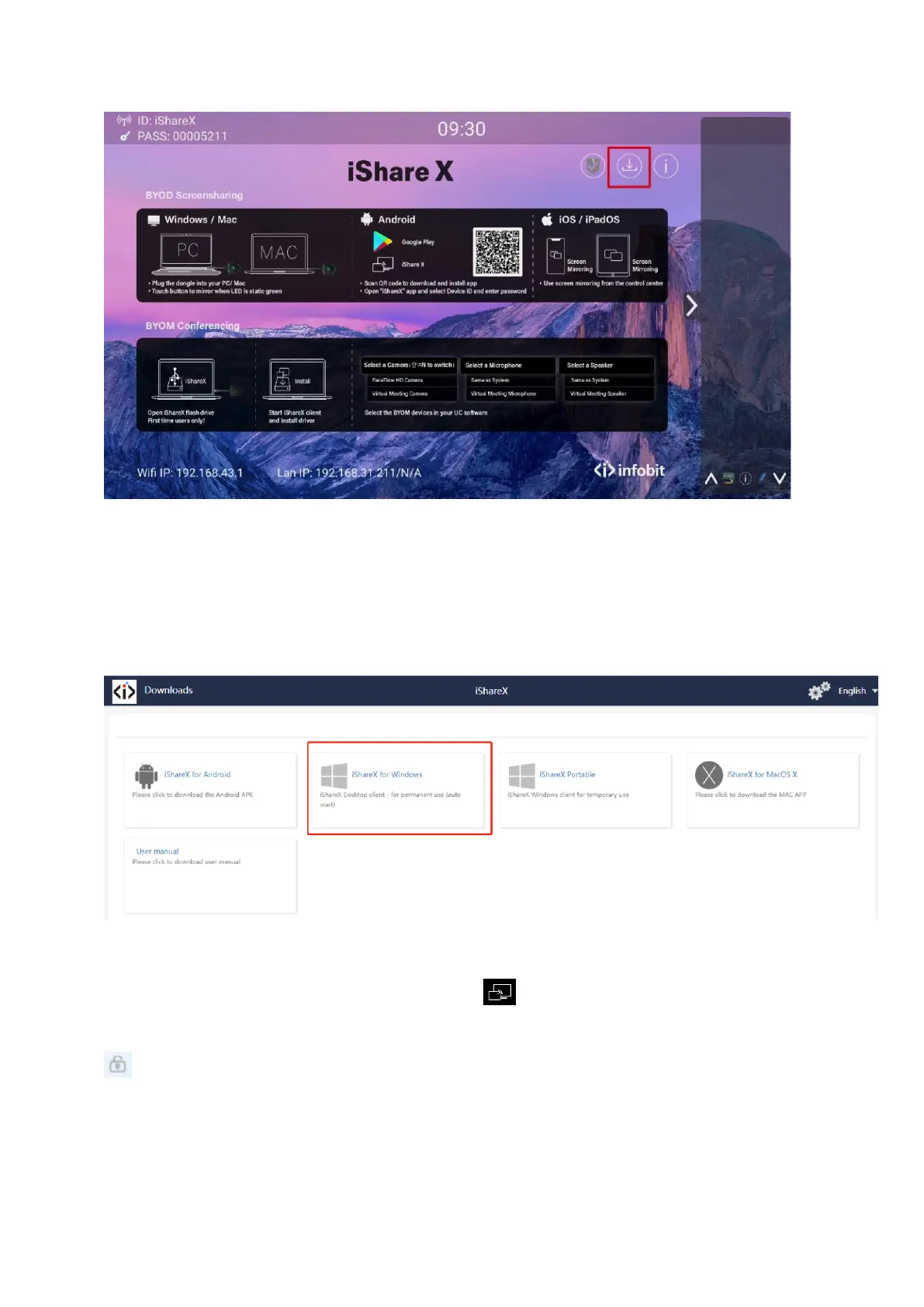
Or you could download the application from web page, by connecting PC into the same network of iShare X400 box.
2. Connect your laptop to Wi-Fi network displayed on the Home screen, or connect to the LAN network.
3. Double-click the "iShare X-windows.exe" Launcher program , a list of all available “iShare X” in the same network
will be displayed, select which device you want to connect to. The connections are password protected (lock icon
). It supports multiple iShare X400 receivers connected via LAN connection and all listed. If connect via WiFi, only
one receiver can be detected and listed.


 To Next Page