5
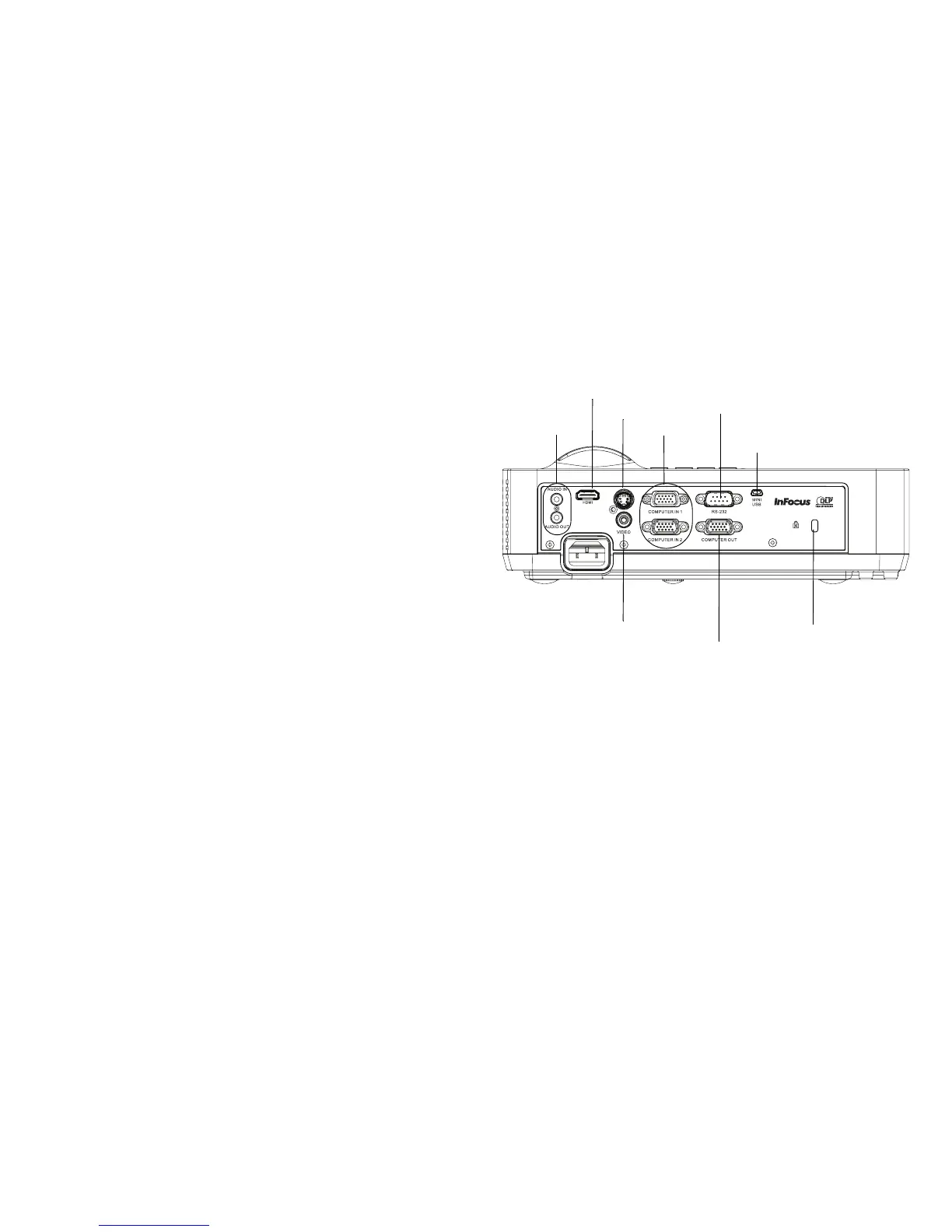
Connector panel
The projector provides both computer and video connection options, including:
• VGA computer
• Composite video
• HDMI (IN116 only)
•S-video
• USB mini B connector for firmware upgrades and presentation slide control.
• Monitor out, for VGA pass through to an external monitor.
• Audio input for video and computer.
• Audio output to external speakers.
• RS-232 serial control. Command control codes are on our support website at
ww
w.infocus.com/support.
RS 232
computer
composite
video
audio in/out
security lock
S-video
monitor
out
HDMI (IN116 only)
USB mini B



 To Next Page