13
Problem Solution Result
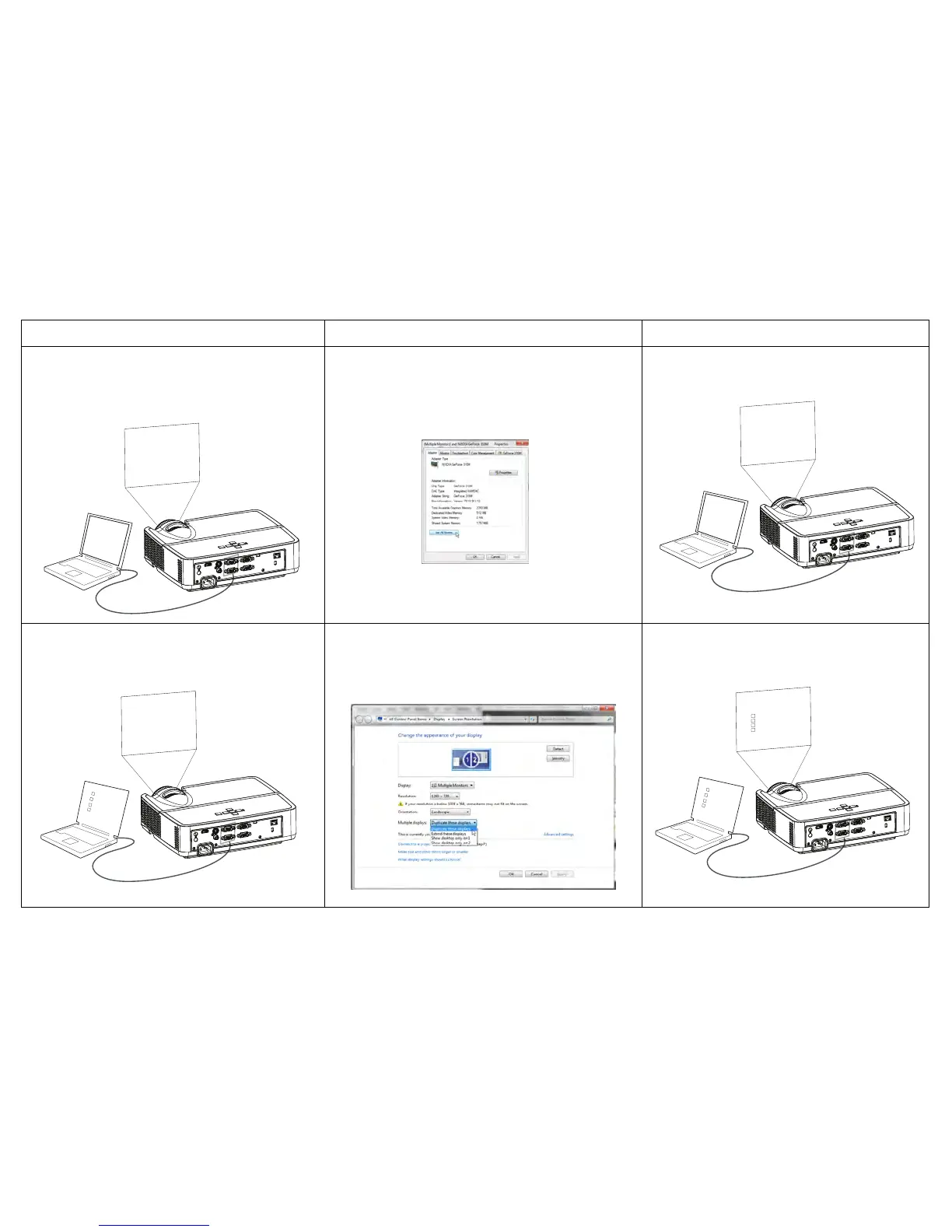
No computer image, just the words “Signal
out of range”
A
Signal out of
the range
Press the Auto Image button on remote
Adjust computer refresh rate (Windows 7:
C
ontrol Panel > Display > Screen Resolution >
Advanced Settings > Adapter tab). Varies per
operating system.
You may also need to set a different resolution
on your computer, as shown in the following
problem, “image fuzzy or cropped”
Computer image projected
Only my laptop’s background appears, not the
Desktop icons
A
A
Change the Multiple Display setting to
"Duplicate these displays" (Windows 7: Control
Panel > Display > Screen Resolution). Varies per
operating system.
Background and Desktop projected



 To Next Page