32
• / > < $ % + \ ' " are prohibited.
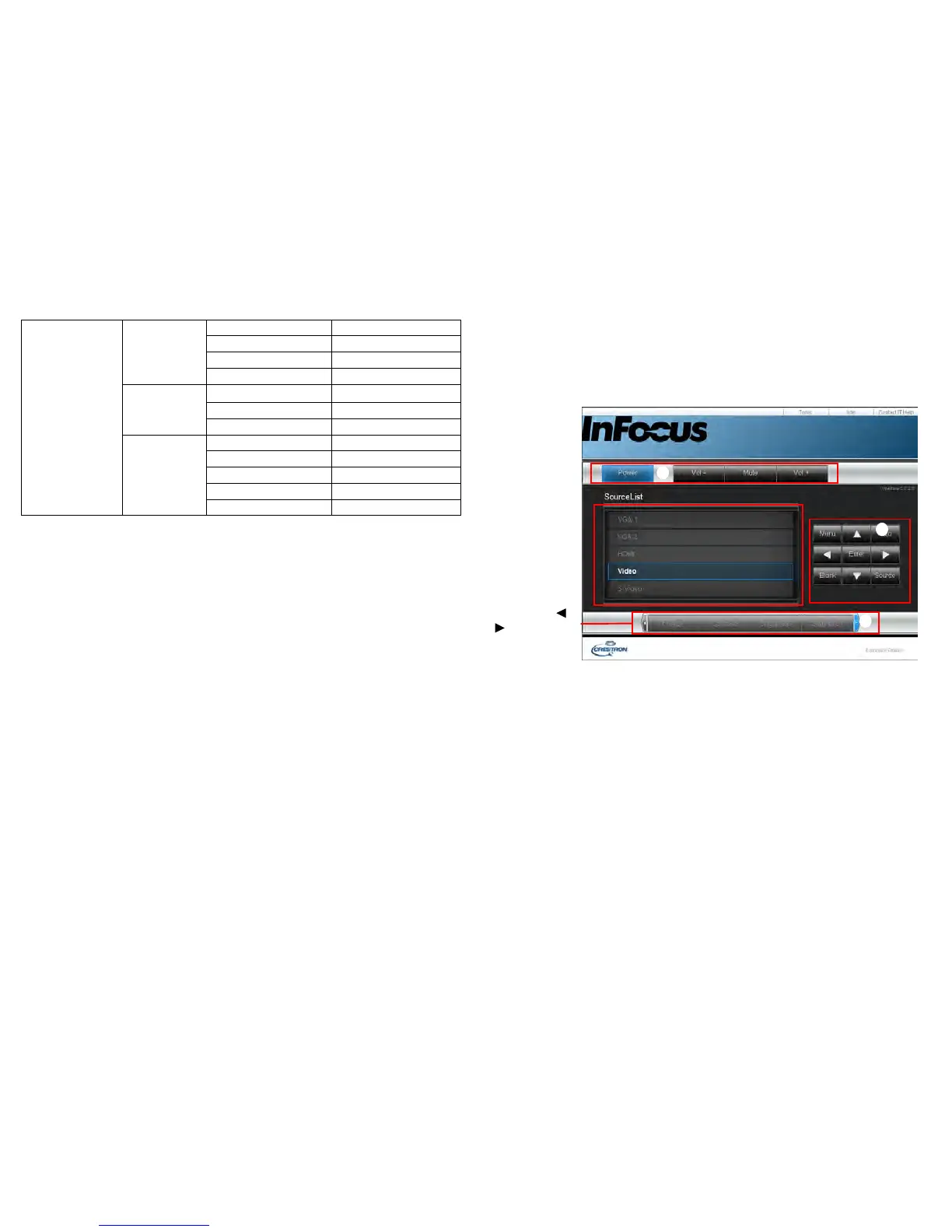
About Crestron e-Control
®
1 The Crestron e-Control
®
page provides a variety of virtual keys to control
the projector or adjust the projector’s image.
a
a
i
You can press /
to reveal more
buttons.
a. These buttons function the same as the ones on the OSD menus or remote
control.
• Source List: To switch the source, click on the desired source.
• Menu: Use to go back to previous OSD menu, exit and save menu settings.
• When you use the projector control panel or remote control to change the
OSD menu settings, it may take a while for the web browser to synchronize
these changes with the projector.
Email Alert
Email Setting
To 4 0
Cc 40
Subject 40
From 40
SMTP Setting
Server
30
User Name 21
Password 14
Alert Condition
Fan Error (N/A)
Lamp Error (N/A)
Temperature Error (N/A)
Submit (N/A)
Issue Test Mail (N/A)



 To Next Page