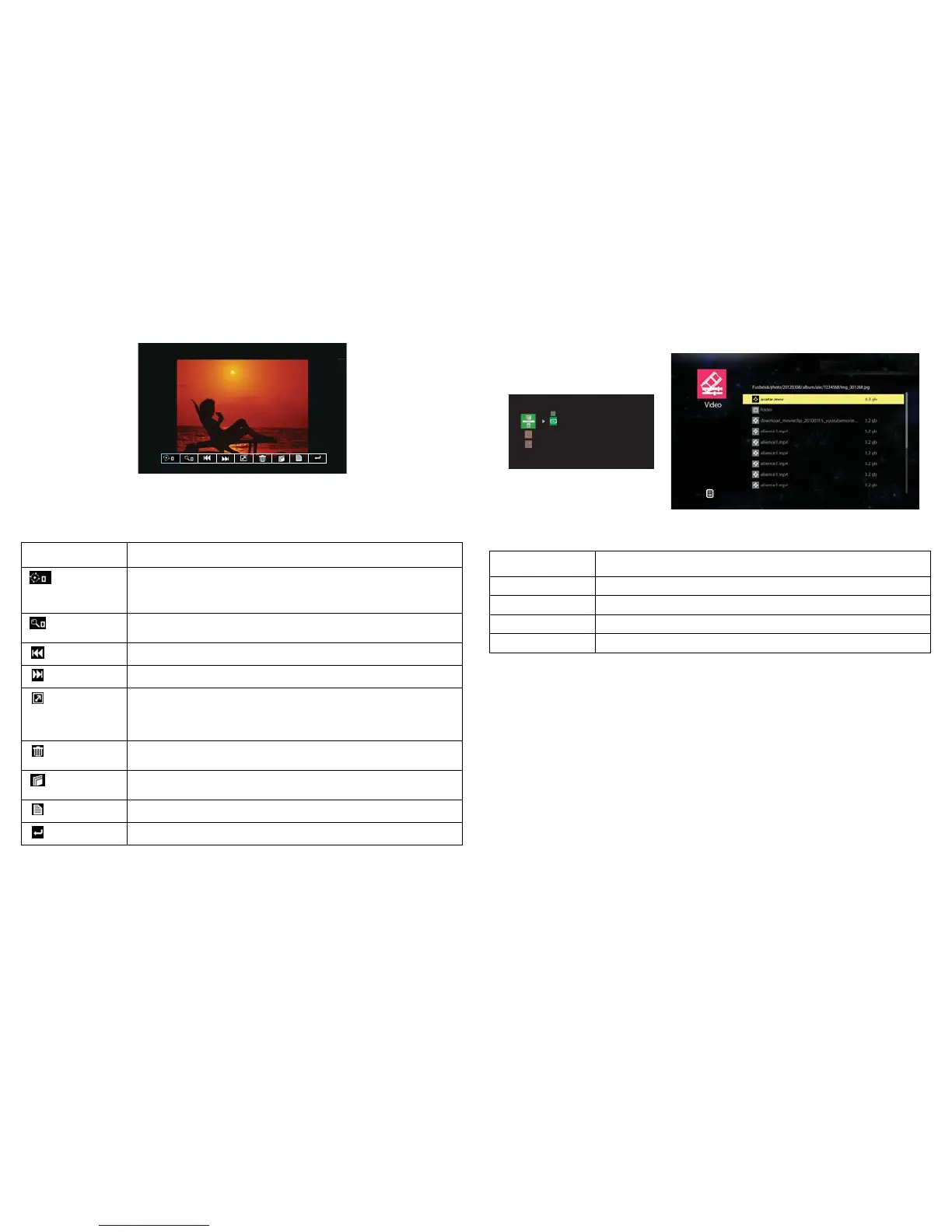
• To open/close the Photo View toolbar: press the Menu key.
• To navigate through the toolbar: press the arrow keys ^/</>.
• To return to thumbnail view: press the Select/Enter key.
Video mode
Key Action
Up
Go to the previous video file
Down
Go to the next video file
Select/Enter
Play the video
Menu
Exit video playlist and return to EZ Suite main menu
Video playlist is displayed on the screen
Toolbar icon Action
Press v/Enter/Select to select picture rotation
Toggle the Enter/Select/four arrow keys to rotate the picture
counterclockwise, press Menu key to exit from it.
Toggle Enter/Select to zoom in the picture by x0, x1, x2, x3, x4 in
sequence, press Menu key to exit from it.
Toggle v/Enter/Select to display the previous picture
Toggle v/Enter/Select to display the next picture
Press v/Enter/Select to start slideshow when Slideshow is On, press
Menu key to stop the slideshow. Note: To enable the Slideshow
feature and set the slide timing, go to the Settings menu and adjust
Slideshow and Slideshow Duration.
Press v/Enter/Select to open the pop-up message screen, press Menu
key to close it.
Press v/Enter/Select to open the pop-up message screen, press Menu
key to close it.
Press v/Enter/Select to display the current file information
Press v/Enter/Select to return to thumbnail view



 To Next Page