EasyManua.ls Logo

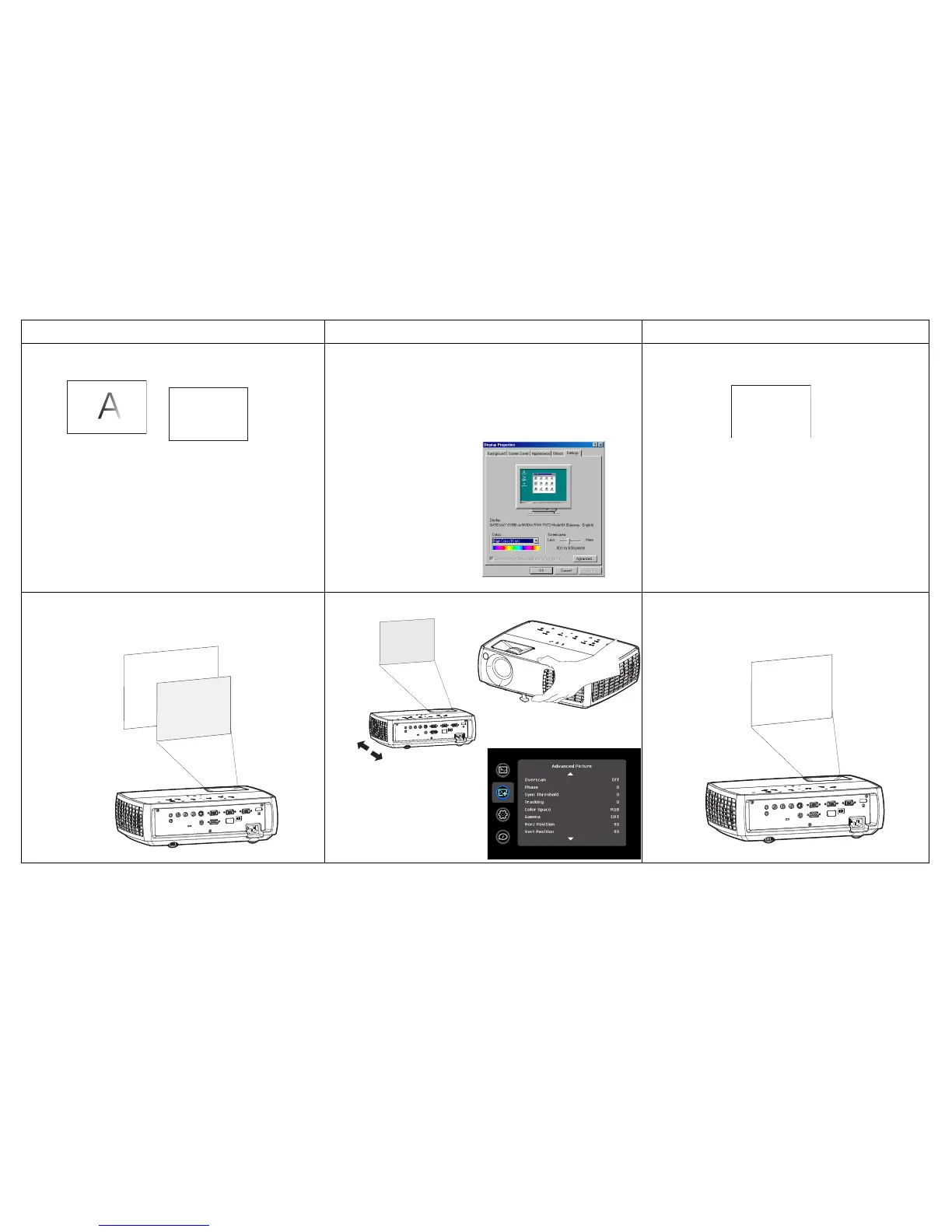
InFocus IN3102 - Troubleshooting: Image Quality and Alignment; Image fuzzy or cropped

InFocus IN3102
39 pages
Print Icon
To Next Page IconTo Next Page
To Previous Page IconTo Previous Page
Loading...
18
Image fuzzy or cropped Set your computer’s display resolution to the native
resolution of the projector (Start > Settings > Control
Panel > Display > Settings tab)
Image clear and not cropped
Image not centered on screen Move projector, adjust zoom, adjust height Correct image
Prolem Solution Result

A
A
For a laptop,
disable laptop
monitor or turn-
on dual-display
mode
A
A
Adjust horizontal or
vertical position in
Advanced Picture
menu

Related product manuals