EasyManua.ls Logo

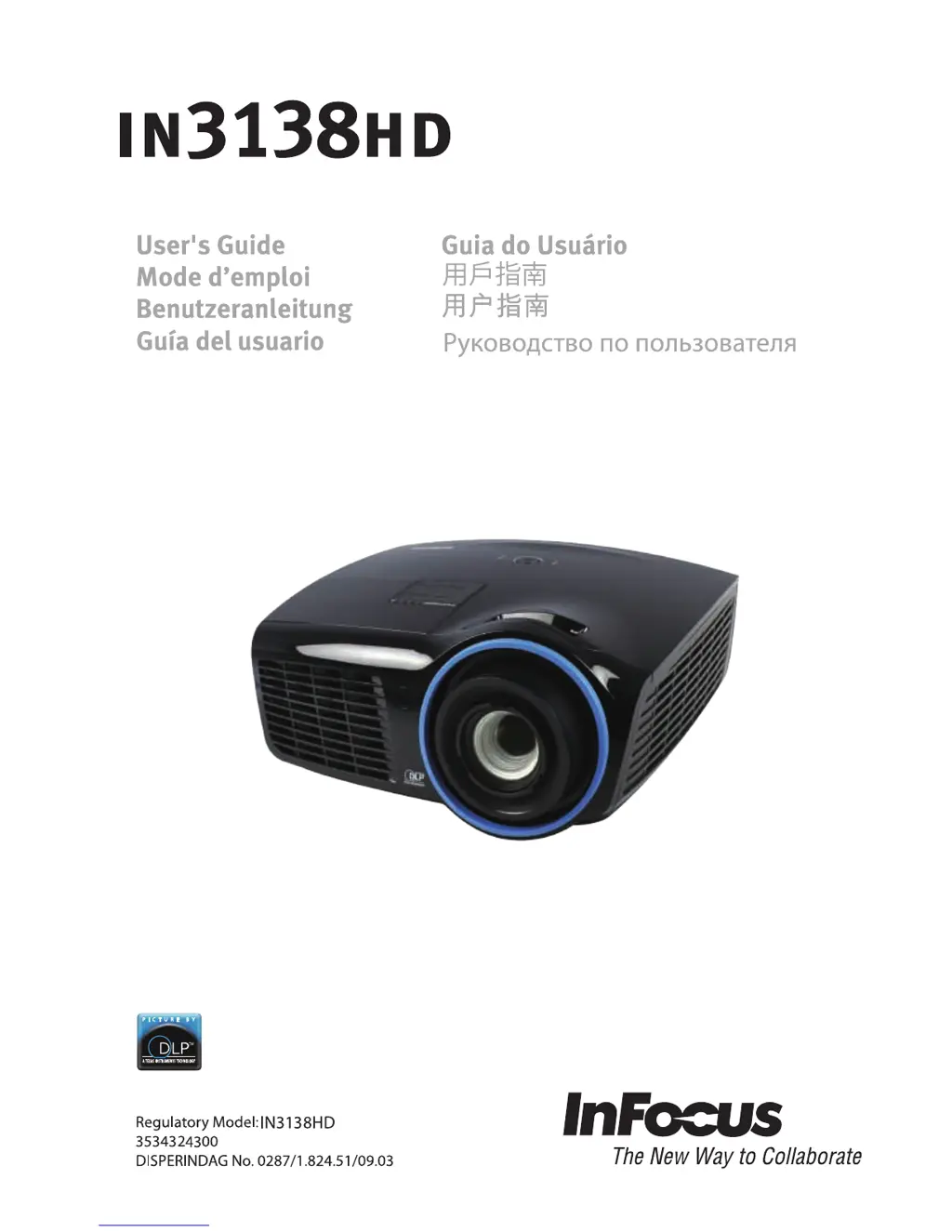
InFocus in3138hd - User Manual

InFocus in3138hd
67 pages
Print Icon
To Next Page IconTo Next Page
Loading...

Table of Contents

Other manuals for InFocus in3138hd

Questions and Answers

  • T
    Taylor RobertsAug 17, 2025
    What to do if no image appears on the screen of InFocus in3138hd Projector?
    • C
      contrerasalyssaAug 18, 2025
      If no image appears on the screen, verify the settings on your notebook or desktop PC. Also, try turning off all the equipment and powering everything up again, ensuring the projector is turned on last.
  • M
    Mr. Andrew Rollins DVMAug 20, 2025
    What to do if the InFocus in3138hd Projector lamp goes off?
    • P
      phillipwilsonAug 20, 2025
      If the lamp goes off, it could be due to power surges. Try re-plugging the power cord and, when the Power LED is on, press the power button. Alternatively, replace the lamp module or put the old lamp back in the projector and have the projector serviced.
  • C
    cochranaaronAug 22, 2025
    How to fix a blurred image on an InFocus in3138hd Projector?
    • C
      costajacobAug 22, 2025
      To fix a blurred image, adjust the focus on the projector. You can also press the Auto button on the remote control. Ensure the projector-to-screen distance is within the specified range and check that the projector lens is clean.
  • R
    Ryan LambertAug 25, 2025
    Why is the image reversed on my InFocus in3138hd and how to fix it?
    • S
      stevenschristineAug 26, 2025
      If the image is reversed, check the Projection setting on the Settings 1 menu of the OSD.
  • J
    Juan OrtizAug 28, 2025
    How to fix flat image with no contrast on InFocus in3138hd Projector?
    • P
      Pamela CarneyAug 28, 2025
      To fix a flat image with no contrast, adjust the Contrast setting on the Image menu of the OSD.
  • M
    Mallory MossAug 30, 2025
    What to do if there is no light from the InFocus in3138hd Projector?
    • D
      David WattsAug 30, 2025
      If there is no light from the projector, check that the power cable is securely connected and ensure the power source is working by testing with another electrical device. Restart the projector and check that the Power LED is on. If you have replaced the lamp recently, try resetting the lamp connections. If not, replace the lamp module or put the old lamp back in the projector and have the projector serviced.
  • M
    Mariah ThompsonSep 1, 2025
    What to do if the InFocus in3138hd Projector does not respond to the remote control?
    • J
      Jon KellySep 1, 2025
      If the projector isn't responding to the remote, start by pointing the remote control directly at the remote sensor on the front of the projector, ensuring nothing is blocking the path between the remote and the sensor. Try turning off any fluorescent lights or other infrared-enabled devices in the room. Check the battery polarity, and if necessary, replace the battery. If problems persist, replace the remote control.
  • S
    Sean BeckerSep 4, 2025
    What to do if there is no sound from InFocus in3138hd Projector?
    • M
      Michael MeyerSep 4, 2025
      If there is no sound, first adjust the volume on the remote control and then adjust the volume of the audio source. Check the audio cable connection and test the source audio output with other speakers. If the problem persists, have the projector serviced.
  • R
    Richard MendezSep 7, 2025
    How to correct trapezoid effect on InFocus Projector?
    • H
      Harry HicksSep 7, 2025
      To correct the trapezoid effect, position the projector so it is as perpendicular to the screen as possible. Alternatively, use the Keystone button on the remote control to correct the problem.
  • J
    jamescourtneySep 9, 2025
    What to do if the InFocus Projector image is streaked?
    • R
      reynoldslarrySep 9, 2025
      If the image is streaked, set the Frequency and Tracking settings on the Image->Computer menu of the OSD to the default settings. To ensure the problem is not caused by a connected PC’s video card, connect to another computer.

Summary

Important Safety Information

General Safety Information

Provides essential safety guidelines for using the projector.

Remote Control Parts

SETUP AND OPERATION

Turning the projector on and off

Instructions on powering the projector on and off, including connected devices.

Setting an Access Password (Security Lock)

Procedure to set a password to prevent unauthorized projector use.

Adjusting the Zoom, Focus and Keystone

How to adjust image size, sharpness, and correct trapezoid distortion.

ON-SCREEN DISPLAY (OSD) MENU SETTINGS

Image Menu

Settings 1 Menu

Settings 2 Menu

MAINTENANCE AND SECURITY

Replacing the Projection Lamp

Detailed instructions for safely replacing the projector lamp module.

Resetting the Lamp Timer

Procedure to reset the lamp hour timer after lamp replacement.

Cleaning the Projector

Guidelines for cleaning the projector lens and case to maintain performance.

TROUBLESHOOTING

Common problems and solutions

General tips for diagnosing and resolving common projector issues.

LED Error Messages

Lists projector error codes indicated by LED status lights.

SPECIFICATIONS

REGULATORY COMPLIANCE

InFocus in3138hd Specifications

General IconGeneral
Resolution1920 x 1080
Lamp TypeUHP
Projection TechnologyDLP
Projection Size30 - 300 inches
Keystone CorrectionVertical ±40°
Input PortsHDMI, VGA, USB, Composite Video
Video Modes1080i, 1080p, 720p, 480i, 480p, 576i, 576p
Data ModesXGA, SVGA, SXGA, SXGA+
Noise Level28 dB
Lamp Life5000 hours

Related product manuals