IN3138HD User’s Manual
Setting the OSD Language
Set the OSD language to your preference before continuing.
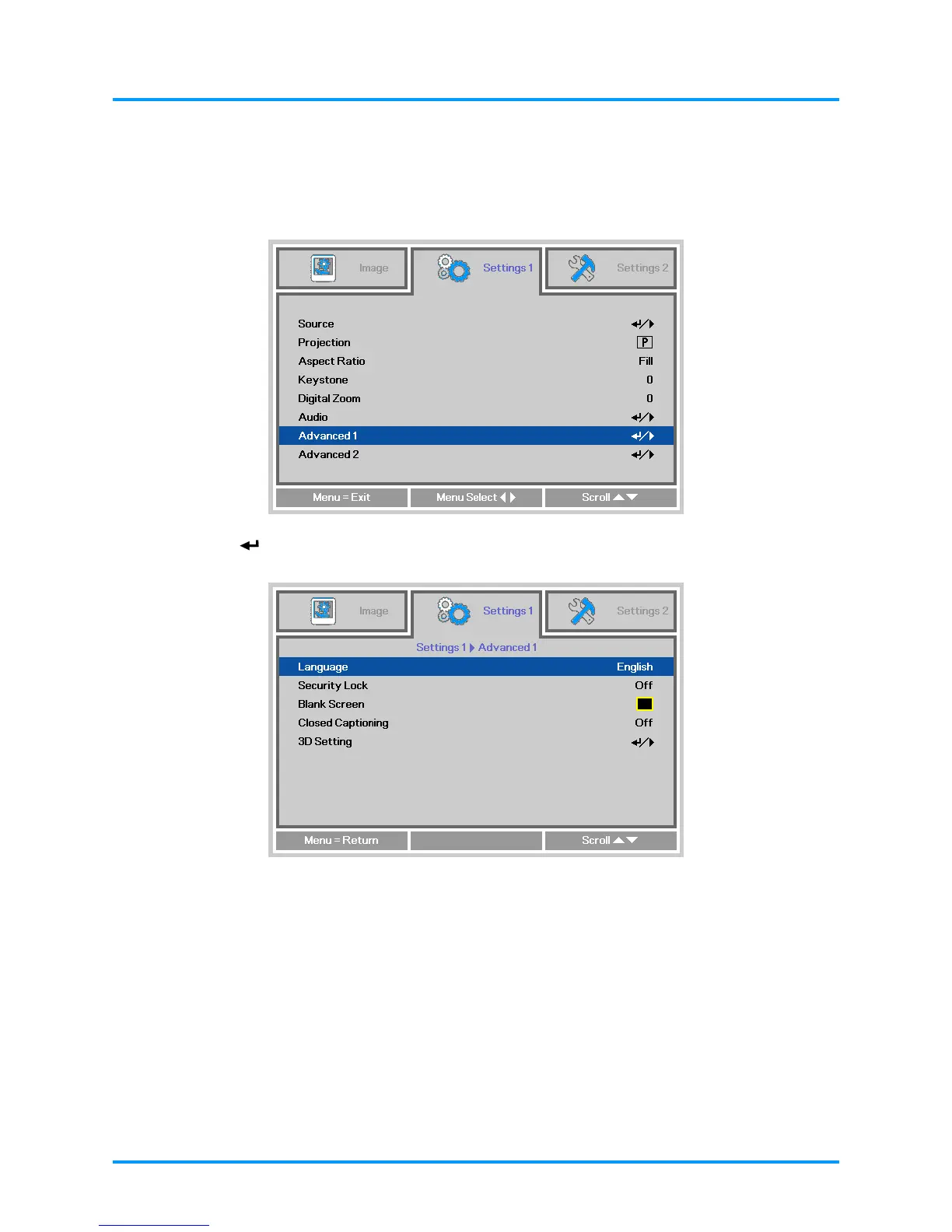
1. Press the MENU button. Press the ◄► buttons to navigate to Settings 1. Press the ▲▼
buttons to move to the Advanced 1 menu.
2. Press (Enter) or ► to enter the Advanced 1 sub menu. Press the ▲▼ buttons until
Language is highlighted.
3. Press the arrow buttons until the language you want is highlighted.
4. Press the MENU button four times to close the OSD.
– 17 –



 To Next Page