EasyManua.ls Logo

InFocus IN3128HD - Page 17

InFocus IN3128HD
44 pages
Print Icon
To Next Page IconTo Next Page
To Previous Page IconTo Previous Page
Loading...
A
16
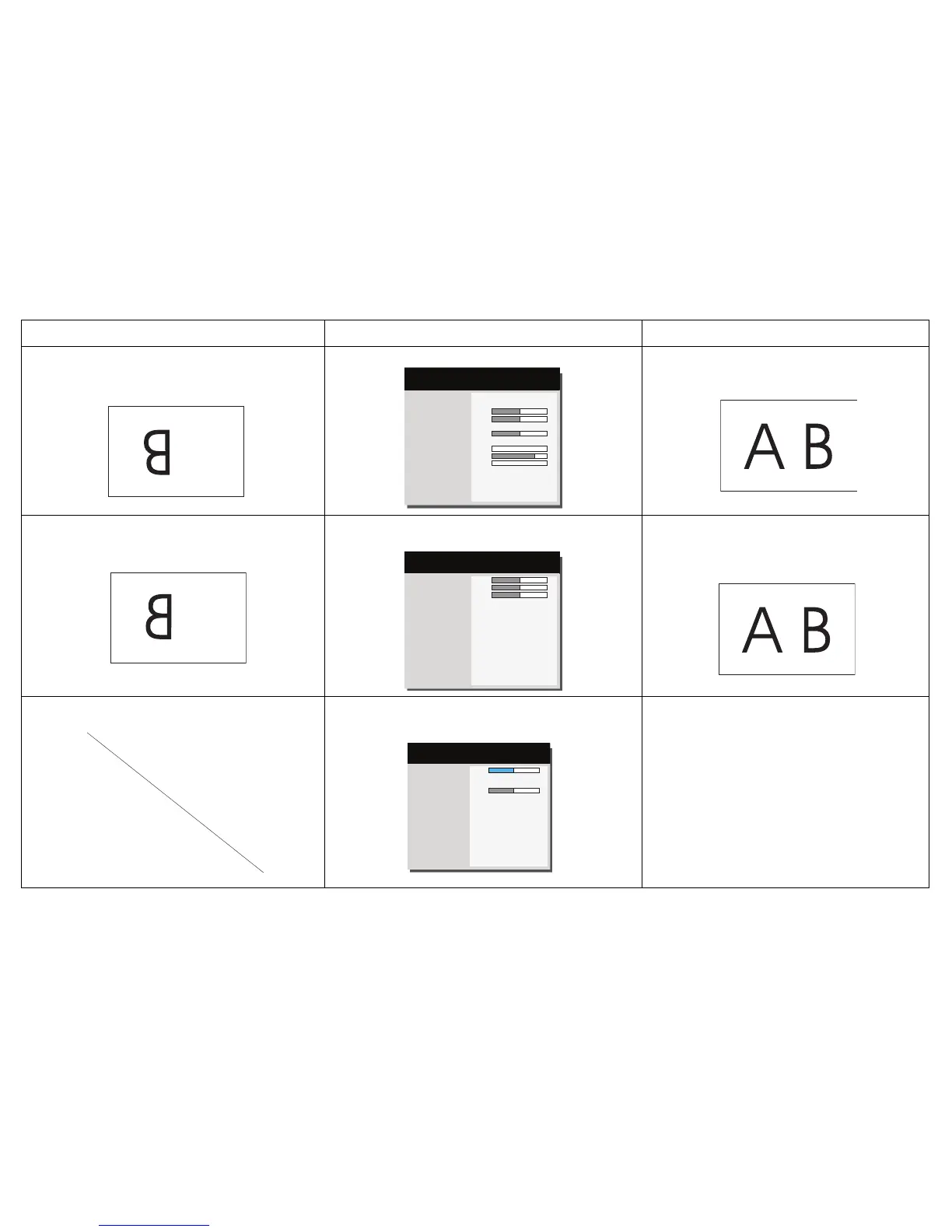
Image upside down
Aspect Ratio
Auto Image
Brightness
Contrast
Auto Keystone
Keystone
Presets
Sharpness
Volume
Microphone Volume
Ceiling Mount
Advanced Menu
16:9
Execute
50
50
On
+ 0
Presentation
0
16
0
◄ Off ►
(
Basic Menu
)
MDL: IN3128HD
FW: 0.10
Turn off Ceiling Mount in Basic menu
Correct image
Image reversed left to right
A
Magnify Level
Horz Shift
Vert Shift
Ceiling Mount
Rear Project
Previous
0
50
50
Off
◄ Off ►
( Image Setup )
MDL: IN3128HD
FW: 0.10
Turn off Rear Project in Advanced Menu > Setup >
Image Setup menu
Correct image
COLOR
Projected colors don’t match source
Color
Color Temp
Gamma
Tint
Previous
50
Cool
Video
50
( Color )
MDL: IN3128HD
FW: 0.10
Adjust the items in the Advanced Menu > Image > Color
menu
COLOR
Correct image
Problem Solution Result

Related product manuals