35
Replacing the projection lamp
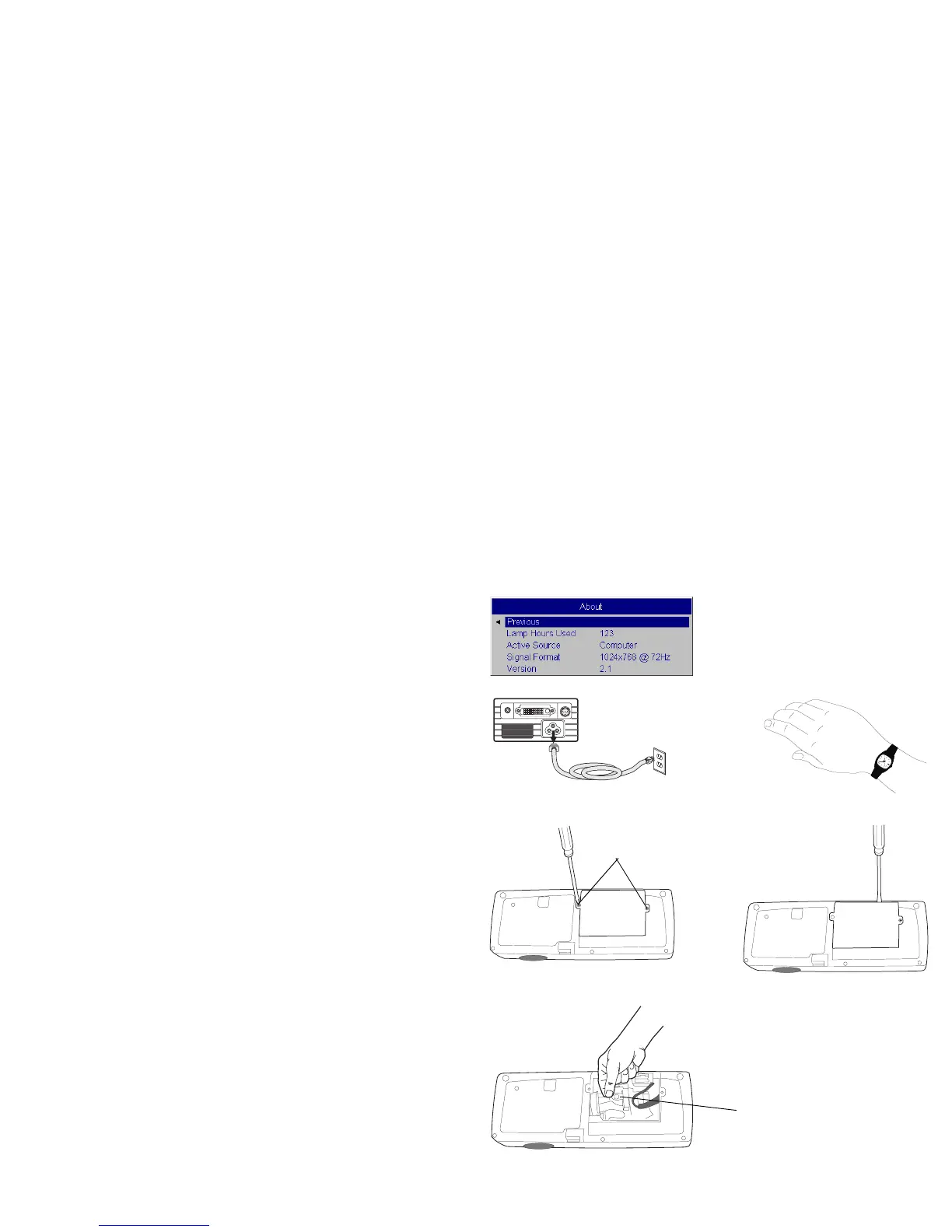
The lamp hour timer in the About menu counts the number of hours the
lamp has been in use. Fifty hours before the specified end of the lamp’s life,
the message “Replace lamp” briefly appears on the screen at each startup
and in the Interactive Display. After 50 additional hours, the lamp will no
longer light. You can order new lamp modules from your dealer. See
“Accessories” on page 37 for information.
1 Turn off the projector and unplug the power cable.
2 Wait 60 minutes to allow the projector to cool thoroughly.
3 Turn the projector upside down and loosen the two screws on the lamp
door. Pry the door straight up to disengage the power interrupt connec-
tor (located on the underside of the door) and remove the lamp door. Be
sure to pry the door straight up, not at an angle, to avoid damaging the
power interrupt connector.
NOTE: The projector will not turn on while the lamp door is removed.
4 Pull the pull tab on the lamp module up to release the catch.
About menu
turn off and unplug
the projector
wait 60 minutes
loosen lamp door screws
pry door off
release the pull tab



 To Next Page